
A tiered virtual Visa funded by stablecoins — cheap to open, thin on the details that matter
 Available in US
SPay is a virtual Visa card you fund with stablecoins rather than a bank account. You load USDC or USDT, the balance converts to US dollars, and you spend it in shops, online or through Apple Pay. It comes in three paid tiers — Platinum, Signature and Infinite — that differ mainly in spending caps, insurance perks and how much back you earn on purchases. The card is issued by Third National under a Visa licence, and the app-side operation is run by NOVARA TECH L.L.C S.O.C, which states plainly that it is not a bank.
That is the shape of it. The problem is that a great deal of what you would need to judge it is simply not published. There is no country list on the card’s public pages, no stated ATM fee, no stated deposit fee, no listed daily or per-transaction caps, no stated collateral model, and no Trustpilot page to check. I score it 5.5 out of 10. That is not a rejection — it is a card with a workable core idea and a thin public disclosure layer sitting on top of it.
The conditions described here are current as of October 28, 2026.
The score, criterion by criterion
Here is how the marks break down, so you can see where the card earns its score and where it loses it.
| Criterion | Mark | Why |
|---|---|---|
| Who can get it | 5 / 10 | No country list on the page; coverage is by enquiry via Contact. Terms bar sanctioned persons and require you to attest you are not a US citizen — the card is aimed at people outside the US. |
| Cost | 3 / 10 | One-time fees of $9.99 (Platinum), $19.99 (Signature), $49.99 (Infinite), plus $99 for a physical card. Foreign exchange up to 3% and cross-border up to 3%. |
| Top-up options | 8 / 10 | The strongest area. USDT on Tron and Ethereum, USDC on Ethereum, native ETH and TRX into the SPay wallet; card top-up from a USDC balance in amounts from $10 to $500. |
| Reliability and complaints | 7 / 10 | Operated by NOVARA TECH L.L.C S.O.C, issued by Third National under a Visa licence. No complaints found; App Store rating 5.0 from a single rating. |
| Everyday use | 6 / 10 | Virtual Visa with Apple Pay working. Google Pay is described inconsistently. The physical card and ATM access are both marked “Coming soon”. |
| Total | 5.5 / 10 | A fair card with real gaps in published detail. |
So who is this for? In my reading, the card suits a non-US user who already holds stablecoins, wants a virtual Visa rather than a physical one, and cares about a modest earning rate on spending. If you want a physical card today, want cash from an ATM, or live somewhere you need a definite yes-or-no answer on eligibility before you apply, this is not yet the card for you — see the daily-use and risk sections for why.
Who they will give you the card
The short answer: there is no public list of eligible countries, so the honest answer to “will they issue it in my country?” is that you cannot tell from the card’s own pages.
Here is what is actually stated. There is no country list on the card page. Where the card would normally list supported countries, it instead says “For current country coverage” and points you to its Contact page. That means eligibility is handled by enquiry, not by a published rule you can check yourself. If you are outside the US, that is at least the right side of the line — but it is a poor substitute for a real list.
The card terms add two conditions you should read before you apply. First, you must not be blocked or sanctioned by the United States, under the OFAC lists. Second, you must attest that you are not a US citizen; the card’s terms describe it as intended for people outside the US. That is a citizenship test, not a residence test. Whether the card applies the rule to citizenship alone, residence alone, or both is not stated on the public pages. If you hold a passport from a sanctioned country but live legally elsewhere, or if you are a US citizen living abroad, the wording does not tell you clearly which side of the line you fall on. If that describes you, the responsible move is to ask the operator directly before you upload documents, not to guess.
One thing worth understanding generally: why a card asks about citizenship at all. Nationality and country of birth are screened separately from where you live, because sanctions lists and issuer risk policy are applied to citizenship as well as address. So a card that says “not for US citizens” is doing something standard, not something unusual. What is unusual is not saying which countries it *does* accept.
How to get it
Applying is an in-app onboarding flow, and it is not fully spelled out. Verification is required during onboarding, but the card’s public pages do not describe which documents are needed, whether proof of address is required, or what the minimum age is. Those details are not stated. What you can plan around is how the app behaves once you are inside it: unlocking uses Face ID or a 6-digit passcode.
The card itself is created in-app as a virtual Visa, issued by Third National under a licence from Visa. It spends in US dollars. If you want the teal plastic physical card — designed for tap-to-pay and ATM withdrawals — that is marked “Coming soon” and priced at $99 as a one-time fee. When it does arrive, the stated model is delivery to your address and activation on arrival. Which countries it ships to, and how long delivery takes, are not stated.
The honest summary: you can start the process in minutes and get a usable virtual card, but you are signing up without a published document checklist or a published delivery promise. If a document rejection would be a serious problem for you — because your documents are unusual, or you move countries often — ask first.
What it really costs: the Fees
This is the weakest part of the picture, and it is where I would push hardest before you commit. The card’s cost structure is a set of one-time plan fees plus percentage fees on currency and cross-border use, and several fees you would expect to find are simply absent from the public pages.

| Fee or limit | Value | Source |
|---|---|---|
| Platinum one-time fee | $9.99 | Card plan fees |
| Signature one-time fee | $19.99 | Card plan fees |
| Infinite one-time fee | $49.99 | Card plan fees |
| Physical card | $99 one-time | Card plan fees; card marked “Coming soon” |
| Monthly fee | Not stated | No monthly fee is published |
| Foreign exchange fee (non-USD) | Up to 3% | Card terms |
| Cross-border fee | Up to 3% | Card terms |
| Crypto conversion / deposit fee | Not listed | Not published |
| ATM fee | Not listed | Physical card is “Coming soon”; cash advances unavailable per terms |
| Platinum monthly cap | $20,000 | Card limits |
| Signature monthly cap | $50,000 | Card limits |
| Infinite monthly cap | $100,000 | Card limits |
| Your own limit range | From $0 up to the plan cap | Card limits |
| Daily and per-transaction caps | Exist, amounts not listed | Card limits |
Two of those rows deserve your attention. First, the daily and per-transaction caps exist — the card does have them — but the amounts are not listed, so you cannot tell whether a $30 airport taxi will clear or a $400 hotel night will. Second, the terms say SPay sets your limit based on collateral and can reduce it to $0 at any time. That is a meaningful limit on your control: you can set your own spending ceiling, but the ceiling itself can be lowered by the provider without warning.
Now let me walk three everyday payments through those numbers, because a percentage fee only means something against a real amount.
- Buying coffee. If you pay in your own currency, the foreign exchange fee of up to 3% applies, and a cross-border fee of up to 3% may also apply. On a $4 coffee, a 3% fee is about twelve cents — annoying but small. The point is that on small purchases, a percentage fee is a percentage of very little.
- A month of groceries, say $400. A 3% foreign exchange fee is about $12; if the cross-border fee also applies, add roughly another $12. This is the range where the fee structure starts to bite, and whether both fees stack on the same payment is something the terms do not make crystal clear.
- A flight booked in dollars, say $600. This is the case the card is best at. Paying in the card’s own currency, in US dollars, avoids the conversion layer entirely — so a 3% fee that would have cost $18 on a foreign-currency purchase simply does not apply. Booking in dollars is the single easiest way to reduce your cost with this card.
A general point about currency, since it comes up: the card spends in US dollars, and the terms say the foreign exchange fee is up to 3% for non-USD. Whether you can hold a balance in more than one currency is not stated. The app can show your balance in dirhams, which is a display choice, not the same as holding dirhams to spend.
How to Top up the card
Topping up is the part SPay does most clearly, and it is why this card scores well here. You deposit USDT (on Tron TRC-20 or Ethereum ERC-20), USDC (Ethereum ERC-20), or native ETH and TRX into the SPay wallet. You then move funds to the card from your USDC balance, in amounts from $10 to $500, and the credit is described as arriving in minutes. Quick-amount buttons for $10 to $500 are built into the app.
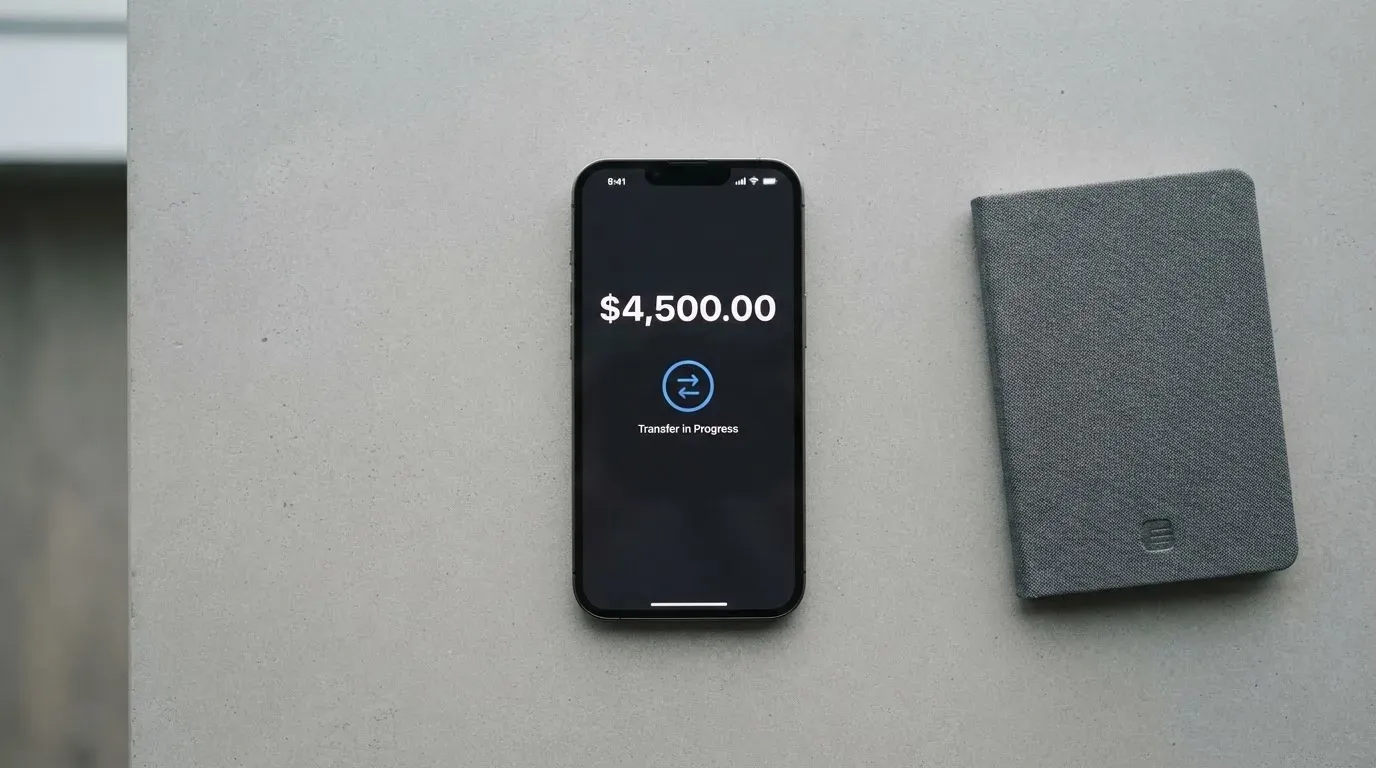
Here is the top-up options set out, so you can see what is and is not available.
| Top-up route | Detail |
|---|---|
| USDT on Tron (TRC-20) | Deposit into the SPay wallet |
| USDT on Ethereum (ERC-20) | Deposit into the SPay wallet |
| USDC on Ethereum (ERC-20) | Deposit into the SPay wallet |
| Native ETH | Deposit into the SPay wallet |
| Native TRX | Deposit into the SPay wallet |
| Card top-up from USDC balance | $10 to $500, credited in minutes |
| Fiat top-up by card or bank transfer | Not stated |
| Deposit fee | Not listed |
| Who pays the network fee | Not stated |
The three gaps in that table are the ones to think about. The deposit fee and the network-fee payer are both unstated, so the true cost of moving money in is unknown. And because there is no published fiat top-up route, your money has to reach the card as crypto — which means you are already holding stablecoins, or you have to acquire them first somewhere else. That is a real constraint for someone who simply wants a card.
Getting money back out is worth understanding before you put money in. Withdrawals are sent as USDC on the Base network to any self-custody wallet you specify. Two cautions: funds sent on the wrong network cannot be recovered, and the withdrawal fee is not listed. Whether a balance must be cleared to zero before you close your account is not stated either. Crypto transfers are generally irreversible, and this is one of the most common ways people lose money on cards like this — so double-check the network every time.
Paying with it every day
Day-to-day use is where the gaps between the marketing and the reality are widest. The virtual card works in shops and online. Apple Pay works. Google Pay is described inconsistently: one page says “in development” while the card page says both mobile wallets work with virtual cards at creation. Treat Google Pay as unconfirmed.
You earn points on card purchases, up to 1.5% back depending on your tier. Two hundred points convert to $1 in USDC, redemption starts at 1,000 points, and the credit goes to your card balance. You also get bonus points for referrals, for completing verification, and for your first card.
Some spending is restricted. Transactions that are cash-like — crypto purchases, gambling, and money transfers — may be limited. If any of that is part of your normal spending, the card will not cover it.
Three everyday situations, with what I found:
- Paying in a physical shop. The virtual card number works at card terminals, and Apple Pay covers contactless on iPhone. This is the smoothest path and the one I would actually use.
- Paying online. It works, but expect the usual foreign-card friction. A merchant can look up the issuing country from the card number and apply extra scrutiny, and some decline foreign-issued or prepaid cards outright. Address verification, which checks the numeric parts of your billing address against issuer records, is mainly a US, Canadian and UK service and is generally unavailable for foreign-issued cards — a common cause of declines.
- Paying with Google Pay, or taking money out at an ATM. Both are unresolved. Google Pay’s status is contradictory between pages, and the physical card that ATM withdrawals depend on is “Coming soon”, with cash advances unavailable under the terms anyway. If cash is part of your plan, this card cannot do it today.
The tier differences are mostly about insurance and caps, not features. Platinum includes purchase protection and extended warranty up to $10,000, price protection up to $2,000, worldwide auto rental insurance, and 24/7 support. Signature adds a concierge, a Luxury Hotel Collection, airport lounge access and higher limits. Infinite adds travel accident insurance up to $1,500,000, baggage cover, priority concierge, purchase protection of $20k and warranty of $25k. The insurance figures are substantial on paper; whether they are underwritten properly and what you must claim against is worth confirming before you rely on them for a trip.
The app itself is thin but present. On iOS it holds a 5.0 rating out of 5 — from one rating, which is not a meaningful sample. It requires iPhone on iOS 15.1 or later. A Google Play listing exists; its rating I did not read.
If a payment goes wrong, the process is: try the merchant first, then report a disputed charge within 60 days of it appearing on your statement. Card-network chargeback rules apply, and a chargeback you win is credited to your SPay account. Note that US debit reversal rights come from Regulation E and credit card rights from Regulation Z, and prepaid-card coverage varies — so do not assume your protection matches a bank’s card.
What can go wrong
This section is where the missing information becomes concrete, so I have written it as the specific uncertainties rather than as generic warnings.
The cost of the card can rise without warning. SPay sets your spending limit based on collateral and can reduce it to $0 at any time. You can set a lower limit yourself, but you cannot lock the ceiling in place.
There is no track record to check. I found no official incidents, and a search for reviews and complaints returned no SPay results. There is also no Trustpilot page for SPay. The app listing is new and no dated events are recorded. Reading this correctly: absence of complaints is not evidence of reliability — it is evidence that there is very little history either way. For a new operator, that cuts both ways.
The physical card and ATM are promises, not products. Both are “Coming soon”, with no country list or delivery time. Cash advances are unavailable under the terms regardless.
The custody model is not stated. With a custodial wallet the provider holds the credentials, so you must trust it completely; with a self-custody-linked card the funds stay in your wallet until payment, and you bear sole responsibility for key loss and phishing. SPay’s public pages do not say which model applies to your balance. This matters more than it sounds, because custodians do fail: Mt. Gox (about US$350 million reported stolen, 2011–2014), Coincheck (about US$400 million, 2018) and Ronin Network (US$625 million, 2022) are all cases where holding funds with a third party ended badly.
Wrong-network deposits can be gone. Transfers are irreversible. A deposit sent on a network the provider does not support, or to an address belonging to a different network, can be lost or need manual recovery with no guarantee.
A hold can sit on your money for days. A declined authorisation may leave a hold that can persist for up to seven days.
Regulation is not your protection here. In the EU, MiCA rules on stablecoins applied from 30 June 2024, with the remaining provisions including crypto-asset service provider rules from 30 December 2024, and providers could continue under national law only until 1 July 2026 or until a MiCA authorisation was granted or refused. Under MiCA, e-money tokens may be issued only by a credit institution or an electronic money institution. But a card is a payment service regulated separately from the crypto side, so a crypto card often depends on two licences. A card like this one, governed by Puerto Rico law and operated by a company that says it is not a bank, is not covered by a European deposit guarantee scheme, and funds safeguarded by an EMI are not the same as bank deposits.
Sanctions screening is real. Tether says it disables tokens in wallets on the OFAC sanctions list and has frozen funds tied to illicit activity. Stablecoins are not censorship-proof, and a card that must screen you against OFAC lists can stop working if your details or your counterparties change.
One clarification many readers want: Visa and Mastercard do not issue crypto cards to consumers themselves. They license issuers and can suspend a programme. Visa terminated its global agreements with FTX on 13 November 2022, and WaveCrest, a Visa issuer that supplied crypto card brands, was suspended by Visa in Europe in 2018, closing all its Visa programmes. In other words, the network brand on your card is not a promise of permanence. SPay’s card is issued under a Visa licence by Third National, which is a real arrangement — but it is the kind of arrangement that can be wound down.
What to take instead
If SPay’s missing details are the deciding factor for you, these are the alternatives I compared it against, with the same scrutiny.
| Card | Score | Top-up | Fees | Notes |
|---|---|---|---|---|
| SPay | 5.5 / 10 | USDT (Tron, Ethereum), USDC (Ethereum), ETH, TRX; card from $10 to $500 | Plan $9.99–$49.99 one-time; FX up to 3%, cross-border up to 3% | Virtual only today; tiers, points up to 1.5% |
| CardFlow | 4.9 / 10 | Bitcoin, USDT, ETH or Naira bank transfer; networks not stated | Creating a virtual card is free; other fees not stated | Aimed at Nigeria; virtual USD Mastercard in about 3 minutes |
| HyperCard | 4.7 / 10 | Crypto such as USDT, BTC, ETH; networks not stated | Not stated | App Store says it works in more than 176 countries (acceptance, not eligibility) |
| Card.fi | 6.6 / 10 | 32 coins across 5 networks; converted at market rate on arrival | Top-up 1.5% + $1.00 (Classic) or 1% (Premium); FX 3.5% or 2.5% | Physical, metal and virtual; ships to 200+ countries; cashback on spending |
Where each one wins and loses against SPay:
CardFlow is the cheapest to open — a free virtual card — and is built around Nigeria, so if you are there it fits better than SPay’s unstated coverage. Its fees beyond that are not stated either, so it trades one set of gaps for another, and its score sits lower.
HyperCard claims acceptance in more than 176 countries, which is about where the card works, not who can get one. Its network, fees and networks for deposits are not stated on the pages I could read, and it scored lowest of the four.
Card.fi is the strongest alternative on disclosure. It publishes top-up fees (1.5% plus $1.00 on Classic, 1% on Premium), FX fees (3.5% Classic, 2.5% Premium), states that a conversion fee is shown before each top-up, and names its networks. It offers physical, metal and virtual cards with a deposit address per card, ships to 200+ countries, and bars residents of sanctioned countries. Its own risks are the ones common to this category: wrong-chain deposits risk permanent loss, and its headline 10% at coffee shops is capped at 10 USDT per month. It scored 6.6, above SPay.
My read: if you want clarity before commitment, Card.fi publishes more of the numbers you need. If you specifically want stablecoins, tiers and points, SPay’s top-up section is the better-specified part of its offer.
Who I would recommend it to
I would recommend SPay to someone in this position: you are outside the US, you are not a US citizen, you already hold USDT or USDC, you want a virtual card rather than a physical one, and you want to earn up to 1.5% back on the spending you were going to do anyway. You are comfortable asking the operator directly about your country and about the ATM fee, and you will not be relying on the card for cash, for Google Pay, or for gambling and money-transfer spending.
I would not recommend it, without further checking, if any of these apply: you need a physical card this week; you need cash from an ATM; you are a US citizen; you live somewhere you need a definite eligibility answer before applying; you plan to hold a large balance and want certainty that your limit will not be reduced; or you need to know the deposit and withdrawal fees before committing money. In each of those cases the information simply is not published, and I would not fill that gap with a guess.
The final word: 5.5 out of 10. A sound idea, competently built where you can see it, resting on public information that is thinner than any of the four cards I compared it against. Buy the expectation that the details will improve, not the promise that they are already there.
Frequently asked questions
What is SPay card?
SPay is a virtual Visa card funded with cryptocurrency rather than a bank account. You deposit USDT, USDC, ETH or TRX into the SPay wallet, then load the card from your USDC balance in amounts from $10 to $500, and it spends in US dollars. Three paid tiers — Platinum, Signature and Infinite — differ in spending caps, insurance perks and the up-to-1.5% points you earn on purchases.
Is SPay a bank?
No. The app-side operation is run by NOVARA TECH L.L.C S.O.C, and the card itself says it is not a bank. The card is issued by Third National under a licence from Visa, and the terms are governed by Puerto Rico law. So it is a card programme with an issuing bank behind it, not a deposit-taking bank you hold an account with.
Who owns SPay?
SPay does not publish a conventional ownership page. What is stated is that NOVARA TECH L.L.C S.O.C operates it, Third National issues the card under a Visa licence, and the terms are governed by Puerto Rico law. Beyond those names, the public pages do not describe the corporate structure, and I found no dated company news or background to fill that in.
Is the SPay card available in my country?
There is no country list on the card’s public pages. Where one would normally sit, the card says “For current country coverage” and points to its Contact page, so coverage is handled by enquiry. The card’s terms require that you are not sanctioned by the U.S. (OFAC) and that you attest you are not a U.S. citizen. Whether the rule applies to citizenship or residence is not stated.
Does SPay card require KYC?
Yes, verification is required during onboarding. What the card does not publish is the substance of that check — which documents, whether proof of address is required, the minimum age, or any tiered verification levels. Those are all not stated. So expect to be asked for identity documents, but do not expect to find the requirements listed in advance.
How much does the SPay card cost?
The one-time plan fees are $9.99 for Platinum, $19.99 for Signature and $49.99 for Infinite, with the physical card at $99 when it arrives. No monthly fee is stated. On usage, the terms charge a foreign exchange fee of up to 3% on non-USD spending and a cross-border fee of up to 3%. Crypto conversion and deposit fees are not listed.
Can I use SPay card in my country?
That depends on two separate questions. Acceptance, meaning where the card can be paid, is broad in principle but subject to the usual friction: some merchants decline foreign-issued or prepaid card numbers, and address verification is generally unavailable for foreign-issued cards. Eligibility, meaning whether you can be issued one, is by enquiry rather than a published list. The card is intended for people outside the US and bars US citizens.
Is SPay card safe?
There are real safeguards: Face ID or a 6-digit passcode unlock, push notifications for card activity, and your own spending limit you can set from $0 to the plan cap. What is not stated is the custody model — whether your balance is held by the provider or stays in your own wallet — and that determines who carries the risk if something goes wrong. I found no complaints, but there is also no Trustpilot page and little history, so absence of complaints proves little here.
How do I add SPay card to Apple Wallet?
Apple Pay works with the virtual card and is the reliable path for contactless spending on iPhone. The card’s pages describe Apple Pay as live, and adding a virtual card to Apple Wallet works because Apple Pay replaces the card number with a device-specific number stored in the phone’s secure hardware, generating a fresh security code for each payment. Google Pay is less certain — one page says “in development” while another says both work, so treat it as unconfirmed.
Is SPay card worth it?
Worth it if you already hold stablecoins, want a virtual Visa rather than a physical one, and will earn the up-to-1.5% back on spending you were making anyway — and if booking in US dollars keeps you clear of the 3% conversion fee. Not worth relying on if you need a physical card, need ATM cash, are a US citizen, or want published deposit and withdrawal fees before you commit. On balance the card scores 5.5 out of 10.
Virtual cards on the shortlist – cryptocardshortlist
Content created by the «cryptocardshortlist» team