
Pay It Now card, read carefully before you load it
 Available in US
Pay It Now is a virtual prepaid Mastercard that draws on a crypto balance, issued under licence by Immersve and distributed by Takeoff Media. On paper it looks tidy: a card that you fund with Bitcoin, Ethereum, Solana, USDT and dozens of other tokens, converted on the fly into USDC, and then spent anywhere Mastercard is taken. In practice the offering is narrow in a way that matters, and that is what this review is for. I went through the public pages, the licence records and the user feedback, and what follows is what I found.
The conditions described here are current as of October 28, 2026.
Verdict
Pay It Now scores 5.6 out of 10 in my reading. That number reflects a card that does one thing well (turning a long list of crypto assets into a spendable balance quickly) and several things badly or not at all (no physical card, no Apple Pay for new cards, an audience limited to two countries, and user reports of unresponsive support).

The short version of who it suits and who it does not is this. If you live in New Zealand or Australia, hold a PIN Network account, and want a virtual-only Mastercard that you can fund with 50-plus tokens and push into Google Pay, Pay It Now does the job at a fair cost. If you are anywhere else, you cannot apply today. If you need a physical card, a card for an ATM, or stable Apple Pay support, you should look elsewhere.
Score breakdown
| Criterion | Mark | Reason |
|---|---|---|
| Who can get it | 2 / 10 | New Zealand and Australia only; US and Europe are stated plans, not live. |
| Cost | 7 / 10 | USDC issuance fee currently free; no annual fee; 1.5% on non-USD purchases; spread baked into conversion. |
| Top-up options | 9 / 10 | 50+ digital assets (the FAQ says 40+) including BTC, ETH, SOL, USDT, TRX and BNB, all converted to USDC. |
| Reliability and complaints | 6 / 10 | Properly licensed in NZ and Australia; Trustpilot 4.0 from 13 reviews with a pattern of complaints about support and lost funds. |
| Everyday use | 5 / 10 | Virtual Mastercard only; Google Pay works; new Apple Pay additions paused from 11 May 2026; no ATM access. |
| Total | 5.6 / 10 | A capable funding model held back by a tiny footprint and a few rough edges in user experience. |
I will come back to each of these in the cost, top-up, daily-use and risk sections. Before that, the first question is the most basic one: will they even let you have the card?
Will they give you the card
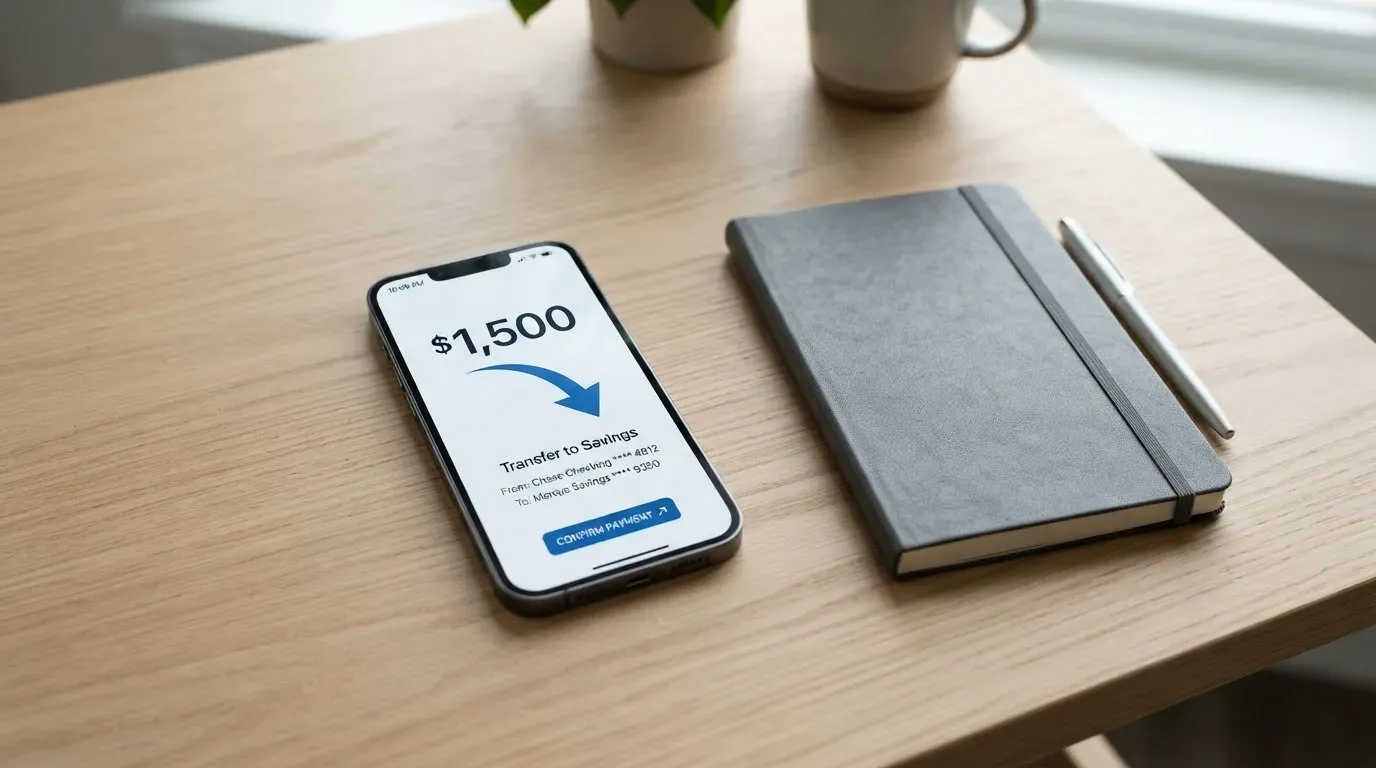
Pay It Now is, for now, a New Zealand and Australia product. The official pages are explicit on this. The card is available to PIN Network users in those two countries only, and the company says it is working on expansion “into other regions, including the U.S. and Europe.” There is no published timeline for either. If you live anywhere else, this card is not an option for you today, and the wait could be long.
The legal scaffolding behind the card is real, which is worth a beat of your attention. The New Zealand side is run by Pay It Now NZ LTD, registered as a Financial Service Provider (FSP 1002374). The Australian side is Pay It Now AUS PTY LTD, holding an Australian Financial Services Licence (AFSL 700050) and registered with AUSTRAC as a digital currency exchange (DCE100820697-002). The card itself is issued by Immersve, which itself holds an AFSL (545925). Takeoff Media Limited is the distributor and the party that holds your USDC balance, acting as an Authorised Representative (1313795). The licence trail is the part of the offering I am most comfortable with; the geographic limits are the part that will frustrate most readers.
What the pages do not say is just as telling. They do not publish a list of excluded countries, a list of accepted identity documents, a required age beyond “PIN user,” or a separate test for residents versus citizens. If you are a New Zealand or Australian citizen living abroad, the public wording suggests the card is for residents in those countries, but I could not confirm a hard rule, and you should not assume one either way until the card provider confirms in writing.
How to get it
If you are a PIN user in New Zealand or Australia, the steps the company describes are short. You open the PIN app, go to the Cards section, apply, complete the card provider’s own KYC on top of whatever PIN has already done, and then top up. The company describes the whole process as taking “just a few minutes,” which is realistic for a virtual card but optimistic if document checks queue up.
Two things to keep in mind. First, even if you have already passed PIN’s own KYC, you will be taken through the card provider’s KYC again. The two checks are separate, and the second one decides whether the card is actually issued. Second, the only card you can get is a virtual, reloadable prepaid Mastercard. There is no physical version, no metal version, and the company says none is offered “at this time.” You can create more than one virtual card from the same account, which is useful if you want to separate subscriptions, but you will not get anything to put in your wallet.
Delivery is, in a sense, instant. The card is generated inside the app, and the company’s stated turnaround is once the provider’s KYC clears. There is no courier, no signature, and no card to lose in the post. That is also why a stolen phone with the app unlocked is the main physical risk to think about, and I will come back to that in the security section.
What is not stated, and where I have to be honest about it: the exact documents the card provider’s KYC requires, the acceptable forms of address proof, the minimum age, the rules for joint accounts, and what happens to a card if you later move out of New Zealand or Australia. I have not invented any of these; they are simply not on the public pages.
What it really costs
This is the section where the card genuinely looks reasonable, and the place where the everyday reality of crypto spreads and currency fees will eat into that reasonableness. The numbers below are the ones Pay It Now publishes, and they are the only ones I have used.
Costs at a glance
| Fee or limit | Amount |
|---|---|
| Card issuance | 5.00 USDC, currently marked “FREE for a limited time” |
| Annual fee | None |
| Cancellation | Free |
| Conversion to USDC | Spread only, rate shown in the app |
| Non-USD purchase fee | 1.5% transaction fee, no separate FX fee |
| ATM withdrawal | Not applicable (virtual only) |
| Daily spending limit | USD 20,000 |
| Yearly spending limit | USD 100,000 |
| Daily load limit | USD 5,000 |
| Yearly load limit | USD 100,000 |
| Withdrawal to PIN Wallet | 0.2 USDC fixed fee |
A few things follow from this table. There is no annual fee, no monthly maintenance fee, and no inactivity fee, which removes the kind of slow drain you sometimes see on prepaid cards. The only fixed cost on a normal month is the conversion spread, which is the gap between the market rate for your token and the rate at which USDC is credited to your balance. The rate is shown in the app before you confirm, so you can see what you are paying, but you cannot avoid it; it is how Pay It Now is paid.
The 1.5% transaction fee on non-USD purchases is also worth weighing carefully. A 1.5% fee on a euro or Australian dollar purchase is competitive against a typical bank FX margin, but it is on top of the card network’s own conversion path, so the effective total can be a touch higher than 1.5% once you see the final number on your statement. The fee is the same for crypto-funded and stablecoin-funded transactions, because the card only sees a USDC balance.
Three everyday payments, walked through
A coffee in Auckland paid with Bitcoin funding. You start with a balance in PIN. You convert it to USDC inside the app at the rate shown. The cafe is a New Zealand merchant, the card settles in USDC and is treated by the network as a USD transaction; you pay 1.5% in addition to the spread. The real cost to you is the spread plus that 1.5%, which is small in absolute terms but adds up over a year.
A hotel booking in London paid from a USDC balance. The hotel bills in GBP, the card converts USD to GBP, and the 1.5% non-USD fee applies on top of whatever Mastercard’s own conversion rate is. This is the case where you will most clearly see the difference between a 1.5% fee and a true zero-FX card: the 1.5% is on the dollar value at the time of authorisation, and the network’s rate is the day’s wholesale rate plus its own margin. It is still cheaper than most bank-issued travel cards, but it is not free.
A recurring online subscription billed in USD. Here the card is in its sweet spot. The transaction is in USD, no 1.5% fee applies, the only cost is the original spread when you converted your crypto into USDC. This is also the case where the daily and yearly limits are most relevant: USD 20,000 a day and USD 100,000 a year of card spending, and USD 5,000 a day on top-ups. The limits are not tiered; the company does not publish per-KYC-level thresholds.
Two practical notes. First, the card is virtual only, so there is no ATM fee line to compare; you cannot withdraw cash with it. Second, the only way to get USDC back out of the card ecosystem is to withdraw to your PIN Wallet, which carries a fixed 0.2 USDC fee per transfer, or to a bank account (a separate process whose fee is not stated on the public pages I could read).
How to top it up
Funding is the single strongest part of the offering, and it is the reason some readers will look past the geographic limits. You can top up the card from a PIN Wallet, and the wallet accepts 50-plus digital assets according to the main product page, with the FAQ citing 40-plus. Either way, the practical list of supported assets is wide and includes the heavy hitters: BTC, ETH, SOL, USDT, TRX and BNB, alongside many others. Every deposit is converted to USDC inside PIN, and the USDC is what sits on the card.
The mechanics matter because they decide how your money actually moves. Deposits are made through a Web3 smart contract, which the company says can take up to ten minutes to confirm. After that, the card balance is topped up, and you are ready to spend. The maximum top-up is USD 5,000 per day, with no separate deposit fee on top of the conversion spread. The minimum top-up is not stated. Fiat top-ups, for example a direct bank transfer to load the card, are also not stated as a feature, and I have not assumed one exists.
This is also the part of the card where the user has the most responsibility. You are sending crypto, on a network, to a contract, and the assets you send need to be the assets and networks the contract supports. The general rule for crypto cards, and one that applies here, is that blockchain transfers are irreversible, and a deposit sent on a network the card provider does not support, or to an address of another network, can be lost or need manual support recovery with no guarantee. Pay It Now does not publish a per-asset network list on the page I read, so the safe move is to fund from inside the PIN app and let the app pick the route, rather than sending from an external wallet to a raw address.
Once the balance is on the card, getting it back out is straightforward in direction and small in cost. Withdrawal to the PIN Wallet costs 0.2 USDC per transfer. Withdrawal to a bank account is described as an option, but the fee, the supported banks and the time it takes are not stated on the public pages. The balance is held by Takeoff Media Limited, the distributor, rather than by Immersve, the issuer; the practical implication is that the company you are dealing with on the balance side is Takeoff Media, while the company that issues the card network credential is Immersve. That distinction matters if anything goes wrong, and I will come back to it in the disputes section.
Paying with it every day
The card is virtual, and on most modern Android phones it will tokenise into Google Pay without any trouble. Apple Pay is more complicated. Pay It Now announced on 11 May 2026 that adding new cards to Apple Pay is paused “until further notice.” Cards already in Apple Pay before that date continue to work, but a new user who buys an iPhone today cannot get a Pay It Now card into Apple Pay until the company resumes that flow. If Apple Pay is the way you actually pay in shops, this is a significant limitation, and the company has not published a date for the pause to end.
Online, the card behaves like any other Mastercard. Card network security features like 3-D Secure are determined by the merchant and the issuer; Pay It Now’s pages do not state which flavour of 3-D Secure is enabled or how often a challenge fires, and I have not invented a policy. Whether a given merchant will accept the card depends on the merchant’s own rules and on how the card’s BIN looks to that merchant’s systems. A prepaid Mastercard issued under a New Zealand or Australian programme can be declined by some merchants who treat foreign-issued prepaid cards as higher risk; that is a category effect rather than a Pay It Now-specific issue, but it is worth being aware of.
What the card does not do is just as important. There is no physical card, so there is no contactless chip and no card number printed on plastic to hand to a waiter; everything is in the app or in your mobile wallet. There is no ATM access, so you cannot pull cash out at a hole-in-the-wall. There is no reward programme: no cashback, no points, no spend tiers, no sign-up bonus. The pages say rewards are “not stated,” which is my way of saying nothing is published. If you are used to a card that gives you something back, this is not that card.
A practical matter for everyday use is the dispute process. Pay It Now describes a “Report” button under each transaction in the app, which opens a support ticket. The company does not publish the time frame for resolution, the evidence you should provide, or the conditions under which a chargeback is possible. As a rule, prepaid cards carry fewer statutory protections than credit cards, and that is true here: the card is prepaid, and the protections you have are the ones the issuer chooses to extend and the ones your local consumer law provides.
What can go wrong
The licence footprint is the strongest part of the risk picture. Pay It Now NZ LTD holds a Financial Service Provider registration. Pay It Now AUS PTY LTD holds an AFSL and an AUSTRAC registration. The card issuer, Immersve, holds its own AFSL. Takeoff Media is authorised as an Authorised Representative. None of that is decorative; it means the company is supervised and has to follow rules on conduct, capital and reporting. The card being a prepaid Mastercard also means the balance sits as e-money at the programme manager, which is a regulated form of money even if it is not a bank deposit.
The user feedback is the part I weigh more carefully, because a licence is a baseline, not a guarantee. On Trustpilot, Pay It Now scores 4.0 out of 5 across 13 reviews as of 21 October 2026, which is not a low score in absolute terms, but the distribution matters more than the average: 77% of the reviews are five stars, the rest are clustered around the lower end, and the company has not replied to the negative reviews. The recurring themes are unresponsive support, unclear spreads at the point of conversion, delayed or held transactions, and at least one user report of unexplained crypto loss in July 2026. None of these are evidence of a systemic failure, and thirteen reviews is a small sample, but the pattern is the kind of pattern that compounds over time if it is not addressed.
There is one company-level event I want to flag. On 11 May 2026, Pay It Now announced that Apple Pay additions for new Web3 Mastercards are paused “until further notice.” This is an issuer- or scheme-level change rather than a user error, and it directly affects anyone who needs the card in Apple Pay. It is also a reminder that the card programme sits on top of decisions made by Mastercard, by Immersve and by the network partners, and that any of those layers can change the offer without notice.
The security setup itself is standard. The app supports a PIN, an in-app cancel button for the card, and transaction monitoring. There is no published information on whether two-factor authentication is enforced at login or only on certain actions, and the safeguarding of customer funds (the formal requirement to hold customer balances in segregated accounts) is not stated. The security guide lives at a page called the Security Centre, which is the right place to look for the most up-to-date controls. The most realistic everyday risk is device-level: a stolen, unlocked phone with the PIN app open is effectively a stolen card and a stolen balance, and the usual precautions (device PIN, biometric lock, remote wipe) are what stand between you and that scenario.
Support is the other risk to be honest about. The official channel is a support ticket at support.payitnow.io, with a status page at the same domain. There is no phone line, and the company does not publish hours of operation, supported languages or a target response time. Two of the negative Trustpilot reviews from 2026 describe support tickets that went unanswered. If you are someone who needs a human on the phone, that is a real gap; if you are comfortable waiting on email-style tickets, it is a constraint rather than a deal-breaker.
What to take instead
I have to be careful here. I cannot recommend a card for a country where Pay It Now is not available, because the public information I have is what is published, and I will not invent details. With that caveat, the alternatives worth comparing are CardFlow, HyperCard and Card.fi. They are all crypto-funded prepaid cards, and each one makes a different trade-off.
Alternatives at a glance
| Card | Score | Geography | Card type | Issuance fee | Funding | FX / fees |
|---|---|---|---|---|---|---|
| Pay It Now | 5.6 / 10 | NZ and Australia | Virtual Mastercard only | 5.00 USDC (currently free) | 50+ tokens via PIN Wallet | 1.5% on non-USD, plus spread |
| CardFlow | 4.9 / 10 | Aimed at Nigeria; no exclusion list published | Virtual USD Mastercard, created in about 3 minutes | Free (per site FAQ) | BTC, USDT, ETH or Naira bank transfer | Not stated on the pages I read |
| HyperCard | 4.7 / 10 | No country list published; App Store says accepted in 176+ countries (acceptance, not eligibility) | Prepaid card, network not stated on App Store; USD or EUR balance | Not stated | Crypto such as USDT, BTC, ETH in-app, converted to USD or EUR | Not stated on the pages I read |
| Card.fi | 6.6 / 10 | Ships cards to 200+ countries; excludes sanctioned destinations | Virtual Classic and Premium; physical Classic and Premium; metal; every physical order includes a virtual card | Virtual Classic $49, Virtual Premium $249; physical prices not listed | 32 coins across 5 networks | Top-up 1.5% + $1 (Classic) or 1% (Premium); FX 3.5% (Classic) or 2.5% (Premium) |
A few honest observations on this list. CardFlow’s “completely free” issuance is attractive, but the published fee and FX information is thin, and the pages I read do not state monthly fees or non-USD purchase fees, which means the total cost over a year is hard to estimate. HyperCard’s 176-country figure refers to where the card is accepted, not who can apply, and the fee structure is similarly under-published. Card.fi is the most expensive on the front end, with a USD 49 virtual Classic card and a USD 249 virtual Premium card, and the highest top-up and FX fees of the four, but it is the only one of the three alternatives that gives you a physical or metal option and the only one that publishes a clear cashback structure (0.8% to 2% on card spending, with caps). It also has the broadest published geographic reach.
If your main concern is geographic availability, Card.fi is the most likely to be open to you. If your main concern is the lowest headline cost, Pay It Now during its free-issuance window is the most attractive of the four, conditional on you living in New Zealand or Australia. If your main concern is having a usable card on day one, Pay It Now’s ten-minute virtual card generation beats Card.fi’s upfront fee for someone who only needs a virtual card for online use, and Pay It Now’s flat 1.5% non-USD fee beats Card.fi’s Classic FX fee for someone who pays in foreign currency. None of the alternatives clearly beats Pay It Now on the funding model, where the 50-plus token list is the most generous of the four.
Who I would recommend it to
I would recommend Pay It Now to a specific person, and I would not recommend it to several other specific people, and it is useful to be clear about which is which.
The person I would recommend it to is a New Zealand or Australian resident who already has a PIN Network account, holds crypto in multiple tokens rather than a single one, and wants a virtual card for online spending and Google Pay in shops. For that person, the card is well-priced: free to issue right now, no annual fee, a flat 1.5% on non-USD purchases, a daily spending limit high enough for most use cases, and the broadest token list of any card in this shortlist. The Apple Pay pause does not affect them if they are on Android, and the lack of a physical card does not affect them if they never used one in the first place.
The person I would not recommend it to is anyone outside New Zealand or Australia today, anyone who needs a physical card, anyone who needs an ATM, anyone who relies on Apple Pay for in-store contactless, and anyone who needs a published reward programme. For each of those readers, the answer is to wait, look at a different card, or accept a gap.
The risk to weigh, regardless of which camp you fall into, is the combination of an irreversible crypto funding path and a support operation that, at the time of writing, has unanswered user complaints. The licence footprint means the company is regulated, and the published fee structure is fair. The user feedback is the part that warrants caution, and the only honest advice is to test the card with a small balance first, keep the bulk of your crypto in a self-custody wallet where you control the keys, and only scale up once you have seen a few transactions clear and a support ticket answered.
Frequently asked questions
What is the Pay It Now card?
Pay It Now is a virtual prepaid Mastercard you fund with cryptocurrency from a PIN Wallet. Crypto is converted to USDC, the USDC is held as your card balance, and the card is spent at any merchant that takes Mastercard. The card is issued by Immersve and distributed by Takeoff Media; the card itself is virtual only, with no physical version available at the moment.
How does the Pay It Now card work in practice?
You open the PIN app, complete the card provider’s KYC, and create a virtual card. You top the card up by sending crypto from your PIN Wallet, where it is converted to USDC. You then spend that USDC balance online or in shops through Google Pay. Getting your balance back out costs 0.2 USDC to a PIN Wallet, with bank withdrawals also possible on terms the company has not fully published.
Is Pay It Now a bank?
No. Pay It Now is not a bank. Pay It Now NZ LTD is a registered Financial Service Provider, Pay It Now AUS PTY LTD holds an Australian Financial Services Licence, and the card is issued by Immersve under its own AFSL. The card is a prepaid e-money product, and the balance is held by Takeoff Media as the programme manager rather than being a bank deposit.
Who owns Pay It Now?
The public pages describe Pay It Now NZ LTD, Pay It Now AUS PTY LTD, and Takeoff Media Limited as the operating entities, with the card issued by Immersve. The pages do not name a parent company or a group structure beyond these entities, and I have not assumed one.
Is the Pay It Now card available in my country?
Today, the card is available to PIN users in New Zealand and Australia only. The company says it is working on expansion into the U.S. and Europe, but it has not published a date, and you should not assume availability elsewhere until the company confirms it in writing for your specific country.
Does the Pay It Now card require KYC?
Yes. The card requires PIN’s own KYC plus a separate KYC pass with the card provider, even if you have already been verified by PIN. The exact documents, the proof of address accepted, and the minimum age are not stated on the public pages, so the only honest answer is to start the application and find out.
How do I add the Pay It Now card to Apple Pay?
As of 11 May 2026, Pay It Now has paused additions of new cards to Apple Pay “until further notice.” Cards added to Apple Pay before that date continue to work, and the company has not published a date for the pause to lift, so if Apple Pay is essential to you, the card may not be a fit today.
How do I top up the Pay It Now card?
You top up the card from your PIN Wallet, sending one of 50-plus supported digital assets (the FAQ says 40-plus), including BTC, ETH, SOL, USDT, TRX and BNB. The crypto is converted to USDC at the rate shown in the app, and the card is funded with USDC. The maximum top-up is USD 5,000 per day, and deposits via the Web3 smart contract can take up to ten minutes to confirm.
How do I withdraw money from Pay It Now?
You can withdraw your USDC balance back to your PIN Wallet for a fixed 0.2 USDC fee, or to a bank account through a separate process whose fee and timing the public pages do not state. You cannot withdraw cash from an ATM, because the card is virtual only and has no physical card behind it.
Is the Pay It Now card worth it?
For a New Zealand or Australian PIN user who mainly spends online or via Google Pay and is comfortable with the Apple Pay pause, the card is fair value at a 5.6 out of 10 in my reading, with a free issuance window, no annual fee and a 1.5% non-USD fee. For anyone outside those two countries, or anyone who needs a physical card, an ATM, an Apple Pay token, or a published reward programme, the honest answer is that the card is not worth waiting for, and a different option is the better short-term bet.
Virtual cards on the shortlist – cryptocardshortlist
Content created by the «cryptocardshortlist» team