
HyperCard card review — what the public pages do and do not tell you
 Available in US
HyperCard is a prepaid card tied to the HyperPay wallet. On the surface it promises something many people with limited banking access would find useful: a card you can top up from crypto and spend anywhere a card is taken, in US dollars or euros, with Apple Pay and Google Pay. The reality behind the marketing is murkier. The official pages leave most of the practical questions — who can apply, what it costs, who issues it, what to do if something goes wrong — unanswered, and the user feedback that does exist is largely negative. This review walks through what is actually known, what is not, and where that leaves you if you are considering one.
Conditions current as of October 28, 2026.
Verdict
HyperCard scores 4.7 out of 10 in my reading of the public material. The score is not a single judgment: it is the average of how the card performs on each of the things a review should actually check.
| Criterion | Score | Note |
|---|---|---|
| Who can get it | 5 / 10 | No country list on the official pages; the App Store claim of “more than 176 countries” describes where the card is accepted, not who can be issued one |
| Cost | 6 / 10 | No official fee schedule; an unofficial HyperPay tutorial mentions “0 KYC fee”, no annual fee and no transaction fee for some cards |
| Top-up options | 6 / 10 | Crypto deposits such as USDT, BTC or ETH in the app, converted to USD or EUR on the card; the networks are not named |
| Reliability and complaints | 2 / 10 | App Store reviews accuse the app of fraud — unexpected charges, withdrawal problems, automated support; two-thirds of 135 reviews are negative; the issuer and any licences are not stated |
| Everyday use | 4 / 10 | A prepaid USD or EUR card; “tens of thousands of ATMs” claimed; Apple Pay and Google Pay supported; card type (Visa, Mastercard, or other) is not stated |
Who it suits: existing HyperPay wallet users who already hold a balance in the app and want a simple way to convert that balance into a prepaid card balance in USD or EUR, primarily for in-person or online spending rather than cash withdrawals.
Who it does not suit: anyone who needs a clear, written picture of fees, eligibility, the issuing bank, the regulatory framework, or the dispute process before they sign up. If you cannot find those answers on the official site, that absence is itself a signal — and the same absence shows up in the complaints.
Will they give you the card
The first thing you want to know about any card is whether you, personally, are allowed to have one. With HyperCard, the official answer is hard to find.
The HyperCard App Store page does not list issuing countries. It does say the card works in “more than 176 countries”, but that figure describes card acceptance — where the card can be used once you have it — not where applications are accepted from. It is the same kind of number Visa and Mastercard publish for their networks, and it is easy to mistake one for the other.
A few other details that fall under the same heading are simply not stated. The card programme’s issuer is not named on the public pages. The legal entity behind the app is “CIPHERBC PTE. LTD.” (the App Store developer) with a copyright line reading “HYPER BC PTE. LTD.”, but neither of those is the same thing as a regulated bank or e-money institution. Singapore is where those companies sit, but being incorporated there does not make a card programme a Singapore-issued one. HyperPay’s own brand has been renamed to HPX; the old hyperpay.tech domain now redirects to HPX.com, which adds another layer of opacity when you try to verify who is actually behind the product.
The kind of rules a normal card issuer publishes — minimum age, accepted identity documents, sanctioned-country list, residents versus citizens — are not stated. Prepaid cards in most regulated markets are open to adults (18+), but I could not confirm a specific age threshold for HyperCard on the official material. If you are in a country with heavy restrictions on crypto cards, or if you hold citizenship in a sanctioned country, the safe assumption is to ask directly before you apply, because the public pages will not tell you.
How to get it
The application path is not laid out in detail on the official pages either, and most of what exists is from a third-party HyperPay tutorial on Medium whose date is not shown.
What that tutorial describes is roughly: install the HyperPay app, complete an in-app card order, and pay any issuance fee. After payment the order status becomes “Applying” while “a bank” reviews it. The tutorial says approval can take up to 24 hours on working days, and that activation is immediate after approval. None of that is confirmed on the card’s own pages.
Identity checks (KYC) are not stated officially. The unofficial tutorial uses the phrase “0 KYC fee”, which is a fee label, not a statement that no identity verification happens; do not read it as a promise that no documents will be requested. The HyperCard card itself is described as a prepaid card with a balance in USD or EUR, and the card network (Visa, Mastercard, or another) is not stated on the App Store page. Card delivery time and physical card design are not stated.
In practice, the path looks like: app install → in-app card order → payment → “Applying” status → bank review (up to 24 hours on working days, per the unofficial tutorial) → activation. The “bank” is not named anywhere I could find.
Fees: what it really costs
The single biggest gap in the official material is the fee schedule. The App Store page lists no fees, and the card’s own pages that I could read do not publish an issuance fee, monthly fee, conversion fee, foreign-exchange fee or ATM fee. A consumer reading the public material has no way to budget for ongoing use.

| Fee or limit | What the official material says |
|---|---|
| Issuance | not stated |
| Monthly fee | not stated |
| Conversion (crypto to fiat) | not stated |
| FX (card spend in a non-card currency) | not stated |
| ATM withdrawal | fee not stated; “tens of thousands of ATMs worldwide accept it” per App Store |
| Daily spending limit | not stated officially |
| Monthly spending limit | not stated officially |
Unofficial reading, for context only: a HyperPay Medium tutorial (undated) mentions “0 KYC fee” and says some cards carry no annual fee and no transaction fee. The same source gives a daily spending limit as “50,000 US dollars / no limit”, which is internally inconsistent and worth treating as unconfirmed.
A few everyday scenarios make the gap concrete:
- Paying for a coffee in USD with a USD-denominated card. If there is no FX and no conversion, the only thing that could cost you is a card-network fee on a foreign-issued BIN, which depends on the merchant. Nothing on the official pages puts a number on this.
- Paying in euros from a USD balance. You would expect an FX margin, and you would expect it to be shown before you tap. The official pages do not show it.
- Taking cash out at an ATM. The ATM operator will charge its own fee, and the card issuer may add another. Neither amount is published.
The honest summary is that the cost of a HyperCard payment cannot be quoted from the public material. The two things the public material does state — that the card works at “tens of thousands of ATMs” and that it supports Apple Pay and Google Pay — describe reach, not price.
Top up: how to fund the card
Top-up is the one part of the product that is described in slightly more detail, though still not in full. The official material says you can deposit crypto such as USDT, BTC or ETH inside the app, and that the deposit is converted to USD or EUR on the card. That is the core loop: crypto in, fiat balance on the card, card spent like any other prepaid card.
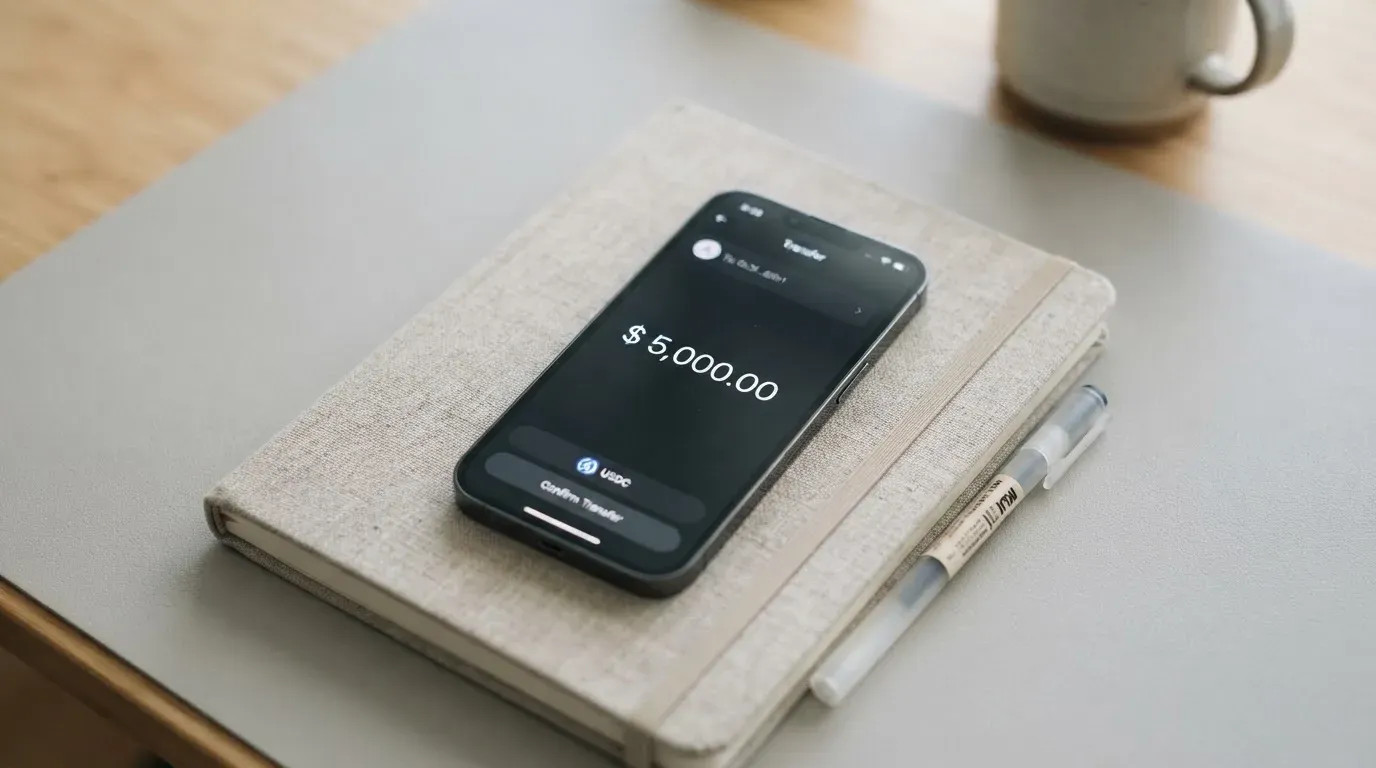
A few things to notice about that loop, because they are where most of the practical risk sits:
- Networks are not stated. USDT and USDC exist on many blockchains (Ethereum, Tron, Solana, Polygon, Avalanche, Arbitrum, Base and others). The HyperCard pages do not tell you which one to send on. Sending USDT on the wrong network is a common way to lose a deposit permanently, because blockchain transfers are irreversible and the receiving address may belong to a different network. If the deposit address is on Ethereum and you send USDT-TRC20 from Tron, those funds can be unrecoverable.
- Gas and network fees are on you. When you move crypto on-chain, you pay a network fee (gas on Ethereum, bandwidth and energy on Tron). That fee is charged by the blockchain, not by HyperCard, but it still comes out of your wallet at the moment of transfer.
- Stablecoins are not guarantees. USDT and USDC aim to track the US dollar, but they are not the US dollar. Tether describes USDT as backed by reserves intended to back it 1-to-1; Circle says USDC is redeemable 1:1 for USD and is backed mostly by cash and cash equivalents held in an SEC-registered government money market fund, with monthly reserve attestations. Both have depegged in the past (USDC briefly in March 2023 during the US banking crisis), and the broader market has seen much larger failures (TerraUSD in May 2022). Treat the “stable” part as a working assumption, not a contract.
- Conversion happens in the app. You do not get to choose the moment of conversion in the same way you would on a decentralised exchange; the rate is whatever the app applies, and that rate is not described in the public material.
- Other top-up methods are not stated. Bank transfer, debit card, or third-party payment services are not mentioned. If they exist, they are not part of what the public material describes.
The withdrawal side (taking money back out of the card or wallet) is not stated either, which is a separate concern and one the complaints section picks up.
Paying with it every day
What everyday use looks like with HyperCard is partly described, partly a guess.
The card is prepaid, which means it spends from a balance you have already loaded. You cannot overdraw it: if the balance is empty, the payment declines. That is the safer side of a prepaid model. The flip side is that any card payment is only as good as the balance behind it, and the moment a merchant asks the issuer to authorise the payment, the balance has to be there.
The card supports Apple Pay and Google Pay, which is the part of the product that does work in a familiar way. When you add a card to Apple Pay, the device stores a device-specific number in the Secure Element (a chip designed to keep payment credentials isolated from the rest of the phone), and each transaction uses a one-time dynamic code rather than the real card number. The issuer can still restrict that tokenised number — for example block magnetic-stripe, in-app or website use — but the basic tokenisation flow is the same one Visa Secure and Mastercard Identity Check are built on.
Official App Store listings provide a sense of the app’s reception. The main listing shows 3.3 out of 5 from 135 ratings, with two-thirds of reviews negative. A separate AE storefront listing shows 4.2 from 5 ratings, based on a smaller sample. Google Play ratings are not public. A Trustpilot page for the brand does not exist.
For online payments, the card is subject to the same kind of friction as other prepaid or foreign-issued BINs. Address Verification Service (AVS) — a fraud check that compares the numeric parts of the billing address (street number, ZIP) against the issuer’s records — is mainly a US, Canada and UK tool and is generally unavailable for foreign-issued cards, which can lead to declines on US merchants. Some merchants decline prepaid or foreign-issued BINs outright on policy. None of that is unique to HyperCard, but it is the texture of prepaid crypto card use in practice, and it is not addressed in the public material.
The card network itself (Visa, Mastercard, or another) is not stated on the App Store page, which is unusual. A card network is the underlying payment rail (the system that actually moves the authorisation from the shop to the issuer), and most card products name it because it determines where the card is accepted and which protections apply. The omission is hard to read as anything other than incomplete information.
What can go wrong
This is the section that drags the score down, and it deserves a careful read.
The user feedback that exists is concentrated in the App Store reviews for the HyperPay app. Read on 21 October 2026, the review themes fall into a few repeating buckets:
- Scam accusations and unexpected charges. Multiple reviewers describe the app as a scam and report unexpected credit-card charges appearing after sign-up or top-up. Some of those charges look like third-party billing rather than card-network charges, which is a different problem from a card payment but lands on the same user.
- Withdrawal and deposit problems. Reviewers on Justuseapp (an aggregator that pulls in app-store reviews) report BTC balances stuck in a “reviewing” state for several days, deposits that did not credit, and withdrawals that did not arrive. Dates are not shown on those reports, so it is hard to tell whether they cluster around a particular event.
- Unreachable or automated support. Reviewers describe support as automated, with no human response. The app’s own help section points to an in-app “Help Center” and a “My Work Order” page; a Telegram “Contact Us” group is mentioned in one developer response. Support languages and hours are not stated.
On the other side of the ledger, no official incident was found in the public material I worked from. There is no dated licence event, no regulator announcement, and no news of a programme suspension. The brand itself has gone through a name change: HyperPay to HPX, with hyperpay.tech now redirecting to HPX.com. That is a corporate fact, not a complaint, but it does mean the public surface of the product is in flux.
A few background risks that apply to this category of product, even if they are not specific to HyperCard:
- Issuer risk. A card programme can be suspended by its network. In November 2022 Visa said it had “terminated our global agreements with FTX” and the FTX US debit card was wound down by its issuer. In 2018 WaveCrest, a Visa card issuer that supplied several crypto card brands, was suspended by Visa in Europe, closing all WaveCrest-issued Visa programmes. The pattern is not unique.
- Custodial risk. The HyperPay wallet is described as off-chain (an exchange-style balance, with multi-signature controls — meaning more than one private key is required to move funds) and on-chain (private-key import). Whether the card balance itself is custodial (held by the provider on your behalf) is not stated. If it is, your funds sit on the provider’s books; if the provider fails, you are an unsecured creditor.
- Sanctions and freezes. Stablecoin issuers have frozen funds tied to sanctioned addresses. Tether says it disables tokens in wallets on the OFAC (the US Office of Foreign Assets Control) sanctions list. That is not unique to HyperCard, but it is part of the picture.
- Chargeback and dispute rights. US debit card reversal rights come from Regulation E and credit card rights from Regulation Z (the two main US federal rules on electronic fund transfers and on credit cards respectively); prepaid-card coverage varies and should not be assumed. HyperCard’s own dispute process is not stated.
- Irreversibility. Blockchain transfers cannot be reversed. A wrong network or a wrong address is usually a permanent loss, and the recovery path goes through customer support, which the same reviews describe as automated.
The combined picture is a product whose official material leaves most of the questions you would ask before signing up unanswered, and whose unofficial feedback is dominated by complaints about money and support. The score on reliability and complaints (2 out of 10) reflects that combination, not a single piece of evidence.
What to take instead
HyperCard is not the only prepaid crypto card aimed at people who want to convert crypto into everyday spend. The alternatives below are taken from the same research and are presented for comparison, not as endorsements.
| HyperCard | CardFlow | Card.fi | Nero | |
|---|---|---|---|---|
| Score | 4.7 / 10 | 4.9 / 10 | 6.6 / 10 | 4.8 / 10 |
| Audience | Existing HyperPay wallet users | Positioned for Nigeria and “Nigerians and global users” | “200+ countries” shipping banner; terms bar sanctioned-country orders | Not stated on readable pages |
| Card type | Prepaid USD or EUR; network not stated | Virtual USD Mastercard, created in about 3 minutes | Virtual Classic/Premium, physical Classic/Premium, metal (stainless steel); scheme not named | Virtual card; network not named |
| One-time cost | not stated | “Creating a virtual card is completely free” (per site FAQ) | Virtual Classic $49, Virtual Premium $249; physical and metal prices not listed | one-time issuance fee, amount not stated |
| Monthly fee | not stated | not stated | none | not stated |
| Conversion / FX | not stated | not stated | top-up fee Classic 1.5% + $1.00, Premium 1%; FX fee Classic 3.5%, Premium 2.5%; conversion shown before each top-up | top-up commission 4%; conversion at payment; FX fee not stated |
| Funding | USDT, BTC, ETH in-app; networks not stated | BTC, USDT, ETH or Naira bank transfer; networks not stated | 32 coins across 5 networks (Ethereum, Base, BNB Chain, Solana, Kaanch); deposit address per card; wrong chain risks permanent loss | USDT or USDC; networks not confirmed on readable pages |
| Rewards | not stated | not stated | cashback on spending: Classic 0.8% (cap 10 USDT/month), Premium 1%, Metal 1.2% (cap 100 USDT/month, 5,000 USDT) or 2% (cap 250 USDT/month, 20,000 USDT); headline 10% at coffee shops capped at 10 USDT/month; balances “up to 18%” on Metal, variable | not stated |
A few things to take from the table. CardFlow’s positioning for Nigeria is explicit, which is more than HyperCard offers on country eligibility, but its fees and FX are not stated. Card.fi publishes a fee schedule, has clear top-up mechanics across five named networks, and offers a cashback structure, but it is also the only one of the four that charges a one-time card price, and it carries a sanctioned-country bar in its terms. Nero sits closest to HyperCard in opacity — fee amounts, networks, card currency and country list are all unstated — but with a published 4% top-up commission.
The honest read is that none of the four is fully forthcoming, and the differences are in which questions they answer, not in whether they answer all of them.
Who I would recommend it to
If you are already a HyperPay wallet user, hold a balance inside that wallet, and you want a simple way to turn part of that balance into a prepaid card for everyday spending in USD or EUR, HyperCard is a closer fit than for anyone else. The card is positioned for that path: crypto in the wallet, conversion to USD or EUR on the card, spend via Apple Pay, Google Pay, or the physical card. For that user, the unknowns are annoying but not necessarily blocking.
If you are not already in the HyperPay ecosystem, the recommendation is harder. The things you would normally check first — fees, eligibility, issuer, dispute process, regulatory status — are not stated on the public material, and the user feedback that does exist is dominated by complaints about money and support. There is no dated licence event or programme suspension to point to, but the combination of opacity on the official side and negative feedback on the user side is a poor starting position for a product that holds your money.
A practical checklist before you apply, drawn only from what is in the public material:
- Can you find an explicit list of countries HyperCard will issue to, and is yours on it?
- Can you find the name of the issuing bank or e-money institution, and the licence it operates under?
- Can you find a written fee schedule (issuance, monthly, conversion, FX, ATM)?
- Can you find a written description of the dispute and chargeback process?
- Can you find a clear list of accepted deposit networks for USDT, BTC and ETH?
- Have you searched for the brand on Trustpilot, Reddit and app stores outside the developer’s own listings, and read the recent reviews, not just the headline rating?
If the answer to several of those is “no”, that is information too. The product as it stands is not designed to be checked before you sign up, and that is a deliberate feature of how it is presented, not an accident of research.
Frequently asked questions
What is the HyperCard card?
HyperCard is a prepaid card linked to the HyperPay wallet. You fund it by depositing crypto such as USDT, BTC or ETH in the app; the deposit is converted to a USD or EUR balance on the card, which you then spend in shops, online, or at ATMs. The card supports Apple Pay and Google Pay. The card network (Visa, Mastercard, or another) is not stated on the public pages.
How does HyperCard work?
Crypto goes into the HyperPay app, gets converted into USD or EUR inside the app, and is held as a prepaid balance on the card. The card then behaves like any other prepaid card: you tap to pay, you enter the number online, or you add it to Apple Pay or Google Pay. Because it is prepaid, the card cannot overdraw; if the balance is empty, the payment declines.
Is HyperCard a bank?
Not as stated. The legal entity behind the app is “CIPHERBC PTE. LTD.” (with a copyright line “HYPER BC PTE. LTD.”), and the HyperPay brand has been renamed to HPX. The card’s issuing bank and any licences are not named on the public material, so it is not possible to confirm from the official pages whether the card is issued by a regulated bank, an e-money institution (a licensed firm that can issue payment cards and hold customer funds in segregated accounts), or some other structure.
Who owns HyperCard?
The app developer on the App Store is “CIPHERBC PTE. LTD.” and the copyright line is “HYPER BC PTE. LTD.” Both sit in Singapore. The HyperPay brand has been renamed to HPX, and the old hyperpay.tech domain redirects to HPX.com. The card’s issuing entity is not named separately on the public material.
How do I get a HyperCard?
The path described in unofficial tutorials is: install the HyperPay app, place an in-app card order, pay any issuance fee, wait for the order to move from “Applying” to approved (an unofficial source says up to 24 hours on working days), then activate. None of those steps are confirmed on the card’s own pages, and identity-check requirements are not stated officially.
Does HyperCard require KYC?
Not stated officially. An unofficial HyperPay Medium tutorial uses the phrase “0 KYC fee”, which describes a fee label rather than a promise that no documents will be requested. For any regulated card product, identity checks are the norm under anti-money-laundering law; the question is which documents and when, and that is not addressed in the public material.
How do I top up HyperCard?
The official material says you can deposit crypto such as USDT, BTC or ETH inside the HyperPay app, where it is converted to USD or EUR on the card. The networks you can send on are not named, which is a practical risk: sending USDT on the wrong network is a common way to lose a deposit, because blockchain transfers are irreversible. Bank-transfer and card top-up paths are not stated.
Is HyperCard free?
Not stated officially. The App Store page lists no fees, and an unofficial HyperPay tutorial says some cards have “0 KYC fee”, no annual fee and no transaction fee. There is no public fee schedule for issuance, conversion, FX or ATM use.
Can I add HyperCard to Apple Wallet?
Yes, the App Store page confirms Apple Pay support, and Google Pay is supported as well. Adding the card to Apple Wallet follows the standard flow, but whether the issuer restricts the tokenised number (a device-specific card number used in place of the real one) for in-app, online or contactless use is not stated.
Is HyperCard safe?
Information on the issuer, regulatory framework, and dispute process is not publicly disclosed. User feedback (App Store reviews) shows high negative sentiment, with two-thirds of 135 reviews reporting unexpected charges, withdrawal problems, and automated support. The card network is not stated. Absence of information is common; check independent review sites before committing funds.
Virtual cards on the shortlist – cryptocardshortlist
Content created by the «cryptocardshortlist» team