
A US-issued Platinum Visa you load with USDC — and the fine print that follows it round
 Available in US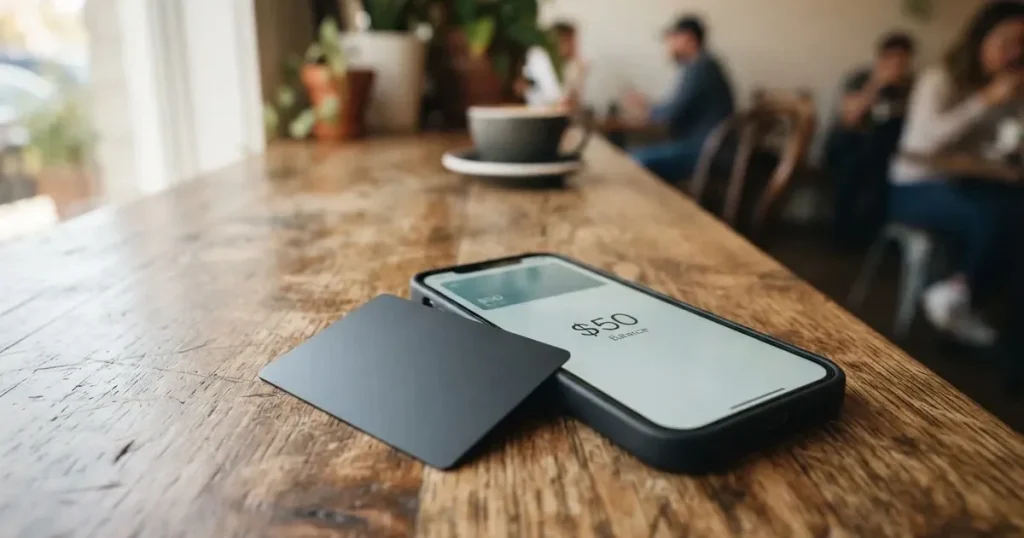
Wallbit is not a bank in the ordinary sense. It is a US company, Wallbit LLC, that runs an account holding dollars and two dollar stablecoins, and on top of that account it offers a virtual Platinum Visa that spends from the balance. If you are trying to get an ordinary bank card in your own name — in a country where that is awkward, expensive or impossible — the pitch is obvious: a US-issued card, funded from USDC or USDT, with Apple Pay and Google Pay, no monthly fee on the free plan, and spending in dollars costs nothing. That pitch is real, and the card works. What I could not confirm is who actually issues it.
Conditions are current as of October 28, 2026.
I gave it 6.7 out of 10. Not because it is bad, but because the picture is lopsided: the parts I could verify read well, the parts I could not verify read worst of all, and the difference between those two halves is exactly what you are being asked to trust with your money.
The conditions described here are current as of October 2026.
Verdict: 6.7 out of 10
| Criterion | Mark | Why |
|---|---|---|
| Who can get it | 8 / 10 | Closed to residents and registrants of 17 named countries, by residence or registration rather than citizenship |
| Cost | 7 / 10 | $5 issuance, no maintenance; USD spending free, foreign currency at Visa rate + 2%; ATM 1% with a $5 minimum; USDC withdrawal 2% on Classic |
| Top-up options | 6 / 10 | USDC and USDT deposited free at 1:1, plus USD, EUR, SEPA, SWIFT and FedNow — but the networks are not named |
| Reliability and complaints | 5 / 10 | Wallbit LLC with US-registered partners and SOC 2 Type I and II, but the card issuer is not named; Trustpilot 4.0 from 69 reviews, with account closures after approval and unanswered support |
| Everyday use | 7 / 10 | Virtual Visa plus Apple Pay and Google Pay; contactless ATM use with a $250 per-transaction limit; the physical card is still “Coming soon” |
Total: 6.7 / 10
Who this suits, plainly: someone who already holds USDC or USDT, wants a US account and a US Visa number attached to it, and is comfortable with a custodial structure and with reading the fee table before they spend. Dollar savers who park part of their balance here for the card benefit and nothing more are the profile the card appears built for.
Who it does not suit: anyone who needs a physical card, anyone who needs a card in a currency other than dollars, anyone in one of the 17 excluded countries, and — most of all — anyone treating this as a bank. There is also a version of this card that only makes sense if you hold crypto already. If you do not, the $5 issuance and the 2% foreign-currency fee are the parts you will actually feel.
One more thing I want to say before the sections, because it will colour everything below. I could not find the name of the bank or e-money institution that issues the card. Wallbit says it and its banking and investment partners are registered in the United States; brokerage runs through Alpaca Securities LLC, investment advice through W2B, Inc. But the card programme itself, the licence under which your money is held, the issuer of your Visa — those are not on the public pages. Everything I say about safety below is therefore a statement about what Wallbit publishes, not about what I verified.
Will they give you the card?
Yes, in most countries, and the rule they apply is stricter than you might expect in one respect and looser in another.
The card is closed to residents of 17 countries and to people legally registered in them: Belarus, mainland China, North Korea, Cuba, India, Iraq, Iran, Israel, Myanmar, Nepal, Nicaragua, Russia, Syria, Turkey, Ukraine, Venezuela and Vietnam. Countries on the FATF grey list are reviewed case by case and can be approved with compliance sign-off. Purchases are blocked outright in North Korea, Cuba, Iran, Russia, Syria, Ukraine and Venezuela — so even in a country where you somehow held an account, those seven are dead ground for spending.
The detail worth holding onto is this: the test is residence or registration, not citizenship. There are plenty of people with a second nationality who live in a permitted country and would be fine, and there are people who live in a permitted country but whose registration ties them elsewhere. If your situation is a border case, the app will be the arbiter, not any list you read here.
One piece of background that explains a lot of this. Sanctions screening at this scale is not paranoia about individuals; it is how the provider avoids becoming the route by which restricted funds move. Regulators in the EU and the US both require screening of nationality separately from address, and require institutions to refuse the relationship where due diligence cannot be completed. Account closures are a compliance mechanism, not a punishment. I will come back to this in the risks section, because the complaints section has real closure reports in it and it matters whether those are the same thing.
How to get it
You need an email address, a password, your full name and a phone number. Then an identity document from the country where you live. Verification is described as typically taking up to one business day. The card is activated in the app: tap the card button, then “Activate my card”.
That is the whole flow, and it is short enough that the speed of it should not reassure you too much — one business day is a fast promise, not a fast process.
Two things the public pages do not say. Whether proof of address is required separately from the identity document is not stated, and neither is how your age is confirmed beyond whatever the document shows. Both of those are normal to ask about and neither is answered in public. There is a single verification step described, not a tiered system: the card’s own pages do not publish a set of verification levels, and they do not publish the reasons an application can be refused. If you are refused, you will be told by support, not by a page.
What you end up with is a virtual, US-issued Platinum Visa that pays in USD. The physical card is listed as “Coming soon” — for both issuance and shipping — and it has been listed that way for as long as the recent announcements run. Plan around that. If your day involves a shop that takes cards but not contactless, the ATM route below is your fallback, and it has its own limits.
Fees: what it really costs
The headline numbers are good. The details are where you need to read twice.

| Fee or limit | What the card says |
|---|---|
| Issuance | $5 one-time for the virtual card |
| Monthly fee | None on Classic; Pro $9.00/month, Max $19.00/month |
| Spending in USD | Free on all plans |
| Foreign currency | Visa exchange rate + 2% FX fee |
| ATM | 1%, minimum $5 USD, plus 1% extra for non-USD; $250 per transaction; ATM operator may add its own fee |
| Deposits | Free, of any kind |
| USDC withdrawal | 2% on Classic, 1% on Pro and Max |
| USDT withdrawal | 2% on Classic, 1.25% on Pro and Max |
| ACH withdrawal | 1%, minimum $5 (Classic); 0.5% (Pro, Max) |
| Wire withdrawal | 1%, minimum $25 (Classic); 0.5% (Pro, Max) |
| SEPA withdrawal | 1%, minimum $10 (Classic); 0.5% (Pro, Max) |
| SWIFT withdrawal | 1%, minimum $25 on all plans |
| Inactivity fee | $2.00/month after 3 months |
| Daily spending limit | Exists, shown in the app; amounts not stated |
| ATM per-transaction limit | $250 |
Three everyday payments, walked through, because the fee table alone does not tell you which lines actually bite.
A $60 subscription in your own currency. Say your card is billed in euros and you pay a €50 hosting bill. The Visa rate applies, then 2% on top. On €50 that is about €1. The $5 issuance does not apply again. If this is your normal spend pattern — you are not converting crypto, you are just a person paying a foreign bill — the 2% is the entire cost of this arrangement, and no plan removes it. Worth knowing before you decide the card is free.
A $200 top-up in USDC, then a $80 purchase. The deposit is free at 1:1, so $200 of USDC becomes $200 of USD balance with nothing taken. The $80 purchase is free because the card spends dollars. Cashing out later is where money leaves: withdrawing $200 of USDC on Classic costs 2%, or $4. So the round trip is: $5 to open, $4 to close, $0 in between. If you move money in and out regularly, that 2% is a real, recurring number and Pro or Max halves it to 1%.
$300 of cash from an ATM. Here the structure is unusual and worth understanding. You cannot swipe a virtual card into a machine. You load the virtual card into Apple Pay or Google Pay and tap, which means ATM limit, ATM fee and the $250 per-transaction cap all apply. 1% of $300 is $3, but the minimum is $5, so you pay $5. The ATM operator may add its own fee on top. And you cannot do it in one go — the cap is $250 per transaction, so a $300 withdrawal is two transactions and therefore two minimums.
The inactivity fee deserves its own line because it is the one that catches people out. $2.00 per month after three months of nothing. If you use this as a parking spot for dollars you touch twice a year, that is $12 a year for the privilege, and it applies without anyone warning you.
On the plans: Classic is free and is what most people should start on. Pro at $9.00 a month cuts withdrawal fees roughly in half, trims trading commissions and moves you to priority support. Max at $19.00 a month gives the lowest investment commissions, the highest APR on cash and a dedicated Account Executive over WhatsApp. Read those as what they are — trading and cash-yield features aimed at people with balances, not payment features. The payment fees on Classic and Pro are identical in the table above; the difference is on the withdrawal and investment side. If you spend and do nothing else, Classic is the honest choice.
How to top it up
Deposits are free. That is stated broadly — the fee page says deposits of any kind carry no fee, and the earlier product check had USDC and USDT going into the USD account at 1:1.
The routes named are USDC and USDT into the USD balance, and separately USD, EUR, SEPA, SWIFT and FedNow. So you can arrive in dollars by wire, by SEPA transfer, by FedNow, or in two stablecoins from a chain of your choice.
And here is the part that has genuinely open questions attached to it. The card does not name the networks. USDC exists on dozens of chains and USDT on many more, and sending on the wrong one is a classic way to lose money rather than pay a fee: blockchain transfers are irreversible, the network will not reimburse you, and a token sent to an address belonging to a different network can end up in nobody’s hands at all. There is also a second trap in the same area — USDC is no longer natively supported on Tron, so “USDC over TRC20” is not an option to assume. And if you send on a network the provider does not support, you will need manual support recovery, with no guarantee attached.
So the practical advice, which is not a trick and not a workaround: before your first transfer, confirm the network in the app’s own deposit instructions, send a small test amount, and keep a little gas in the sending wallet. On Ethereum-based chains a wallet holding USDT but no ETH cannot send at all — the gas has to be paid in ETH. On Tron, fees are met through bandwidth and energy resources, often burning TRX.
The minimum deposit is not stated, and neither is who pays the on-chain network fee. Those are exactly the two things that decide whether a small first deposit works cleanly for you, and neither is answered publicly. Same question for what happens to the balance at closure — if you close the account, what is the process and what does it cost. Not stated.
Paying with it every day
This is the part that works best, and it works in a slightly non-obvious way.
You do not use a card. You use your phone. The virtual Visa goes into Apple Pay or Google Pay, and from then on it behaves like an ordinary contactless card in most shops. That is a real advantage: a virtual card has no exposed number to leak in a screenshot, Apple Pay replaces it with a device-specific number stored in the Secure Element, and each payment carries a one-time code.
The ATM route runs the same way — NFC, through the mobile wallet, $250 per transaction.
Three everyday realities to plan around:
- Some merchants want a US billing address. This is not a quirk of this card; it is how foreign-issued BINs behave generally. Merchants can look up the issuer from the card number and apply extra scrutiny when the issuer country differs from your billing address. So a shop that looks at your address can decline you for reasons that have nothing to do with your balance.
- Some merchants decline prepaid cards. Same mechanism: the lookup reveals card type and issuer country. Address verification, which compares the numeric parts of the billing address you typed against issuer records, is mainly offered in the US, Canada and the UK and is generally unavailable for foreign-issued cards — which is a common cause of a decline that looks inexplicable.
- The card is dollars only. EUR and other currencies exist in your account, but the card charges the Visa rate plus 2% to spend them. That is fine if you know it is coming.
Also worth knowing: a declined payment can leave a hold on your funds that sticks around for several days, sometimes up to seven. There are help articles on declined and pending payments, but the chargeback process and its time frames are not stated publicly. That is a real gap — if something goes wrong, you will be finding out the process at the same time as you need it.
No cashback is stated. App store ratings are not stated. The card works on iOS and Android.
What can go wrong
Here is where the marking out of ten really gets decided, and I want to be careful to separate what is documented from what is inference.
The issuer is not named. Wallbit LLC is the company you contract with. It says Wallbit and its banking and investment partners are registered in the United States, and it points at SOC 2 Type I and II. But the public pages do not tell you which institution issues the Visa or under which licence your balance is held. If you ever need to make a complaint, or recover money, that name is the first thing you will want, and right now it is not published. I checked for licence or issuer changes in the news and found none — which is reassuring about stability, but it does not fill the gap.
The custody is custodial. Your balance sits with the provider, which holds the credentials. Control of crypto belongs to whoever holds the key, and here that is not you. A seed phrase is an unencrypted form of the private key that anyone can use to restore a wallet and spend from it, and blockchain transfers are irreversible with no built-in recovery. Custodial platforms have a real history: Mt. Gox with about US$350 million reported stolen between 2011 and 2014, Coincheck with about US$400 million in 2018, Ronin Network with US$625 million in 2022. SIPC excess cover up to USD 75 million per account applies to investments held through the brokerage side — that is not the same thing as deposit protection on your card balance.
Accounts have been closed after approval. On Trustpilot, 4.0 out of 5 from 69 reviews — 70% five-star, 23% one-star, which is a wide spread for such a small sample. The one-star themes cluster on three things: an account closed after approval citing compliance, reported in January 2026; support emails going unanswered, October 2025; and a missing end-to-end record for a disputed PIX payment, reported May to July 2026. These are user reports from a third-party site, not official findings, and I found no official incident to corroborate them. I am not treating them as proof of anything — but the sample is small, and the themes are not random.
Some context that cuts both ways. In the EU, and increasingly elsewhere, closing or freezing an account pending documents is what the rules require when due diligence cannot be completed. A compliance-driven closure can be entirely proper and still cost you everything you had loaded. The complaint and the obligation can be the same event. But unanswered support is a separate matter entirely, and is not excusable by regulation.
The category has a closure history. Cards do get wound down. Visa terminated its global agreements with FTX in November 2022 and the US debit card programme was wound down by its issuer. WaveCrest, a Visa issuer that supplied crypto card brands, was suspended by Visa in Europe in 2018, closing all its programmes. The usual shape of a closure is a notice period, then spending and loading stop, then you are asked to withdraw. A 2026 closure reported by a single secondary source, so treat the specifics as unconfirmed: new loads ended 8 July 2026, spending stopped 8 August 2026. If you hold a balance here, keep an eye on the announcements and do not let it become somewhere your money stays.
Stablecoins are not what the name suggests. They aim to hold a steady value but, as the BIS put it in July 2025 with about 90% of stablecoin market capitalisation in USDT and USDC between them, “despite the name, stablecoins are not necessarily stable”. USDC lost its peg briefly in March 2023; USDT and USDC sit on chains where transfers cannot be reversed. And Tether states it disables tokens on wallets on the OFAC sanctions list and has frozen funds tied to illicit activity — so the money in your balance is not beyond anyone’s reach, including the issuer’s.
A physical card that is not there yet. Listed as “Coming soon” across the current pages and blog guides from September 2026. If your fallback when contactless fails is currently “the card in my pocket”, this is not yet that card.
What to take instead
None of these is universally better. They are better at specific things, and I want to be specific about which.
| Card | Score | Strength | Where it falls short |
|---|---|---|---|
| Morse | 7.5 / 10 | Zero foreign exchange fees or markups at the real-time Visa rate; paying online and contactless with the card is free; self-custodial wallet; deposits by debit card, stablecoin, or account details in USD, EUR, MXN, COP (Brazil needs a CPF) | Fully virtual for now; 18+ and resident in a supported country, app in over 140 countries; closed-beta countries need an invite code; fees exist but are only in the cardholder agreement |
| Bitpanda | 6.5 / 10 | Physical Visa debit card, free first shipment; spends from a chosen asset — crypto, precious metals or EUR — converted at payment | Euro-area residents only, verified account required; EUR card only, one active card; Visa mark-up applies on non-EUR; conversion spread not stated |
| UNi Card | 6.1 / 10 | Multicurrency on Mastercard; no annual fee and no foreign transaction fee; live OTC conversion rates; up to 3% spend-to-Earn rewards | Eligibility not stated; issuance fee not stated; top-up routes not stated; physical or virtual not stated |
Where I would look first depends on what you are actually trying to solve.
If the problem is foreign-currency spending, Morse is the one to examine, because “zero foreign exchange fees or markups” and a real-time Visa rate is the specific thing Wallbit charges 2% for. It is also self-custodial, which removes the custodian risk — but it is fully virtual, it is 18-plus only, and a long list of countries including the UK, Australia, Japan, Singapore, Switzerland and Thailand are in closed beta behind an invite code. If you are in one of those, that is a hard stop.
If you need a physical card, Bitpanda is the only one of the three that has one, and it is free to order with the first shipment. The price of that is a euro-area-only, EUR-only card, and the Visa mark-up still applies outside the euro.
If you want a physical card plus multicurrency, the honest answer is that none of these three is a strong fit, and you should widen the search beyond crypto-card brands.
If you want a wallet that is not in the middle of your money, self-custody is the structural point worth insisting on. Morse’s wallet is self-custodial; Wallbit’s account is custodial. That single difference changes who bears the risk of a hack, a lost key and an internal failure.
Note the regulation behind all of this, because it explains the licensing picture you will hit. In the EU, MiCA took legal effect in June 2023, with rules on stablecoins applying from 30 June 2024 and crypto-asset service provider rules from 30 December 2024; the transitional period runs only until 1 July 2026 or until authorisation is granted or refused, whichever comes first. E-money tokens may only be issued by a credit institution or an electronic money institution. A card is a payment service regulated separately, so a crypto card commonly depends on two licences. ESMA keeps an interim register of authorised providers that you can check. If Wallbit is not there — and I did not check, because it is a question for the company — that is worth asking before you fund it.
Who I would recommend it to
To someone who already holds USDC, wants a US account and a US Visa number, does not need a physical card, and will spend in dollars rather than convert. Read the withdrawal table first, because the 2% on the way out is the number that will decide whether this card is worth having for you. Keep the balance sized so that losing access to it would not hurt. Use Apple Pay or Google Pay for everything including the ATM. Check the deposit network before your first transfer and send a small test.
To everyone else, I would say look elsewhere, and I would say it without any drama. The concept is sound, the fees are competitive, the technology does what it says. But a custodial account, an unnamed issuer, a physical card that does not yet exist, a small review sample dominated by the two things you least want to hear about — accounts closed after approval and silence from support — is not yet a card I would tell a friend to build their month around.
If you need a card for ordinary spending in your own currency, this one is charging you 2% for the privilege and there are better options. If you need a card because you cannot get a bank card where you live, then Wallbit may well be the practical answer — just understand which parts of that answer you are verifying and which parts you are taking on trust.
Frequently asked questions
What is the Wallbit card?
The Wallbit card is a virtual, US-issued Platinum Visa that spends from your Wallbit account balance. Your account holds USD, EUR, USDT and USDC, and the card draws down the dollar side when you pay. There is no physical card — Wallbit lists physical issuance and shipping as “Coming soon”. You add the virtual card to Apple Pay or Google Pay and pay contactless with your phone, which is also the only route to ATM cash.
How does the Wallbit card work?
It works like a prepaid card rather than a debit card. You load the balance first, by depositing USDC or USDT at 1:1, or arriving in USD, EUR, SEPA, SWIFT or FedNow. The card then spends only what is in the balance, so it cannot overdraw. Spending in dollars is free; spending in another currency is charged at the Visa exchange rate plus a 2% FX fee.
Is Wallbit a bank?
Not on the evidence available. Wallbit LLC is the company behind the account, and it states that it and its banking and investment partners are registered in the United States, with brokerage through Alpaca Securities LLC and advisory through W2B, Inc. The card’s public pages do not name the bank or e-money institution that issues the Visa or holds your balance, which is a gap worth pressing them on.
Who owns Wallbit?
The operator named on the card’s pages is Wallbit LLC, a US-registered company. Its investment side runs through Alpaca Securities LLC under FINRA and SIPC, and its advisory side through W2B, Inc., registered with the SEC (CRD# 331220). The card issuer itself is not named publicly, so the ownership chain above the card programme is not something I could confirm.
Can I use the Wallbit card in my country?
In most countries, yes, but not seventeen. Residents and legal registrants of Belarus, mainland China, North Korea, Cuba, India, Iraq, Iran, Israel, Myanmar, Nepal, Nicaragua, Russia, Syria, Turkey, Ukraine, Venezuela and Vietnam are excluded. FATF grey-list countries are considered case by case. Purchases are blocked outright in seven: North Korea, Cuba, Iran, Russia, Syria, Ukraine and Venezuela. The rule follows residence or registration, not citizenship.
Does the Wallbit card require KYC?
Yes. You sign up with email, password, full name and phone, and supply an identity document from your country of residence. Verification typically takes up to one business day. Whether proof of address is required separately, and how age is confirmed, is not stated on the public pages. There is a single verification step described, with no published tier structure or list of refusal reasons.
How much does the Wallbit card cost to use?
The virtual card costs $5 to issue and has no maintenance fee on the Classic plan. Spending in USD is free on every plan; other currencies cost the Visa rate plus 2%. Deposits are free. Pro is $9.00 a month and Max $19.00 a month, and both reduce withdrawal fees — USDC falls from 2% to 1%. An inactivity fee of $2.00 a month applies after three months.
How do I top up the Wallbit card?
Deposit USDC or USDT into your USD account at 1:1 with no fee, or arrive in dollars by USD, SEPA, SWIFT or FedNow. Deposits of any kind are free. The one thing to confirm before you send is the network: the card does not name the supported chains, and a transfer on the wrong network is generally irreversible. Send a small test amount first.
Is the Wallbit card safe?
It is custodial, which means the provider holds the credentials and you trust them completely. Wallbit cites SOC 2 Type I and II, and SIPC cover up to USD 75 million per account applies to investments, not to your card balance. There is app-based card lock and freeze. Against that, Trustpilot shows 4.0 from 69 reviews, with reports of an account closed after approval and of unanswered support. Treat these as unofficial user reports, and treat the unnamed issuer as the open question.
Can I get a physical Wallbit card?
Not yet. Physical card issuance and shipping are both listed as “Coming soon”, and that has remained the case across the recent announcements. Plan around a virtual card and a phone. If a physical card is a requirement rather than a preference, look at Bitpanda, which ships a physical Visa debit card free with the first order — though it is euro-area residents only.
App and neobank cards on the shortlist – cryptocardshortlist
Content created by the «cryptocardshortlist» team