
Apex virtual card reviewed: a dollar card for crypto, but almost nothing about it is publicly confirmed
 Available in US
I went through Apex’s public pages, its app store listing and the wider web to find out what this card actually is, what it costs, and who can use it. The honest answer is that almost everything you’d normally want to know before signing up is not stated. What I can tell you is what the company’s own materials do and do not say, what the App Store listing confirms, and where that leaves you.
Conditions on this page are current as of October 28, 2026.
My verdict on the Apex card
The Apex card earns 4.2 out of 10 from me. That low score is not a verdict on whether the product is bad — I can’t tell you that, because there isn’t enough public information to judge. It’s a verdict on the lack of disclosure. For a card that takes custody of your money and is, for many of you, a substitute for a bank account, the absence of a fee schedule, an issuing bank, a licence list, a country list, or even a confirmation that there is a physical card is hard to defend.

Apex works as a payment card spent from a crypto balance. The clearest confirmed facts are: it is a virtual-only Mastercard in US dollars, it appears to come from a Nigerian app called Apex, and the app seller on Apple’s store is Apex Web Network Ltd. Beyond that, you are trusting the brand on faith.
In practical terms, this card is for a small audience: Nigerian app users who want an instant virtual dollar card funded from a crypto balance inside the same app. If that is you and you only need a virtual card to spend online, the basics are present. If you need a physical card, ATM withdrawals, Apple Pay, Google Pay, FX, transparent fees, or any reassurance that a real regulated institution is on the other end, look elsewhere.
I do not recommend Apex to anyone who can’t answer three questions from the card’s own pages: who issued it, what it costs, and which countries it’s offered in. I couldn’t.
Score breakdown
| Criterion | Mark | Why it scores where it does |
|---|---|---|
| Who can get it | 3/10 | The countries that can apply are not stated on the card’s FAQ or terms; the App Store listing only hints at a Nigerian audience |
| Cost | 5/10 | No issuance fee, monthly fee, conversion fee, FX fee or ATM fee is published; I can’t tell you what it costs to use |
| Top-up options | 5/10 | Confirmed: funding from a fiat wallet or a supported crypto balance inside the app. Not confirmed: which coins, which networks |
| Reliability and complaints | 5/10 | The app seller is named and the site shows an NDPR certificate; the issuer, country of registration and licences are not stated; no independent reviews surfaced |
| Everyday use | 3/10 | Only a virtual US-dollar Mastercard is confirmed; no physical card, no Apple Pay, no Google Pay, no ATM use, and currency is locked to USD |
| Total | 4.2/10 |
Who Apex will give the card to
The straight answer is that I couldn’t find a public list of countries where the card is available. The Apex FAQ I read does not state which residents can apply, and the terms I read don’t list jurisdictions either. Starting data from third-party sites pointed to Nigeria and a few other African countries, but I could not confirm that on Apex’s own pages, so treat that as unofficial and not confirmed by the card.
What I can say from the App Store listing is that the seller is Apex Web Network Ltd., and the site shows an NDPR certificate — Nigeria’s data protection regulation. The site describes Apex as a crypto exchange, not a card issuer. That combination strongly suggests the card is targeted at Nigerian users, but it isn’t the same as the company telling you, in writing, “yes, you in country X can apply.”
What the card’s own pages do not state:
- The list of countries where the card can be issued.
- The minimum age (the general category rule is 18+ for prepaid cards, but the card’s specific age is not stated).
- The list of documents required for identity verification.
- Whether proof of address is needed.
- Whether nationality and country of residence are checked separately.
If you’re reading this from outside Nigeria, you should treat the card as unavailable to you unless you can find a current confirmation on Apex’s own site. If you’re in Nigeria, the path is described in the next section, but the limits that apply to you are not published either.
How to get the Apex card
The signup process is, in the words of the card’s own FAQ: create the card in the app after funding your wallet or card balance, and it’s issued instantly. That’s the entire description I could find. Let me walk you through what that means in practice, and where the gaps are.
The flow as described is roughly: you install the Apex app, you set up a wallet (fiat or crypto), you put money into it, and at that point you can create a virtual card. The “issued instantly” line tells you there’s no shipping, no waiting period, and no review queue — the card number is generated and shown to you inside the app.
What’s missing is almost everything that would normally sit around that description. I could not find:
- A document list. There’s no public checklist of which ID, proof of address or selfie the app asks for.
- A description of what each verification level unlocks. Apex mentions that limits depend on verification level, but the levels themselves aren’t described anywhere I read.
- An age statement. The general category rule is 18+, but Apex doesn’t restate it on its own pages.
Verification levels exist. The card’s own text says limits depend on card type, verification level and available balance, but the tiers are not described and the amounts are not published. If you sign up and find your card has a low daily limit, raising it will mean uploading more documents — but you won’t know in advance which ones.
The card itself is, per the App Store text, a “virtual dollar MasterCard” in US dollars. There is no physical card mentioned. So if you apply, you get a 16-digit number, an expiry and a CVC, and that’s it.
The signup section in research has nothing else to anchor on. No delivery times because no delivery. No activation step because the card is created in-app. The honest summary is: signup is fast and friction-light, and the cost of that speed is that you don’t know what you’re signing up for until after you’ve already done it.
What the Apex card really costs
This is the section I would normally fill with a clear fee table, and I can’t. Apex’s own pages do not state an issuance fee, a monthly or annual fee, a conversion fee, a foreign-exchange fee, an ATM fee, or any other charge. The limits depend on card type, verification level and available balance — but the actual amounts aren’t published.
What that means for you, practically, is that you cannot tell from the public website what it will cost you to:
- Open the card.
- Keep the card open month to month.
- Spend in US dollars.
- Spend in any other currency (the card is USD, so any non-USD spend is a foreign transaction — but the fee for that is not stated).
- Withdraw cash (the card is virtual, so ATM access isn’t confirmed, but again, not stated).
- Convert crypto to dollars at the moment of payment.
The costs table, as far as the facts go
| Fee or limit | What Apex’s own pages say |
|---|---|
| Issuance fee | Not stated |
| Monthly or annual fee | Not stated |
| Conversion fee (crypto to fiat) | Not stated |
| Foreign-exchange fee (non-USD spend) | Not stated |
| ATM fee | Not stated |
| Daily spending limit | Not stated (depends on card type, verification level and available balance) |
| Monthly spending limit | Not stated (same caveat) |
| Currency | US dollars only |
I want to underline that last line, because it has more consequences than it looks. If the card is USD-only and you spend in euros or naira or any other currency, two things happen: the merchant (or its bank) will convert the price into USD, and Apex — or whoever is on the other end of the authorisation — may apply its own conversion margin on top. Neither of those numbers is published. You will only see them on your statement.
To make this concrete, let me walk through three everyday payments and what fees could apply. The point of these isn’t the specific numbers — it’s that I can’t fill them in with anything other than “not stated.”
A typical online subscription payment. You pay from your card’s USD balance, no currency conversion, no cash withdrawal. The fee that’s most likely to bite you here is a conversion fee, because most likely the subscription is funded from a crypto balance that has to be converted to USD at the point of payment. Apex doesn’t publish the rate of that conversion.
A generic purchase from a European merchant. Your USD card meets a euro price. Someone converts the euro to USD. That “someone” is either the merchant, the merchant’s bank, or the card network, and they all take a margin. Apex may also take one. None of those margins are published.
A small ATM-style cash equivalent. This one is academic because no physical card is mentioned, so ATM access is not confirmed. But if the virtual card could be used to load a wallet, the ATM fee and the FX fee would both apply, and neither is published.
If you need a card where the fee schedule is on the website, Apex is not it.
How to top up the Apex card
The confirmed funding model is straightforward: you fund the card from a fiat wallet, or from a supported crypto balance, inside the app. That’s the entire description I could find. The card’s FAQ does not list which coins are supported, which networks they arrive on, or what the deposit process looks like step by step.
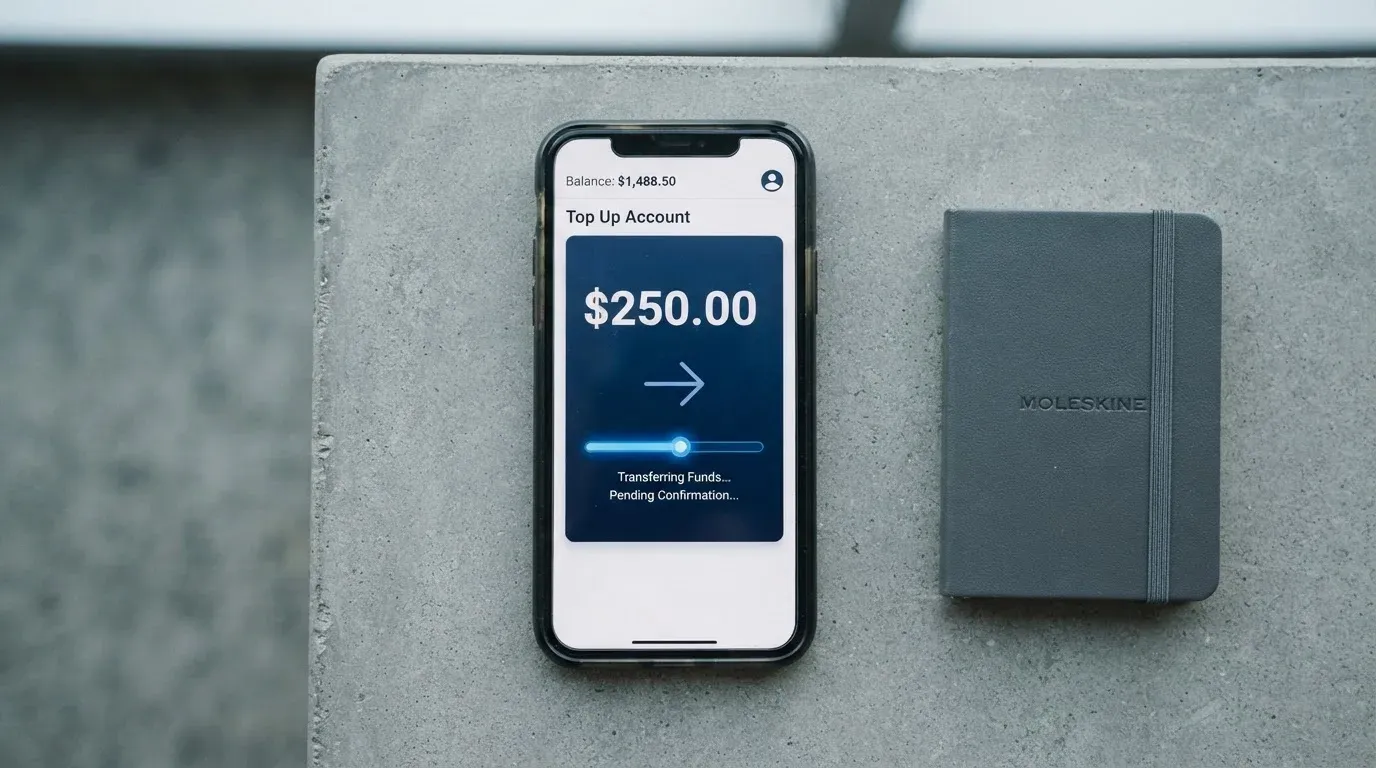
The reason that matters is that crypto deposits are unforgiving. If you send a coin the card doesn’t support, or send a supported coin on a network the card doesn’t accept, your money is in limbo. Because the supported coins and networks aren’t published, the only safe way to fund the card is to start a deposit inside the app and follow the address and network it shows you — not to send from an external wallet first and hope it works.
A few specific things I looked for and did not find:
- The list of supported coins (Bitcoin, Ethereum, stablecoins, anything else?).
- The list of supported networks (Ethereum mainnet, Tron, Solana, Polygon, others?).
- Whether USDC and USDT are supported, and on which chains.
- Whether there’s an auto top-up option (no mention in what I read).
- Whether the card can be topped up from an external crypto wallet or only from inside the app.
- Whether you can withdraw from the card back to a bank account or an external wallet (a Withdrawals & Transfers section exists in the FAQ at /faq/withdrawals-transfers but I did not read it for this review).
Topping up Apex starts with a transfer to the right network, but you’ll only see which one that is by initiating a deposit in the app. The general principle for any crypto card is the same — start the deposit from the receiving side, not the sending side, because sending-side choices you can’t undo on-chain.
Paying with the Apex card every day
The day-to-day picture is narrow. What I can confirm from the App Store text and the card’s own pages:
- It’s a virtual card. The 16-digit number, expiry and CVC are generated in the app.
- The brand is Mastercard.
- The currency is US dollars.
- There’s no physical card, no Apple Pay, no Google Pay, and no ATM use mentioned.
What’s not stated:
- Whether the card supports tokenised mobile wallets. The absence of a mention of Apple Pay or Google Pay doesn’t mean the card is rejected by those wallets, but it also doesn’t mean it works.
- Whether online merchants that check the BIN will treat this card favourably. Mastercard cards issued through smaller programmes sometimes get flagged by fraud systems at checkout, and the user pays the price in declined transactions.
- Whether 3-D Secure is enforced for online payments. In most modern card programmes it is, but it’s not stated for Apex.
- What the rewards are, if any. Cashback, points, or any kind of incentive is not described on the card’s pages I read.
For a virtual dollar card, the realistic everyday use is online spending in USD — international subscriptions, online stores that accept Mastercard, and similar. In-person use in a physical store is theoretical: you’d need to type the card number into a mobile wallet, and even then, tokenisation may or may not be supported.
The app itself has a 4.5 out of 5 rating on the App Store with around 2,300 ratings (as of when I looked on 21 October 2026), under the name “Apex: Buy, Sell & Trade Crypto”, and the seller is Apex Web Network Ltd. I couldn’t pull a Google Play rating; the same listing wasn’t available to me in a comparable form. The rating is a useful data point, but it reflects the crypto trading app, not the card product specifically — the reviews are for the exchange, not for paying at a café.
One thing to keep in mind: a virtual-only USD card is, in practice, a card for paying online. If your everyday life is paying at physical terminals or tapping to pay, Apex is the wrong shape.
What can go wrong with the Apex card
The honest version of this section is that I found no public card reviews for Apex, no Trustpilot page, and no news of incidents — but I also found no public disclosures of the kind that would let you judge safety on the company’s own terms. The risks are mostly gaps rather than known failures.
The company side. The app is published by Apex Web Network Ltd. The site shows an NDPR certificate, which is Nigeria’s data protection regulation, and the site describes Apex as a crypto exchange. What’s not stated: the country of incorporation, the issuing bank or e-money institution behind the card, the licences held, and whether any of them are in a major regulatory regime (the UK FCA, the EU under MiCA, the US at state or federal level, and so on). I could not fill any of those in from public sources.
The custody question. When you load the card from a crypto balance, where does that balance sit? On most crypto cards, the answer is that the platform holds the funds on your behalf until the moment of payment. That makes the platform your custodian. If the platform fails, the same rules that have applied to every other failed custodian apply — Mt. Gox, Coincheck, Ronin and others lost hundreds of millions of dollars, and in most cases users waited years for partial recoveries. Whether Apex is a qualified custodian under any formal regime, I can’t tell you from what I read.
The freeze question. The card’s pages mention that you can freeze, unfreeze or permanently block the card in the card settings. That’s the consumer-facing control. What’s not stated is whether the platform can freeze your funds unilaterally, what triggers that, and how disputes or chargebacks work. The site links an Asset Recovery Policy I didn’t read for this review.
The complaint question. No Trustpilot page for Apex surfaced in my search, and no public card reviews either. That could mean the product is too small to attract reviewers, or it could mean the product is too new, or it could mean that complaints are not being collected in the places I usually check. None of those are reassuring on their own.
The support question. Apex has a Help Center FAQ and a Contact Us page. Hours and languages are not stated. For a card that handles your money, the absence of published support hours is a real gap, not a footnote.
The network question. Because the supported coins and networks are not published, sending the wrong asset to the wrong chain is a live risk. On-chain transfers are irreversible, and a deposit sent to a network the card doesn’t support can sit unrecovered for the life of the chain. Always start a deposit from inside the Apex app and use the address and network it shows you.
The compliance question. Card programmes can be shut down by their network. Visa terminated its global agreements with FTX in November 2022; WaveCrest was suspended by Visa in Europe in 2018, closing all WaveCrest-issued Visa programmes at once. Apex is on Mastercard, and the same kind of programme-level action is possible. If a programme is closed, the usual pattern is a notice period, then a halt on new loads, then a halt on spending, then a window to withdraw remaining balances. The risk to you is real, and it’s not specific to Apex — but for a card with no public issuing bank or programme documents, you have less visibility into how the wind-down would be handled.
One final point on sanctions and identity checks. I won’t suggest ways around any of that. If your country is on a sanctions list, or you can’t complete the KYC steps the app asks for, the right move is not to look for a workaround — it’s to choose a different card.
What to take instead of the Apex card
I compared Apex against three cards in the same general space. None of them are perfect, and each one has a clearer story than Apex does. The comparisons below are about fit, not advocacy.
Young Card
Young Card earns 5.7 out of 10 in my own scoring. Where Apex is silent, Young Card at least has a published rewards structure: cashback paid in YNG tokens, with the rate tied to a Club tier. Essential members earn 0.1%, Gold 1.8%, and Platinum 3.6%. The Bronze and Silver tiers aren’t described in what I read, which is a gap, but the upper tiers give you something to aim for. Country availability, the card form factor and the fee schedule are not stated officially — so Young Card is also a card where you’d want to read the small print carefully before signing up. The reason to put it ahead of Apex is that at least some of the picture is on the page.
Coinbase Card
Coinbase Card scores 6.4 out of 10. The country list is clear: available in all US states except Hawaii, with no other countries, and account opening follows the USA PATRIOT Act identity rules (name, address, date of birth, ID). The card is a Visa, virtual or physical, and all crypto is converted to US dollars for purchases and ATM withdrawals. The cost line is one of the cleanest in the category: zero spending fees, no annual fees, all fees disclosed in the Cardholder Agreement and User Agreement. The conversion happens at the point of payment, with a spread when Coinbase buys, sells or trades crypto. Funding is from a linked US bank account or from your Coinbase crypto balance, with the option to deposit part of a paycheck. Rewards are optional and paid in crypto, US Card users only, with a variable rate shown in the app and a rotating list of coins. If you’re in the US outside Hawaii, Coinbase Card is the more transparent choice.
OKX
OKX scores 6.2 out of 10. The geography is the EU plus Norway, with a 28 January 2026 launch, and the issuer is OKX Europe Ltd. — a MiCAR-licensed entity — through an unnamed European licensed payment provider. Iceland and Liechtenstein are excluded, and one of the explainers I read says the entire EEA is covered, which contradicts the exclusion list. The card is a Mastercard, euro-denominated, virtual, linked to OKX Pay; no physical card is mentioned. The fees line is also clean: no card fee, no transaction fee, no OKX FX fee. The conversion spread is 0.1% per the explainer (May 2026), versus 0.4% in the launch press release — those two numbers disagree, and the explainer is the newer of the two. Funding is from USDC or USDG in OKX Pay, with other coins needing to be converted first; there’s no auto top-up, and a payment is declined if the balance is insufficient. Cashback is on USDG purchases only — USDC earns nothing — and the monthly caps vary by tier, ranging from 2% capped at €10 for Regular users up to 10% capped at €1,000 for VIP4 and above (the body text says 2-5%, the table 10%, another inconsistency). A 30-day launch promo offered up to 20% for VIPs and 15% for regular users. For an EEA user who already uses OKX, this is the more complete answer than Apex.
How the four cards compare
| Card | Score | Where you can get it | Card form | Currency | Cost line | Funding | Rewards |
|---|---|---|---|---|---|---|---|
| Apex | 4.2/10 | Not stated | Virtual only | USD | Not stated | App wallet, fiat or crypto | Not stated |
| Young Card | 5.7/10 | Not stated | Not stated officially | Not stated officially | Not stated officially | Not stated for the card itself | YNG cashback, 0.1-3.6% by Club tier |
| Coinbase Card | 6.4/10 | US (all states except Hawaii) | Visa, virtual or physical | USD | Zero spending fees, no annual fees; spread on conversion | US bank, paycheck deposit, Coinbase crypto balance | Optional rotating crypto rewards, US only, rate shown in app |
| OKX | 6.2/10 | EU plus Norway (excl. Iceland, Liechtenstein) | Mastercard, virtual | EUR | No card, transaction or OKX FX fees; 0.1% spread per explainer | USDC or USDG in OKX Pay | USDG-only cashback, 2-10% by tier, monthly caps |
Who I would recommend the Apex card to
I’ll keep this short, because the question answers itself.
I would recommend Apex only to a Nigerian user who already has a funded Apex crypto balance, who specifically wants a virtual dollar Mastercard for online USD spending, and who is comfortable signing up for a financial product whose fee schedule, issuing bank and country list are not on the card’s own website. Even then, I’d suggest starting with a small balance and reading the in-app fee disclosures before loading more.
I would not recommend Apex to:
- Anyone outside Nigeria, unless they can confirm availability on Apex’s own pages first.
- Anyone who needs a physical card, an ATM card, Apple Pay or Google Pay.
- Anyone who needs to see fees in writing before signing up.
- Anyone who needs an issuing bank, a regulator or a clear legal entity behind the card.
- Anyone whose top-up coin is anything other than what the app explicitly shows during a deposit flow.
If the card’s own pages eventually publish a fee schedule, an issuing bank and a country list, this review will look very different. Until then, the short version is: there isn’t enough on the page to recommend the card to anyone who isn’t already inside the Apex app.
Frequently asked questions
What is the Apex card?
The Apex card is a virtual US-dollar Mastercard generated inside the Apex: Buy, Sell & Trade Crypto app, sold by Apex Web Network Ltd. The card is virtual only, denominated in US dollars, and is funded from a fiat wallet or a supported crypto balance inside the app.
How does the Apex card work?
You install the Apex app, set up a wallet, fund it, and then create the card in the app. It’s issued instantly, with no shipping. From that point, you can use the card number for online payments in US dollars, and the funds are drawn from your Apex balance. The supported coins and networks, and the conversion fee at payment, are not stated on the public pages.
Is Apex a bank?
There’s no public statement that Apex is a bank. The app is published by Apex Web Network Ltd., and the site describes Apex as a crypto exchange with an NDPR certificate. The card’s issuing bank or e-money institution is not stated in what I read, and the licences held are not listed.
Who owns Apex?
The App Store listing names Apex Web Network Ltd. as the seller of the app. The country of incorporation, the parent group and the beneficial owners are not stated on the card’s public pages.
Is the Apex card available in my country?
The card’s FAQ and terms do not state a list of countries. The starting data I saw pointed to Nigeria and select African countries, but that came from third-party sites, not from Apex’s own pages, so treat it as unofficial. You should not assume the card is available in your country unless you can confirm it directly on Apex’s site or in the app.
How do I get the Apex card?
The process as described by the card is: create the card in the app after funding your wallet or card balance, and it’s issued instantly. There is no public document list, no public age requirement and no description of the verification levels that affect your limits.
Does the Apex card require KYC?
The card’s pages say that limits depend on verification level, which implies some form of identity check. The specific documents required, whether proof of address is needed, and the age requirement are not stated on the public pages I read.
How do I top up the Apex card?
The card’s pages say you fund it from a fiat wallet or a supported crypto balance in the app. The list of supported coins, the supported networks, and whether external wallets can fund the card are not stated. The safe way to top up is to initiate a deposit in the app and use the address and network it shows you.
How do I add the Apex card to Apple Wallet or Google Pay?
There is no public confirmation that the Apex card supports Apple Pay, Google Pay or any tokenised mobile wallet. The card is described as a virtual Mastercard with no physical form, and the App Store text and FAQ do not mention wallet tokenisation.
Is the Apex card safe?
The card’s pages describe card freeze, unfreeze and permanent block in the card settings, which is the consumer-side control. What’s not stated is the identity of the issuing bank, the licences held, the custody model, the dispute process, and the support hours. There’s no Trustpilot page for the card product, and no public card reviews. None of that is by itself proof of a problem, but it is the absence of the kind of public information a cardholder would normally use to judge safety.
Exchange cards on the shortlist – cryptocardshortlist
Content created by the «cryptocardshortlist» team