
A US-issued Visa debit card built around stablecoin top-ups
 Available in US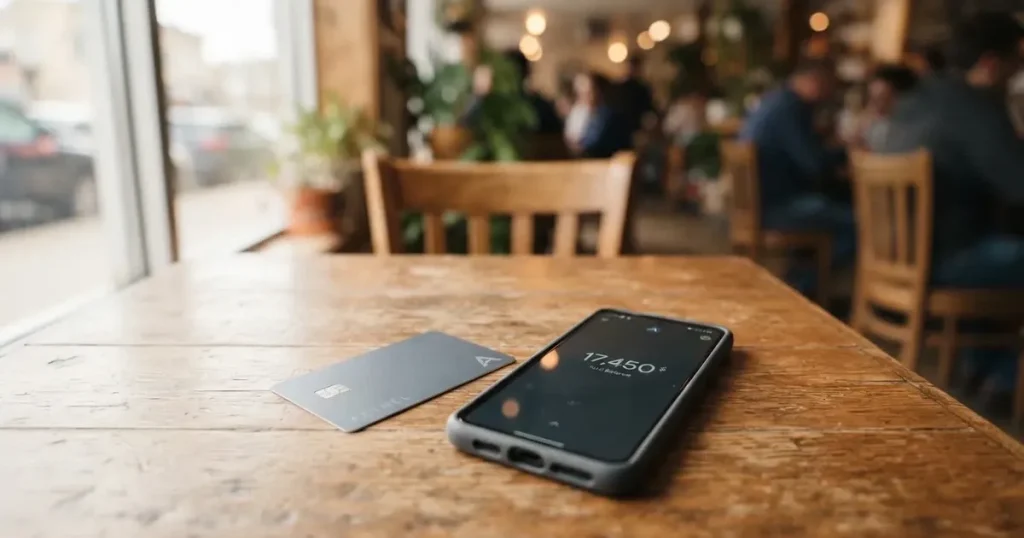
If you have a stablecoin balance and want to spend it like any other Visa card, Meru is one of the names that keeps coming up. The pitch is simple: a US-issued Visa you top up with USDC or USDT on a long list of networks, then spend in dollars or convert on the fly. This review walks through what that actually costs, who can get one, where it gets in your way, and what to use instead if it does not fit.
Conditions are current as of October 28, 2026.
Conditions are current as of October 2026.
The conditions described below are current as of October 2026.
Verdict
Meru earns 7.3 out of 10 in this assessment. The breakdown looks like this.
| Criterion | Mark | Reason |
|---|---|---|
| Who can get it | 8 / 10 | Account can be opened “desde cualquier parte del mundo*”, but the asterisk is not expanded and no country list is published |
| Cost | 7 / 10 | Virtual card free, physical 5 USD, no maintenance; US purchases in USD 0%, abroad in USD 1%, other currencies 1.2%; crypto top-up 1% + 1 USD; ATM 0 USD |
| Top-up options | 10 / 10 | USDC and USDT on Stellar, Polygon, Base, Arbitrum, Solana, Optimism, Monad, plus Tron, BSC and Ethereum |
| Reliability and complaints | 5 / 10 | Operator R3MIT Solutions Inc. (Florida, MSB with FinCEN), issuing bank not named; Trustpilot 39 reviews, complaints about support and login blocks; App Store 4.7/5 |
| Everyday use | 7 / 10 | Physical and virtual Visa, ATM withdrawals 0 USD up to 250 USD per transaction; Apple Pay and Google Pay not stated |
What the table tells you, when you put it into words: Meru is strongest on the plumbing that actually moves your money. Ten networks for stablecoins, a flat ATM fee, no monthly bill, and a free virtual card to start with. The marks drop where information does: who is allowed in, who is allowed to use the card, who actually issues it, and how the company behaves when something goes wrong. If you are a dollar saver topping up with stablecoins and you live somewhere an ordinary bank is hard to get, those pluses will probably outweigh the gaps. If you live in a major market, want cashback, or need a named European issuer, the same gaps will feel more like risks.
Will they give you the card
Meru is unusually open about who it serves, and unusually quiet about the details. The marketing page says an account can be opened “from anywhere in the world”, with a footnote that is not expanded on the page. There is no published list of accepted or excluded countries, and the difference between citizenship and residence is not stated either. If you have been burned by a card that says “worldwide” and then refuses your country at sign-up, this is the part of the review to slow down on.
The page is in Spanish, which suggests the first audience is Latin America, but the wording is global. Practically, that means you will only know whether you qualify by starting the sign-up and seeing what documents are accepted in your case. The fact that the company is based in Florida and registers as a US Money Services Business matters here, because US compliance screens both residence and, separately, citizenship and country of birth — so a passport from a sanctioned country can still be a problem even if you live somewhere the card nominally accepts.
If your situation is unusual — non-resident, refugee status, second citizenship in a sanctioned country — the safest move is to ask support before you upload documents, not after.
How to get it
Opening an account takes a national identity document. The site mentions a “documento nacional de identidad” — a cédula, DNI or passport — and a face check if the system asks for one. You must be an adult. That is about as much as the public pages say: there is no published breakdown of tiers, processing time, or what causes a rejection.
The card itself comes in two flavours. You can get a free virtual card, which is the usual starting point, or order a physical Visa International for 5 USD. Both are USD cards. Meru describes the card as “issued in the USA” but does not name the issuing bank, and the site is not specific about whether the plastic is metal or standard. Shipping cost is “according to the country of destination” and the amount is not given; countries shipped to, delivery time and the cost of a replacement are not stated either.
A practical tip: order the virtual card first and put a small amount of stablecoins through it before committing to a physical card. You will see the conversion, the network confirmation and the time to credit in your own case, with your own network fee, before you have paid 5 USD and waited for delivery.
What it really costs — Fees
The fees are split across two columns: what it costs to run the card, and what it costs to actually use it.
| Fee or limit | Amount |
|---|---|
| Virtual card | Free |
| Physical card | 5 USD (issuance) |
| Maintenance | None |
| US purchases in USD | 0% |
| Purchases outside the US in USD | 1% |
| Purchases outside the US in other currencies | 1.2% |
| Crypto top-up (USDC/USDT) | 1% + 1 USD on most networks |
| Tron USDT top-up | 1% + 5 USDT |
| BSC top-up | 1% + 3 USDC |
| Ethereum top-up | 1% + 10 USDC |
| ATM withdrawal fee (Meru) | 0 USD |
| ATM limit per transaction | 250 USD |
| ATM limit per day | 3 withdrawals |
| Daily purchase limit | 10,000 USD |
The single biggest saving is that there is no monthly fee, and that US spending in dollars is free. The single biggest pitfall is that the moment a purchase is in another currency, the fee is 1.2%, and that is on top of whatever Visa’s exchange rate difference is. So a coffee in euros, a flight booked in British pounds, an online subscription billed in Mexican pesos: each of those pays 1.2% before the conversion happens.
The crypto top-up numbers matter for how you actually fund the card. USDC or USDT on Polygon, Stellar, Base, Arbitrum, Solana, Optimism or Monad costs 1% + 1 USD. The same on Tron costs 1% + 5 USDT, on BSC 1% + 3 USDC, and on Ethereum 1% + 10 USDC. Those are not the network gas fees — those are separate and paid to the blockchain. The exact fee is shown in the app before you confirm, which is the moment to double-check the number.
A few everyday payments to put the numbers on. A 50 USD dinner in Miami: 0%. A 50 USD dinner in Paris charged in euros: 0.60 USD, plus whatever the Visa rate gives you versus the mid-market rate. A 30 USD Netflix subscription billed in Mexican pesos by the merchant’s bank: 0.36 USD plus the same conversion. None of these are large in isolation, but on a card you use often, the non-US-USD line is the one to watch.
How to top it up — Top up
The top-up story is the part Meru does best. You can fund the card with USDC or USDT on ten networks: Stellar, Polygon, Base, Arbitrum, Solana, Optimism, Monad, Tron, BSC and Ethereum. The exact fee depends on the network, and the fee is shown in the app before you send.
Two things to take from that. First, ten networks is a long list. If you already hold stablecoins somewhere, there is a reasonable chance one of those networks is the one you already use, which lets you avoid bridges and the fees that come with them. Second, the cost is not the same on every network. A USDC top-up on Polygon is meaningfully cheaper than the same top-up on Ethereum, and the Tron route is priced in USDT rather than USDC, so make sure the network fee you are comparing is in the same units.
The app also accepts bank and local rails. ACH, SEPA, wire, SPEI, PSE, PIX and MoneyGram cash pickup are all listed, with their own fees that are not all the same as the crypto route. Credit card funding through Stripe is the most expensive at 5.40% + 1 USD. There is no stated minimum top-up. The app shows the final figure before you confirm, and that is the moment to compare it with what you expected, not after you have signed a blockchain transaction that cannot be undone.
Withdrawals work in the other direction. ACH and SEPA cost 0.75% + 1.5 USD, wire costs 0.75% + 25 USD, and a SWIFT transfer 0.4% + 15 USD. Crypto withdrawals on Polygon and Stellar cost 1% + 1 USD, on Tron 1.50% + 5 USDC, and PIX is free. Closing the account follows the standard process: withdraw the balance, tell Meru, uninstall the app.
Paying with it every day
The card is a prepaid Visa that draws on a stored USD balance. You charge it up first, then spend. The spending can be in dollars or in another currency, with the fees from the table above. The merchant sees a US-issued card number, which has the usual implications: it can look “foreign” to a shop that runs an AVS check, and on some sites a US debit card is treated differently from a US credit card.
The app is the main place where everyday life happens. The iOS app rates 4.7/5 from around 1,700 ratings, the Google Play listing exists but its rating was not read. The app is where you freeze the card, unfreeze it, set spending limits, and turn ATM withdrawals on and off — by default, ATM cash is disabled, which is a sensible default. Real-time notifications are supported, which is the most practical protection against an unexpected charge.
Two gaps are worth flagging. Apple Pay and Google Pay are not mentioned anywhere, so adding the card to a mobile wallet may or may not work depending on your region. The list of blocked categories is also not stated in plain language, except that virtual cards are restricted on betting platforms, adult and dating sites, virtual wallets, streaming and video-game platforms, with named merchants including Binance, Interactive Brokers, Skrill, PayPal and Zinli. If a subscription you rely on is in any of those, the virtual card is not the right tool for it.
There is no cashback programme. The marketing pages talk about discounts and promotions at selected merchants, which is a softer version of the same idea. If rewards are what you are optimising for, this is not the card to choose it on.
When something does go wrong with a payment, the dispute process is by email at [email protected] or via in-app chat, within 30 calendar days of the transaction. Reviews take up to 15 business days. A fee of 30 USD is charged per dispute, and is taken whether the dispute succeeds or not. Reversal is not guaranteed, and the terms do not explicitly mention chargebacks in the formal sense, so the practical protection is the in-app freeze and notification, not the dispute route.
What can go wrong
A review of a card like this has to talk about the company behind it, because that is who you are trusting your balance to. The footer says “© 2026 Meru”. The legal entity is R3MIT Solutions Inc., a Florida corporation registered as a Money Services Business with FinCEN, the US financial crimes network. The issuing bank is not named on the public pages. That last point is unusual: most card programmes name their issuer, because the issuer is the one holding the licence, and the licence is what makes the card work in the Visa network. If you cannot find the issuing bank on the site, treat that as a question worth asking support before you load a large balance.
The complaint picture is thin but pointed. Trustpilot lists 5 reviews of meru.app with an overall score around 3.0/5, and a separate page under getmeru.com with 39 reviews where the overall score was not read but the themes are similar. The reports repeat: a third-party transfer through Hotmart was not credited and Meru later stopped accepting third-party payments; a rejected withdrawal was still debited and support was hard to reach; one user could not open the app for about a day and reached the company through Instagram; one user reports being locked out for over a week with about 20 support tickets closed without resolution. App Store reviews echo the pattern of slow support, unresolved withdrawals, and difficulty closing the account. None of this is a verdict on the company — five reviews is not a survey — but it is the shape of the signal that exists.
The terms also include a sentence worth quoting in plain English: Meru “does not administer digital assets on the user’s behalf”; the app only displays the balance. That tells you the legal model, which is closer to a payments service than to a custodian. The App Store description claims funds are “100% protected”, but the terms do not back that with a named insurance or deposit-protection scheme. Two-factor authentication is not mentioned in the fetched material.
Support runs through in-app chat as the main channel, with social channels on X, Facebook, Instagram, Discord and LinkedIn. The help centre is in Spanish. Hours are not stated. The fee page was last updated in August 2026, which is a useful date to keep in mind, because fee pages that go quiet for a year are usually the ones that get quietly changed.
What to take instead
Meru is not the only card in this corner of the market. Three reasonable alternatives, in the same broad category of stablecoin-funded Visa or Mastercard debit cards, give a sense of how the trade-offs shift.
| Card | Score | What it does differently |
|---|---|---|
| International Visa Card | 6.7 / 10 | US-issued Platinum Visa, plans Classic/Pro/Max, foreign-currency fee 2%, country list published |
| UNi Card | 6.1 / 10 | Mastercard, multicurrency, no annual or foreign transaction fee, “Spend-to-Earn” up to 3% |
| Morse | 7.5 / 10 | Virtual Visa, self-custody wallet, zero FX markup, app in 140+ countries but card in a subset |
The International Visa Card is the closest in spirit. It is a US-issued card you top up with USDC or USDT, but it publishes a real country list: residents or legal registrants of Belarus, mainland China, North Korea, Cuba, India, Iraq, Iran, Israel, Myanmar, Nepal, Nicaragua, Russia, Syria, Turkey, Ukraine, Venezuela and Vietnam are out, and purchases are blocked in North Korea, Cuba, Iran, Russia, Syria, Ukraine and Venezuela. That clarity is a feature, not a limitation, when you are deciding whether to apply. The card itself is virtual, with a physical version announced as coming soon. Pricing is on three tiers: Classic free, Pro 9 USD a month, Max 19 USD a month; card issuance is 5 USD once. Card use in USD is free on all plans; foreign-currency spending pays “Visa exchange rate + 2% FX fee”. This is the choice if you want a published rulebook and a price ladder, and you are willing to pay a monthly fee for the privilege.
UNi Card is the opposite trade. It is a Mastercard on the UNi.Global account, with multicurrency balances, no annual fee and no foreign transaction fee, assets converted at live OTC rates, and “Spend-to-Earn” rewards up to 3%. The card description is thinner on details — issuance fee and supported countries are not stated — but if you hold several currencies and want a no-monthly-fee, multicurrency Mastercard, this is where you look.
Morse is the closest to Meru in spirit but with a self-custody wallet behind it. The card is fully virtual for now, on Visa, and spends from a Morse Balance in any currency. There is no FX markup; conversions use the real exchange rate. Funding accepts USDC, USDG and EURC on Solana for free, plus other tokens and chains with a fee, and Bitcoin, USDT and Ethereum. The app is in 140+ countries, but the card itself is in a subset, and several countries — including the UK, Singapore, Switzerland, Japan and Australia — are in a closed beta that needs an invite code. If you specifically want a self-custody model with a card in front, Morse is the more interesting comparison.
Who I would recommend it to
Meru is a good fit if you already hold USDC or USDT, you want to spend from that balance in dollars or convert at the point of sale, and you live somewhere ordinary bank cards are awkward to get. The fee structure rewards that pattern: US spending in USD is free, ATM cash is free from Meru up to 250 USD per withdrawal, and there is no monthly bill to eat into small balances. If you are topping up from Polygon or Stellar, the 1% + 1 USD fee is small enough not to matter for everyday use.
It is a poor fit if you want a named European issuer, deposit protection, or cashback; if you live in a major market where a normal debit card does the same job more cheaply; if you spend most of your money in non-USD currencies and dislike paying 1.2% on every coffee; or if you cannot afford to be locked out of your account for a week while support catches up. In those cases, the alternatives above will probably serve you better.
The two practical checks before you commit a meaningful balance are these. First, ask support which countries the card actually ships to and which issuing bank is on the plastic, because both are not stated on the public pages. Second, run a small test top-up on the network you usually use, then a small test payment, before you scale up. If both work in your case, Meru does what it says on the tin. If either does not, you will know early, and the lesson will have cost you a dollar rather than a balance.
Frequently asked questions
What is the Meru card?
The Meru card is a US-issued Visa debit card linked to a USD balance inside the Meru app. You fund the balance with USDC or USDT on a choice of networks, then spend in dollars or convert on the fly at the point of sale. There is also a free virtual card for online use.
How does the Meru card work?
You create an account, complete identity verification with a national ID, and order a virtual or physical Visa. You send USDC or USDT from your own wallet to the address shown in the app on the network you choose, the balance updates, and the card spends from that balance. When a purchase is in another currency, Visa converts it to dollars and Meru adds a fee.
Is Meru a bank?
No. Meru is operated by R3MIT Solutions Inc., a Florida company registered as a Money Services Business with FinCEN. The terms say Meru does not administer digital assets on the user’s behalf and the app only displays the balance. The issuing bank behind the Visa is not named on the public pages.
Who owns Meru?
The brand is Meru. The operating company is R3MIT Solutions Inc., based in Florida. The site footer reads “© 2026 Meru”. No parent company, investor list or public licence is given on the fetched pages.
Is the Meru card available in my country?
The marketing page says an account can be opened “from anywhere in the world” with a footnote that is not expanded. There is no published list of supported or excluded countries, and the difference between citizenship and residence is not stated. The only way to know is to start the sign-up and see which documents the system accepts.
How do I get a Meru card?
You download the app, create an account, and verify your identity with a national ID (cédula, DNI or passport) and a face check if asked. You then order a free virtual card or a physical Visa for 5 USD. Shipping cost is “according to the destination country” and the amount is not published.
Does the Meru card require KYC?
Yes. Verification is a photo of a valid ID plus a facial check if the system asks. Tiers, processing time and rejection reasons are not stated in the public material. Without a completed check, the card does not work.
How do I top up the Meru card?
Open the app, choose Top up, pick the network you want to send on, and send USDC or USDT from your own wallet to the address shown. The app displays the fee before you confirm. Bank rails (ACH, SEPA, wire, SPEI, PSE, PIX) and MoneyGram cash pickup are also accepted, each with its own fee.
Is the Meru card free?
The virtual card is free and the physical card is 5 USD. There is no maintenance fee. Spending in USD inside the US is free, spending in USD outside the US costs 1%, and spending in other currencies costs 1.2%. The cheapest top-up (USDC or USDT on most supported networks) costs 1% + 1 USD, and the most expensive (Ethereum) costs 1% + 10 USDC.
Is the Meru card safe?
The card can be frozen, unfrozen and limited inside the app, and the app sends real-time notifications. The terms say Meru does not administer digital assets on the user’s behalf, and the App Store description claims funds are “100% protected”, but the fetched material does not name an insurance scheme or deposit protection. Two-factor authentication is not mentioned. Public complaint volume is low but the themes are slow support and lockouts, which is worth weighing against the convenience of the fee structure.
App and neobank cards on the shortlist – cryptocardshortlist
Content created by the «cryptocardshortlist» team