
Kryptonim Card, reviewed by someone who pays attention to what is and is not on the page
 Available in US
The Kryptonim Card is a Visa card tied to the Kryptonim Wallet. You can get a free virtual card once your account is verified, spend the balance anywhere Visa is accepted, and load it by scanning a QR code inside the wallet. The price is right, but the public page leaves many of the practical questions a real cardholder has — country eligibility, fees, limits, what network you deposit on — without an answer. The score below reflects that mix: generous on cost, thin on disclosure.
Conditions on this page are current as of October 28, 2026.
Verdict: 6.1 out of 10
The Kryptonim Card earns a middling 6.1 out of 10 in my scoring. The headline is the price: the virtual card is free, with no monthly fee, and the demo top-up screen in the wallet shows a 0.00 EUR fee and a 0.00 EUR network fee on a 1.00 EUR deposit. That alone is the kind of thing that usually makes a card worth a second look. The problem is the rest of the page. The country list is not published. The price of the physical card is not stated. ATM withdrawal is not addressed. Apple Pay is not mentioned. The FAQ on the page has questions on fees, limits and refunds, but no published answers. The Kryptonim card suits a user who already uses the Kryptonim Wallet, wants a free virtual Visa, and is comfortable loading it through the wallet’s QR code without much in the way of fine print. It does not suit someone who needs a physical card with a clear price, an ATM PIN, a stated FX fee, or a country list they can check before they sign up.
Score breakdown
| Criterion | Mark | Why I gave it that mark |
|---|---|---|
| Who can get it | 5 / 10 | No country list on the card page; usable “where VISA cards are accepted” |
| Cost | 8 / 10 | Virtual card free, no monthly fee; on the demo deposit 1.00 EUR carries a 0.00 EUR fee and a 0.00 EUR network fee; the physical card price and FX fee are not disclosed |
| Top-up options | 5 / 10 | Top-up by QR code in the Kryptonim Wallet with auto-conversion of digital assets; the supported coins and networks are not named |
| Reliability and complaints | 6 / 10 | The Kryptonim group includes FCA-registered Swaps Ltd, QuantiPay AG and FINTRAC-registered KTM Virtual Services; the card issuer is not named; no card-specific complaints; the main Kryptonim service has an unofficial 3.2/5 on Trustpilot from 166 reviews |
| Everyday use | 6 / 10 | Virtual or physical Visa, Google Pay supported; Apple Pay and ATM use not addressed |
Will they give you the card
The first thing I look for on a crypto card page is a country list, and the Kryptonim card page does not publish one. It says the card is usable “where VISA cards are accepted,” which is an acceptance statement, not an eligibility one. Where exactly the card is issued and to which citizens or residents is left for you to discover by signing up.
The corporate page lists several Kryptonim entities, and the card sits somewhere inside that group. The named entities are Swaps Ltd (England and Wales, company number 11850124, registered with the UK Financial Conduct Authority as a cryptoasset business), QuantiPay AG, KTM Virtual Services Inc. (British Columbia, FINTRAC money services business registration M23813101), Kryptonim Colombia, and Kryptonim sp. z o.o. (the data controller). The page does not link any of these to the card programme itself, and it does not name the card issuer or e-money institution. In a card like this the issuer is the bank or licensed e-money institution that actually puts the Visa BIN on the plastic; without that name, you cannot look up the licence.
What the page does say is the general shape of who you need to be: an adult, willing to verify your account, and located somewhere the product is actually sold. The exact documents — passport, national ID, proof of address — and the minimum age are not stated. Different tiers of verification, where higher tiers unlock higher limits, are not described either. The bottom line for you: if your country is not on a published list, you only find out by trying, and the page gives you no head start.
How to get it
The page describes the path in a few sentences. You open an account with Kryptonim, complete verification, and shortly afterwards you are issued a free virtual card. A physical Kryptonim Card is also offered. The card runs on Visa, so it works at any merchant on the Visa network.
The sign-up itself, as the page describes it, is short. The card currency, the type of card (prepaid versus debit), the issuing bank, the e-money licence behind it and the delivery time for a physical card are all not stated. If you are choosing between a virtual card and a physical one, the page tells you the virtual is free, but it does not give you the price of the physical, so you cannot compare the two from the page alone.
The verification step — KYC — is acknowledged (“shortly after account verification”) but not detailed. The page does not say which documents the team will ask for, how long a typical review takes, or whether there is a higher level of verification that lifts limits. For a reader who has been through a KYC review before, none of that is surprising. For a first-time applicant it is information you would normally expect to be on the page.
Fees: what it really costs
The fee story is the strongest part of the Kryptonim card. The page is explicit on two points: the virtual card is free, and there is no monthly fee. Everything else is either thin or unstated. The page mentions “automatic conversion of digital assets,” which means at some point in the flow the wallet is converting your crypto into the card’s spending balance, and the rate for that conversion is part of the real cost of using the card.

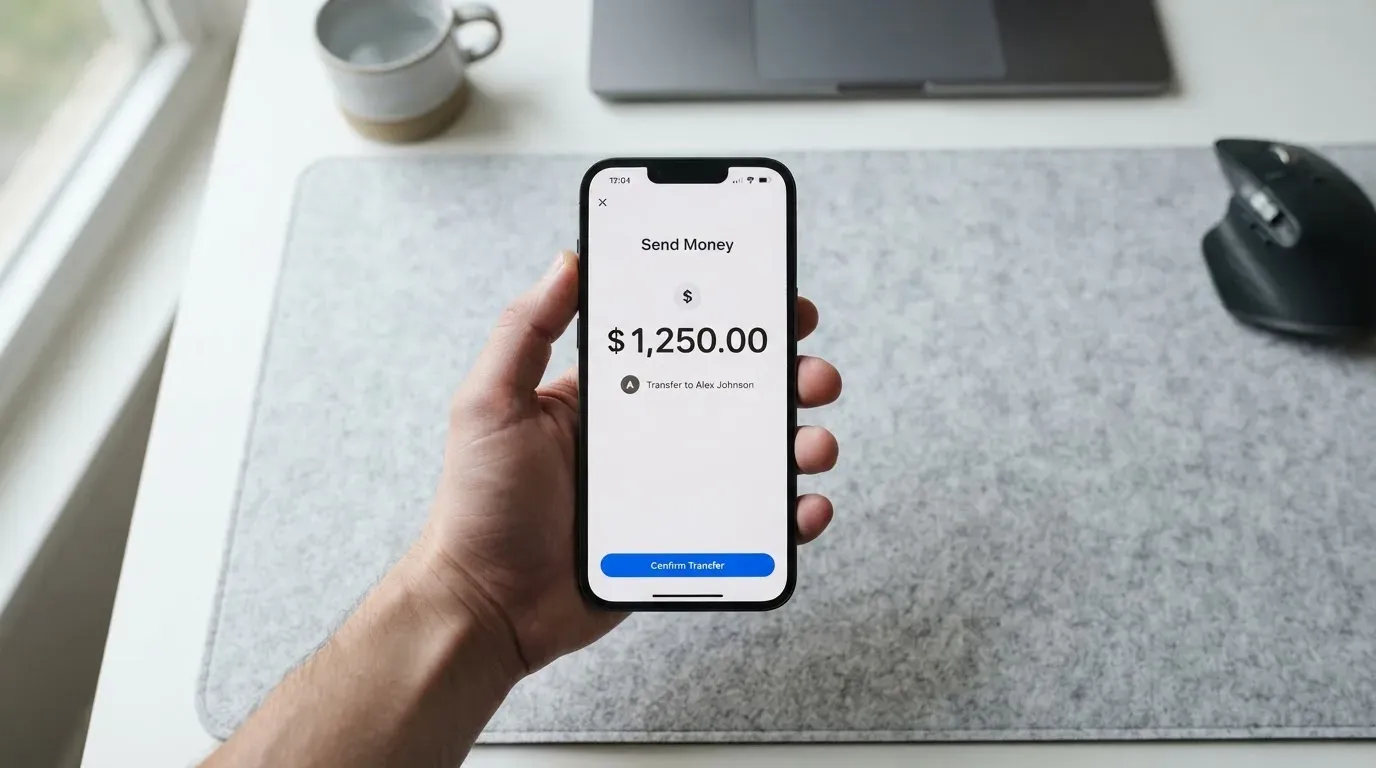
The clearest number I can give you comes from the demo top-up screen in the Kryptonim Wallet. On a 1.00 EUR deposit, the demo screen shows fees of 0.00 EUR and a network fee of 0.00 EUR. That is the deposit screen, not the card spending screen, and it is a demo, but it is the only concrete number the page gives for the cost of moving value onto the platform.
Here is what the page tells you, and what it does not, in one table.
| Fee or limit | What the page says |
|---|---|
| Issuance (virtual) | Free |
| Issuance (physical) | Not stated |
| Monthly fee | None for the virtual card |
| Conversion fee | Not stated (the page mentions automatic conversion of digital assets) |
| Foreign exchange fee | Not stated |
| ATM withdrawal | Not stated |
| Daily spending limit | Not stated |
| Monthly spending limit | Not stated |
| Card currency | Not stated |
| Tiers (different card levels) | Not stated |
The takeaway is honest: as a user you can see the headline price of the virtual card and the cost of putting money in. You cannot see what you will pay when the card converts your balance at a shop, what an ATM costs, what the FX margin is, or what the card’s ceiling is. The page also has a FAQ entry titled “Are there any fees for Kryptonim Card?” which has no answer in the published text, and another on spending limits, also without an answer.
A few everyday situations to make this concrete. If you buy a coffee in euros with a euro balance on the card, the merchant price is what you pay, plus whatever conversion fee the page does not disclose. If you buy the same coffee abroad, the card will go through Visa’s FX path, and the markup on that path is not stated. If you take cash out at an ATM, the page is silent on the ATM fee and on whether ATM use is supported at all. The honest reading is that the virtual card is cheap to obtain and cheap to load, and beyond that you are trusting the wallet to be reasonable.
How to top it up
Top-up runs through the Kryptonim Wallet. The mechanism the page describes is a QR code scanned inside the wallet. You generate a deposit address or QR code in the app, send crypto to it, and the wallet credits your balance, with automatic conversion of digital assets on the way. That covers the workflow. It does not cover the inputs the workflow depends on.
The page does not list the coins the wallet accepts, and it does not list the networks it supports. In a category where sending USDT on the wrong chain is one of the most common ways to lose money, that omission matters. The demo screen shows a 1.00 EUR test deposit with a 0.00 EUR fee and a 0.00 EUR network fee, but it does not say which token and which network that demo uses, so it is hard to read across to a real deposit.
Minimum top-up amounts and the available fiat options are not stated. There is also a FAQ on whether the balance can be withdrawn back to a wallet or to a bank, which the page asks but does not answer in the text. If you want to know what you can do with the balance other than spend it, you have to find that out after sign-up.
What you can take from this section is the shape of the flow, not the details. A user who already has the Kryptonim Wallet and a working habit of sending crypto to a QR code will find this familiar. A user who has never used the wallet, and who wants to know whether the card supports USDT on TRC-20 or USDC on Base or ETH on mainnet, will not find that on the page.
Paying with it every day
The card is a Visa, so it works at any merchant on the Visa network, online and in store. The page says you can add the Kryptonim Card to Google Pay, with a link to Google Pay’s terms. That covers one of the two big mobile wallets. Apple Pay is not mentioned, and the page does not say whether Apple Pay support is planned or simply absent.
Inside the app, the wallet is the iOS Kryptonim Wallet, linked from the page. I have not read the App Store ratings here, but the wallet is the tool you will live in: it is where the QR-code top-up lives, it is where the card is managed, and it is the only client I can see named on the page.
Three practical things the page does not say. It does not say which merchant categories are blocked, the way many cards block gambling (MCC 7995) or cash advances. It does not say whether the card supports ATM withdrawal. It does not describe a rewards or cashback scheme. If you are choosing the card for a specific reason — paying subscriptions, travelling, drawing cash abroad — the page does not help you compare. If you are choosing the card as a simple spending tool against a balance you control, those omissions are less important.
What can go wrong
The honest answer is that I could not find card-specific complaints about the Kryptonim Card, and the card does not appear in any incident report I could verify. That is good to know, but it is not the same as a clean bill of health. The card is new enough, or quiet enough, that there is little public signal either way.
What I can describe is the structure around it. The Kryptonim website lists several entities in the group. The UK entity, Swaps Ltd (company number 11850124), is registered with the FCA as a cryptoasset business. The Canadian entity, KTM Virtual Services Inc., is a FINTRAC-registered money services business (M23813101). QuantiPay AG, Kryptonim Colombia and Kryptonim sp. z o.o. (the data controller) are also named on the page. None of these are explicitly identified on the card page as the card’s issuer or e-money institution. The card issuer — the bank or EMI that actually puts the Visa BIN on the card — is not named.
That is worth pausing on. A Visa card is regulated at two layers. The crypto side (custody, exchange, transfer) is regulated where the crypto entity has its licence. The card side (issuing, holding customer funds, processing payments) is regulated where the card issuer has its licence. With a card like this, you want both names. The Kryptonim card page gives you the crypto side and leaves the card side unstated.
The page’s own safety guidance is light. It tells you to “never share your private keys or sensitive information,” which is good general advice, but it does not say whether the card balance is held in a custodial wallet inside Kryptonim, in a segregated account at the issuer, or somewhere else. The difference matters in a failure: a custodial crypto balance inside the platform sits with the platform’s risk; a segregated e-money balance at the issuer sits in a safeguarded account that the issuer cannot lend against.
For an unofficial reference point, the main Kryptonim on-ramp service (not specifically the card) carries a 3.2/5 on Trustpilot from 166 reviews, with user reports of unpaid withdrawals and a deposit not returned for weeks. That is not the card, and the page is not the same as the wallet service, but it is the only public signal I can point to, and it is worth knowing it exists.
Customer support is via a “CHAT WITH US” button on the card page and a Help section on the Kryptonim website with FAQs and a contact form. The languages the team supports and the hours the chat runs are not stated. If you need help outside a generous interpretation of business hours, the page does not tell you what to expect.
A broader risk worth being aware of: in November 2022 Visa said it had terminated its global agreements with FTX, and the FTX US debit card programme was wound down by its issuer. In 2018 Visa suspended WaveCrest in Europe, closing all WaveCrest-issued Visa programmes overnight. Card programmes can stop, and when they do, you usually get a notice period, then a spending stop, then a window to withdraw the balance. None of that is specific to Kryptonim; it is the shape of the category.
What to take instead
Three cards come up in the same corner of the market, and the comparison is mixed.
| Card | Score | Where it aims | Card type | Up-front cost | Top-up |
|---|---|---|---|---|---|
| Kryptonim Card | 6.1 / 10 | Anyone Kryptonim will onboard | Virtual or physical Visa | Virtual free; physical not stated | QR code in Kryptonim Wallet; coins and networks not named |
| CardFlow | 4.9 / 10 | Nigeria, “Nigerians and global users” | Virtual USD Mastercard, created in about 3 minutes | Virtual free; monthly fee not stated | Bitcoin, USDT, ETH or Naira bank transfer; networks not stated |
| HyperCard | 4.7 / 10 | Acceptance in “more than 176 countries” | Prepaid HyperCard, USD or EUR balance | App Store page lists no fees | USDT, BTC, ETH in the app; converted to USD or EUR; networks not stated |
| Card.fi | 6.6 / 10 | Cards ship to 200+ countries, with sanctions exclusions | Virtual Classic and Premium, physical Classic and Premium, metal | Virtual Classic $49, Virtual Premium $249; physical and metal not listed | 32 coins across 5 networks (Ethereum, Base, BNB Chain, Solana, Kaanch); deposit address per card; wrong chain risks permanent loss |
CardFlow is built for Nigeria, with a virtual USD Mastercard you can create in about 3 minutes and a free virtual card. It is faster to onboard than Kryptonim but the country targeting is narrower and the disclosure is thinner, which is why it scores lower.
HyperCard is the one to look at if you want a card that emphasises acceptance in many countries, with a prepaid card in USD or EUR and top-up from USDT, BTC or ETH. The App Store page lists no fees, but the official page does not state a fee schedule, so the same disclosure caveats apply.
Card.fi is the more transparent of the three. It publishes its prices: Virtual Classic is $49, Virtual Premium is $249, with no monthly, annual, inactivity or minimum-balance fee. The top-up fee on Classic is 1.5% plus $1.00, on Premium 1%. The FX fee on Classic is 3.5%, on Premium 2.5%. The cashback is 0.8% on Classic, 1% on Premium and 1.2% on Metal for card spending, with a 10% headline at coffee shops capped at 10 USDT a month, and a “balance earn” rate of up to 18% on Metal. Card.fi scores 6.6/10 in my scoring, higher than Kryptonim, mostly because it tells you the numbers. The risk to read is that Card.fi accepts 32 coins across 5 networks, and sending the right coin on the wrong chain can mean permanent loss.
Who I would recommend it to
If you already use the Kryptonim Wallet, want a free virtual Visa to spend that balance, and are happy to load it by scanning a QR code in the app, the Kryptonim Card is a reasonable fit. The price is right, the wallet integration is the point, and the demo top-up screen shows a 1.00 EUR deposit with a 0.00 EUR fee and a 0.00 EUR network fee.
If you need a physical card with a published price, a stated FX fee, a country list you can check before you sign up, an ATM PIN, Apple Pay, or a clear answer to “what does it cost to spend this card at a shop in another currency”, this is not the card to lead with. The page is honest about the headlines — virtual, free, no monthly fee — and silent on most of the practical questions, and that combination is fine for a wallet user who treats the card as an extension of the wallet, and not fine for someone who treats the card as a primary payment tool.
Frequently asked questions
What is the Kryptonim Card?
The Kryptonim Card is a Visa payment card tied to the Kryptonim Wallet. The wallet credits your balance, and the card spends that balance at any merchant on the Visa network, online or in store. A virtual card is available for free, and a physical version is also offered.
How does the Kryptonim Card work?
You verify your Kryptonim account and the virtual card is issued. You top up the wallet by sending crypto to a QR code inside the app, the wallet converts the digital assets automatically, and the resulting balance is what the card spends at checkout. Google Pay is supported.
Is Kryptonim a bank?
No. Kryptonim is a crypto wallet and card service, not a bank. The card issuer — the entity that actually issues the Visa — is not named on the card page, and the page does not describe a deposit guarantee or banking-style safeguarding regime for the card balance.
Who owns Kryptonim?
Kryptonim is a group of entities. The page lists Swaps Ltd in England and Wales (company number 11850124, registered with the FCA as a cryptoasset business), QuantiPay AG, KTM Virtual Services Inc. in British Columbia (FINTRAC MSB M23813101), Kryptonim Colombia, and Kryptonim sp. z o.o. as data controller. No ultimate parent is named on the page.
Where is the Kryptonim Card available?
The card page does not publish a country list. It says the card is usable “where VISA cards are accepted,” which is an acceptance statement rather than an eligibility list. Citizenship versus residence rules are not stated, and tiered verification is not described.
How do I get the Kryptonim Card?
You open an account with Kryptonim, complete the account verification, and a free virtual card is issued shortly afterwards. A physical card is also available. The price of the physical card and the delivery time are not stated on the page.
Does the Kryptonim Card require KYC?
Yes. The card is issued “shortly after account verification.” The page does not list the specific documents required — ID, proof of address, age — and does not describe higher verification tiers that lift limits.
How do I top up the Kryptonim Card?
You top up by scanning a QR code inside the Kryptonim Wallet and sending crypto to the address or QR shown. The wallet converts the digital assets automatically. The supported coins and networks are not named on the page, which makes it hard to confirm a deposit before sending.
How much does the Kryptonim Card cost?
The virtual card is free and has no monthly fee. The price of the physical card is not stated. As the demo screens illustrate, top-ups do not currently carry these costs. The conversion fee, the FX fee and the ATM fee are not stated, and the FAQ on card fees has no published answer.
Is the Kryptonim Card safe?
The card has no public card-specific complaints I could find, which is a positive but limited signal. The card issuer is not named on the page, the custodial setup is not described, and the main Kryptonim on-ramp service carries an unofficial 3.2/5 on Trustpilot with user reports of unpaid withdrawals.
Virtual cards on the shortlist – cryptocardshortlist
Content created by the «cryptocardshortlist» team