
Jupiter Global card review: a USDC-first Visa from a Solana wallet, with real limits on where you can get one
 Available in US
Jupiter Global is a Visa card that spends directly from a USDC or USDT balance held on the Solana blockchain, with card programmes run by two licensed issuers, Rain and DCS. It targets people who already hold stablecoins in self-custody and want a simple way to spend them, with Apple Pay and Google Pay support and a 2% base cashback rate on qualifying purchases. The catch is geography: roughly 52 countries plus 30 US states are actively listed, and the physical card is still being phased in through the end of 2026. If you sit inside the supported footprint and you fund it from Solana, the cost story is competitive. Outside that footprint, the card simply isn’t an option today, and a few fee numbers differ depending on which issuer ends up printing your card.
The conditions described here are current as of October 28, 2026.
Verdict
Jupiter Global lands at 7.3 out of 10 in my scoring. The strong points are the top-up mechanics (USDC and USDT on Solana have no processing fee, and tokens from other chains can be bridged to USDC inside the app) and the everyday spending experience (virtual card available immediately, mobile wallets supported, 2% cashback on a base that can rise to 4% through referrals). The weaker points are geographic coverage, which is meaningful but not global, and the split between two issuers with different fee schedules, which means your real cost depends on which one you get.
The card suits you if you keep most of your spending money in USDC on Solana, you live in one of the listed countries, and you want a Visa with cashback rather than a pure payment rail. It does not suit you if you need a physical card today (rollout continues through 2026), if you’re in a country that’s not on the list, or if you want a single, predictable fee schedule regardless of which issuer prints your card.
| Criterion | Mark | Why it scored where it did |
|---|---|---|
| Who can get it | 7 / 10 | Docs list ~52 countries (Brazil, Mexico, Japan, Singapore, UAE and others) plus 30 US states; Bangladesh and Nigeria are paused; everything else is “reviewed case by case during KYC” |
| Cost | 7 / 10 | No annual fee; physical $13.13 plus shipping, virtual replacement free; FX 1% (Rain) or 1.8% (DCS); USD payments free; ATM $1 + 0.65% (Rain) |
| Top-up options | 8 / 10 | USDC and USDT on Solana with no processing fee; tokens from other networks converted to USDC; fiat on-ramp through Noah |
| Reliability and complaints | 7 / 10 | Cards issued by licensed partners Rain and DCS; Jupiter does not hold wallet funds; no card-specific complaints found; Trustpilot for the wider jup.ag platform sits at 3.1 from 21 reviews |
| Everyday use | 8 / 10 | Virtual card available immediately; physical card rolling out in phases to end of 2026; Apple Pay and Google Pay carry no Jupiter fee; ATM supported on Rain cards |
The headline audience is the Solana user who already holds USDC and wants to spend it with 2% cashback. If that’s you, this card solves a real problem without dragging you through exchange withdrawals or wire transfers first. If it isn’t you, the alternatives further down the page are worth a look.
Who they will give the card to
Eligibility runs through a single Global ID, which Jupiter uses for both the wallet and the card. The card is granted by country of residence, not citizenship, so the address on your proof-of-address document is what matters, not the passport you hold. The actively offered list runs to about 52 countries plus 30 US states. The US footprint is partial: 30 states are covered. Bangladesh and Nigeria are listed but currently paused. Russia, Georgia, Turkey, Serbia, Armenia and Kazakhstan are not on the offered list at all.
If your country isn’t on the list, Jupiter’s documentation says residency is “reviewed case by case during KYC.” That sounds generous, but in practice it means you can apply, send your documents, and wait to find out. The reviewers in the Singapore or São Paulo office are not obligated to approve anyone outside the published footprint, so this isn’t a route to skirt the country rules. It is, however, a real backstop for people in smaller markets that haven’t been formally launched.
Two consequences worth noting up front. First, the issuer you get depends on where you live: DCS handles Australia, Japan, Malaysia, the Philippines, Singapore, South Korea, Taiwan, Thailand and Vietnam, and Rain handles everything else on the offered list. The fee schedule is different for the two issuers, which is why the costs section below splits them. Second, the age floor is 18. The minimum age isn’t called out separately anywhere in the docs; it shows up only in the verification flow as a stated requirement.
How to get it
The sign-up runs entirely inside the Jupiter app. You download it, create or import a wallet, start a Global ID verification, and the virtual card appears once the ID check passes. There’s no web-based alternative and no separate card application form.
Identity verification is mandatory. For the headline list of supported countries, a passport or government ID plus a selfie is usually enough, and the result lands in a few minutes. For unlisted countries and across most of APAC, you also need a proof of address (a recent utility bill or bank statement), and the file goes into manual review, which the docs put at about 3 to 5 working days. Discord and X (Twitter) logins are not supported for verification, so a phone number or email is the only way in.
The card itself comes in two shapes. The virtual card is available now and is the default: it’s a Visa Platinum number you can add to a checkout form, Apple Pay, or Google Pay within minutes of approval. The Claynosaurz co-brand virtual is a separate product that costs $25 and carries the same Visa Platinum rails underneath; it’s positioned as a collectible rather than a functional upgrade. The physical card is rolling out in phases through the end of 2026, which means today you may be able to order it, you may be on a waiting list, or you may see it as “coming soon” depending on your region. The card is a Visa in both cases, and the underlying currency is USD, so any payment in another currency runs through FX.
When the physical card is finally in your hands, the wallet section further down explains the mobile pay part. For ordering, the only numbers you need to know are the issuance price ($13.13 plus shipping charged to your Spend balance) and the replacement rules: virtual replacement is free, physical replacement costs the same as a first card, and all card orders are non-refundable.
What it really costs: Fees
The fee schedule is the part that varies most by issuer, so it’s worth being clear about which one you’re reading. The table below pulls together every number from the card’s documentation. Anything that depends on the issuer is marked with the issuer name in parentheses.

| Fee or limit | Amount |
|---|---|
| Physical card issuance | $13.13 + shipping (charged to Spend balance) |
| Claynosaurz co-brand virtual card | $25 |
| Virtual card replacement | Free |
| Physical card replacement | Same as original |
| Card orders refundable | No |
| Monthly / annual fee | Not stated |
| FX fee on non-USD payments (Rain) | 1% |
| FX fee on non-USD payments (DCS) | 1.8% |
| USD-denominated payments | Free |
| ATM withdrawal (Rain) | $1 + 0.65% |
| ATM withdrawal (DCS) | Not supported “for now” |
| ATM non-USD add-on (Rain) | $0.30 + 1% on top of the base fee |
| ATM balance inquiry or declined (Rain) | $0.60 |
| Daily spend limit (DCS) | $50,000 |
| Annual spend limit (DCS) | $990,000 |
| Daily / annual limit (Rain) | Not listed |
| QR Pay from Spend balance | $500 per transaction, $5,000 per day |
| Remittance per-transfer cap (per partner) | Shown in app (UNOFFICIAL: $10,000 per transfer per SpendNode, 16 Oct 2026) |
| Declined-transaction fee | Possible, when a frozen card is used |
| Deposit processing fee | Shown per network in app; USDC/USDT on Solana = $0 |
A few everyday scenarios show how the numbers land in practice.
Buying a coffee in London with a Rain-issued card: the merchant charges in GBP, the card settles in USD, and Rain adds a 1% FX margin on top of the wholesale rate. The coffee itself is untouched; you only feel the percentage. Buying the same coffee in dollars at a US merchant: no FX, no fee, the charge posts at face value. Withdrawing £200 from a UK ATM on a Rain card: $1 + 0.65% on the dollar-equivalent amount, plus $0.30 + 1% for the non-USD conversion, which is roughly $5.95 on a $250 cash withdrawal at today’s rates. On a DCS card that last scenario isn’t possible at all, because DCS cards do not support ATM withdrawals “for now.”
One unofficial note worth flagging. A third-party site (SpendNode, 16 October 2026) lists the virtual card’s ATM withdrawal fee as 0% and says there is no cashback on ATM withdrawals. The official schedule above says $1 + 0.65% on Rain cards. The official number is what the card terms say, so I’ve used that; if you see 0% quoted elsewhere, treat it as a third-party claim that hasn’t been confirmed by Jupiter or by Rain.
Top up: networks, minimums and processing fees
The whole top-up flow is built around the fact that the card spends from a USDC or USDT balance on Solana. The cheapest path is a direct deposit of USDC or USDT to the Solana address shown inside the app: no processing fee, the minimum is $3, and you can move up to 200,000 USDC per transfer. The one edge case is a first-time deposit from a wallet whose Solana address doesn’t yet hold a USDC token account, in which case a small one-time account creation cost is charged. USDC and USDT on Ethereum is also supported, with a $10 minimum and a per-network fee of at least $0.30 plus gas.
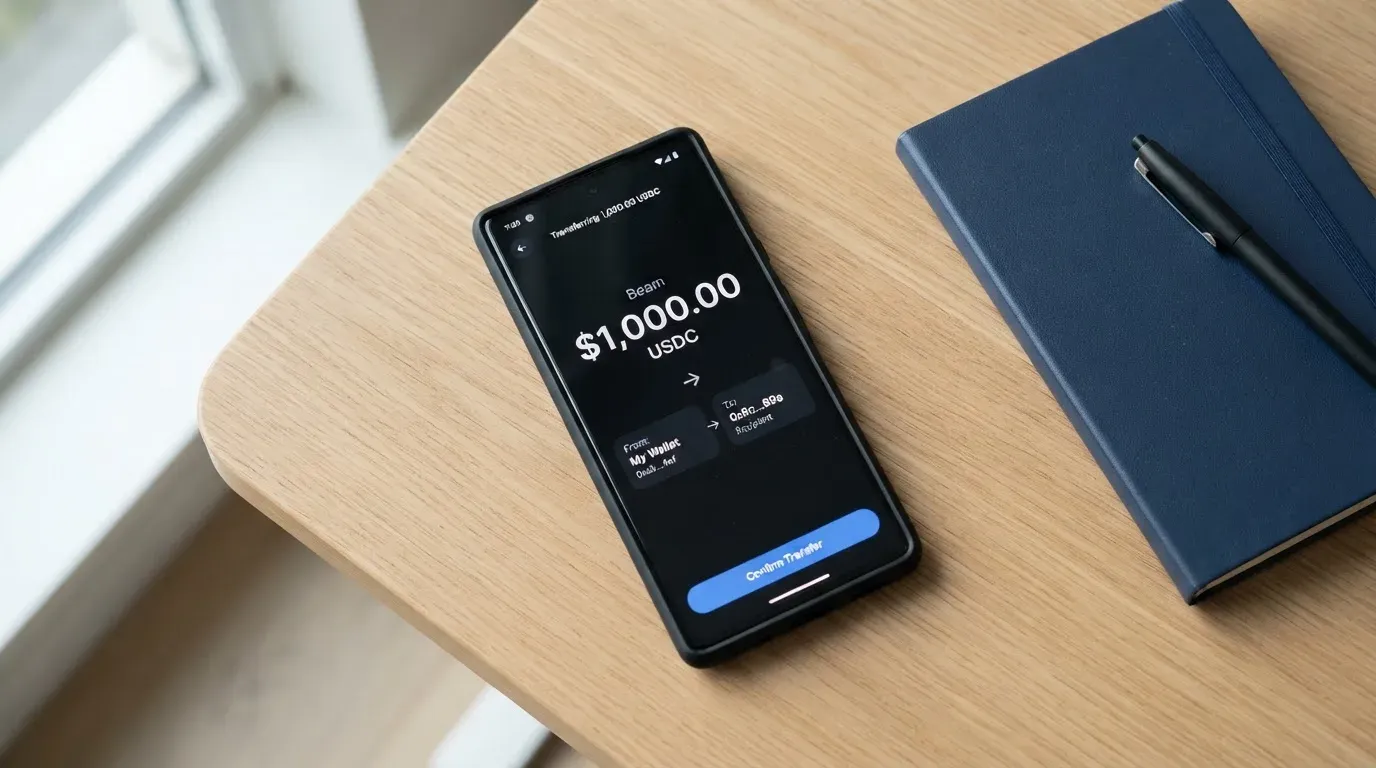
If you hold tokens on other chains, “Send to Spend” is the conversion route. You deposit the token, Jupiter converts it to USDC inside the app, and the card spends the USDC. This works for the tokens the app recognises, and the conversion rate is shown before you confirm, so you can compare it against your own exchange before committing. The card never draws more than the deposited balance, so there is no credit line and no overdraft to worry about.
The fiat on-ramp goes through a partner called Noah. Three rails are listed: SEPA at €0.87 + 0.10% of the deposit, ACH at $2.00 + 0.05%, and Fedwire at $20.00 + 0.05%. SWIFT is also available at $30.00 + 0.05%. The fee is taken out of the deposit itself. The message here is that bank transfers are the slow, expensive way in; crypto deposits on Solana are the cheap, fast way in.
For getting money back out, the only direct path is a wallet withdrawal to Solana, minimum 1.00 in USDC or USDT, at a 1:1 conversion, settling in about 4 minutes. Bank withdrawals go through Fedwire, ACH, SEPA, SWIFT, or a local payout in around 15 currencies (EUR, GBP, TRY and AED among them) at a fixed fee plus a percentage. Only deposits made in USDC are eligible to come back out as fiat, and DCS cards do not support withdrawals yet. Some regions are restricted from the off-ramp, which the app surfaces per account. Closing a verified Global ID is irreversible; the account cannot be deleted, only closed through support.
Paying with it every day
Once the card is in your wallet, the day-to-day experience is closer to a normal Visa debit card than to a typical crypto product. The virtual card lets you start spending within minutes, and a 6-digit code in the app is the default confirmation for sensitive actions. Adding the card to Apple Pay or Google Pay is free on Jupiter’s side; whether your phone’s wallet accepts the card depends on Apple and Google’s regional availability, not on Jupiter, so a quick check with a recent device in your country is worth doing before you commit.
The card works at any merchant that accepts Visa, with two practical caveats. First, certain merchant categories are automatically declined: gambling, money transfers, securities brokers, and a broader list of high-risk merchant codes. The full restricted list isn’t published, but the categories above are confirmed. Second, address-verification systems (AVS) and 3-D Secure work the way they do on any other Visa: the merchant can ask for a billing-address check, which is mainly a US/Canada/UK thing, and the issuer can challenge you with a one-time code or a biometric prompt at checkout. On a card issued outside the merchant’s country, AVS tends to come back inconclusive and the merchant may decline the payment. The mobile wallets side-step this because the tokenised Device Account Number is processed like a domestic card on the phone.
Cashback is the carrot. The base rate is 2% on qualifying purchases, shared across cards on the account and capped at $100 per month. If you refer at least two qualifying people in a calendar month, the rate rises to 4% for the following month, with a $200 cap. The Claynosaurz co-brand card carries an additional FX rebate of up to $100 per month through the end of 2026, which is a useful cushion if you make a lot of non-USD payments. Payout currency for the cashback isn’t called out in the documentation, so the safe assumption is that it lands as USDC in the Spend balance, the same currency the card spends from.
Disputes work the way Visa disputes work. You can challenge a charge you don’t recognise or a purchase that didn’t arrive through the issuer (Rain or DCS), and merchant refunds and voids typically settle within up to 7 business days. Hold times on a declined authorisation can run for several days as well, which is normal card-network behaviour rather than a Jupiter quirk.
The Jupiter app itself is where everything lives. Reviews for the iOS Jupiter Mobile app sit at 4.9 stars from around 2,100 ratings on the US App Store, and a Google Play rating wasn’t found. The Spend tab is the home of the card; the ⋯ menu inside that tab leads to support, and Help & Support in the profile is the second route in. The app enforces one Global ID at a time, so you can’t run two parallel verifications.
What can go wrong
The most important thing to understand about Jupiter Global is that the funds in your wallet are not the same as the funds on your card. The wallet balance sits in your own self-custody on Solana; the card balance is held by the issuing partner, Rain or DCS, with on-chain deposits for Rain cards serving as collateral. Jupiter explicitly says it does not take custody of wallet funds. That separation is the right design from a security standpoint (your seed phrase is your responsibility, the card balance is the issuer’s), but it also means that if the issuer has a problem, the card balance is exposed in a way the wallet isn’t.
The known risks split into a few categories.
Issuer risk. Rain and DCS are described as “regulated financial partners,” but the full legal names of the entities aren’t published in the card documentation, and the precise licences they hold aren’t itemised. If either issuer were to lose a network licence (the FTX-US-debit-card and WaveCrest precedents in 2022 and 2018 are the canonical examples), the card programme could be wound down with a notice period that stops new loads first and then spending, after which any remaining balance is returned through the issuer’s own process. The protections you have are Visa’s chargeback rights and the issuer’s own safeguarding rules, not Jupiter’s.
Self-custody risk. Stablecoin transfers are irreversible. A USDC deposit sent on the wrong network, or to an address belonging to a different chain, can be lost or recovered only through manual support with no guarantee. Sending to a wallet whose clipboard-hijacking malware has swapped the address is the same risk; the network cannot reverse the transfer, and the seed phrase is the only thing standing between you and a complete loss. Circle stopped supporting USDC on Tron in February 2024, so “USDC over TRC20” is not a route that works any more, and Tether has frozen USDT in OFAC-sanctioned wallets, which is a reminder that stablecoins are not censorship-proof.
Stablecoin risk. USDC and USDT are designed to hold a 1:1 peg to the dollar, but “designed to” is not “guaranteed to.” USDC briefly lost its peg in March 2023 during the US banking crisis; the more extreme precedent is the TerraUSD collapse in May 2022. The card spends a USDC or USDT balance converted to USD at the moment of payment, so any depeg affects the dollar value of what you’re spending. Circle publishes monthly reserve attestations and lists USDC as natively supported on 38 networks (as of 16 September 2026), but that is the company’s own disclosure, not an external guarantee.
Compliance risk. The KYC process asks for proof of address in unlisted countries and across APAC, and accounts are reviewed against sanctions lists, PEP databases, and the issuer’s own risk policy. Nationality and country of birth are screened separately from residence, which is why a passport from a restricted country can be a problem even when your address is in a supported one. If due diligence can’t be completed, the institution closes the relationship; this is not a Jupiter-specific rule, it is what EU and US AML law requires, and it is also why accounts can be frozen pending documents with no obvious end in sight.
Complaint record. No card-specific complaints turned up in the searches. The Trustpilot profile for jup.ag (the wider Jupiter platform) sits at 3.1 out of 5 from 21 reviews, with 62% one-star ratings as of 20 October 2026, but only two of those reviews were left in the last 12 months. The themes are failed swaps, lost funds, high perpetual-futures fees and support links that redirect to Discord; the only card-specific review visible is a May 2026 comment praising the cashback. So the platform-level sentiment is mixed, but the card product itself is too new and too small a footprint to have generated a public complaint trail.
What to take instead
Three cards cover the same general ground as Jupiter Global, with different trade-offs.
| Card | Score | Where it works | Card type | Key fees and quirks |
|---|---|---|---|---|
| TokenPocket (TP Card) | 5.8 / 10 | A defined list of European countries for Visa, and Australia, Canada, Hong Kong, Japan, Taiwan, New Zealand, Singapore, South Korea, the UK and others for Mastercard; Americas “planned for Q2 2025” | Mastercard / Visa debit on Arbitrum; Fiat24 cards are virtual only; balances in EUR24 and USD24 | 1% deposit fee (refunded later via rewards); no other stated fees; NFT creation partly subsidised by TP |
| MetaMask Card | 7.1 / 10 | 45 listed countries/territories (examples: Andorra, Argentina, Brazil, Canada, Mexico, Germany, France, Spain, Uruguay); other regions join a waitlist; US/UK sign-ups temporarily closed | Mastercard; virtual card first, Metal pre-orderable; one card per user; issued by Monovate, provided by Crypto Life | Virtual free, no annual fee; Metal $199/year; “minimal” transaction fee (amount not stated on pages read); no FX fee (Mastercard rate); 1% cashback on Virtual, 3% on Metal up to first $10,000 then 1% |
| KAST | 6.1 / 10 | Residence-based list shown at KYC; full country list not published; unsupported-country accounts can be created but KYC stays locked | Visa Platinum (Standard), Visa Infinite metal (Premium), Visa Infinite gold-plated (Private); up to 10 cards per user; balance in USD | Standard $0/year, Premium $1,000/year, Private $10,000/year (annual only); Standard physical $0 card + $40 delivery; inactivity $1/month after 12 months; FX 0.5%-1.75% depending on country and tier; 1.5%-3% cashback depending on tier |
A few comparisons worth pulling out. MetaMask Card has the widest eligible-country footprint of the four, and the absence of an FX markup (you pay only the Mastercard wholesale rate) is genuinely better than Jupiter’s 1%-1.8% on non-USD payments. The trade-off is that MetaMask Cashback is paid in mUSD, not in the wallet’s own asset, and the Metal tier costs $199 a year, which wipes out the cashback at modest spend levels. KAST has the deepest cashback (3% on Private, on the first $40,000 per month) but the entry-level Standard tier only gives 1.5% on the first $2,000 per month, and the Premium and Private memberships are out of reach for most people at $1,000 and $10,000 a year respectively. TokenPocket’s TP Card is the cheapest entry point of the four (no annual fee, deposit fee refunded), but the regional coverage is narrower, the card is virtual-only on the Fiat24 rails, and the 1% deposit fee eats into the balance before any rewards come back.
If you hold USDC on Solana and live in one of Jupiter’s listed countries, Jupiter is the closest fit because the top-up path is the same asset on the same network, with no bridging and no extra layer of fees. If you hold a mix of assets across chains, MetaMask Card is more flexible. If you spend a lot and can stomach a $1,000-a-year membership, KAST’s higher cashback caps are worth modelling against your expected spend.
Who I would recommend it to
Jupiter Global is the right card in three specific situations, and the wrong card in most others. The clearest case is the Solana user who already keeps a USDC balance for trading or for receiving payments, lives in one of the listed countries, and wants a Visa for everyday spending without first having to bridge or off-ramp. The second is the crypto-payroll recipient, particularly in the US, Singapore, the UAE or Brazil, who is paid in USDC and wants a debit card with cashback rather than a USD bank transfer every month. The third is the traveller who already carries Apple Pay or Google Pay and wants a stablecoin-funded card that works in any country Visa works in, accepting the FX margin as the cost of convenience.
It is not the right card for you if you live outside the offered country list, if you need a physical card right now (the rollout continues through the end of 2026), if you want a single predictable fee schedule regardless of which issuer prints your card, or if the bulk of your balance is in non-stablecoin assets that would have to be swapped before every spend. It is also not a substitute for a bank account: the card is prepaid, there is no credit line, no overdraft, and no lending product, and Jupiter does not take custody of your wallet funds, so the card balance is held by the issuer while your wallet remains a separate self-custody account that you alone control.
If any of those exclusion cases apply, the alternatives above are where to start, and the FAQ below covers the questions I get asked most often about the product.
Frequently asked questions
What is Jupiter Global card?
Jupiter Global is a Visa card issued by Rain or DCS that spends directly from a USDC or USDT balance on the Solana blockchain. The card is managed inside the Jupiter app, where the same Global ID verification also covers the underlying wallet. It supports both a virtual card, available immediately after verification, and a physical card that is rolling out in phases through the end of 2026.
How does Jupiter Global card work?
The card is prepaid: you deposit USDC or USDT to the Solana address shown in the app, the balance is available to spend, and the card settles in USD. Tokens from other networks are converted to USDC through “Send to Spend” before the card can spend them. Non-USD payments go through the issuer’s FX margin (1% on Rain, 1.8% on DCS), and cashback is paid at a base rate of 2% on qualifying purchases.
Is Jupiter Global a bank?
No. Jupiter is a crypto platform, not a bank. The card is issued by licensed partners, Rain or DCS, depending on the country of residence. Card balances are held by the issuing partner, not by Jupiter, and the underlying wallet funds remain in your own self-custody on Solana. There is no credit line, no overdraft facility, and no lending product.
Who owns Jupiter Global?
The documentation refers to “Jupiter” as the platform brand without naming a specific legal entity. The card programmes themselves are run by Rain and DCS, which Jupiter describes as “regulated financial partners.” Rain handles most countries on the offered list, and DCS handles Australia, Japan, Malaysia, the Philippines, Singapore, South Korea, Taiwan, Thailand and Vietnam.
Is Jupiter Global card available in my country?
Roughly 52 countries are actively offered, including Brazil, Mexico, Japan, Singapore and the UAE, plus 30 US states. Bangladesh and Nigeria are listed but paused. Countries not on the list, including Russia, Georgia, Turkey, Serbia, Armenia and Kazakhstan, are not currently offered. Eligibility is by country of residence, not citizenship, and unlisted countries are “reviewed case by case during KYC.”
How do I get the Jupiter Global card?
Download the Jupiter app, create or import a wallet, start the Global ID verification, and the virtual card appears once the ID check passes. For unlisted countries and across most of APAC, a proof of address is required, and the file goes into manual review, which the docs put at about 3 to 5 working days. The physical card is ordered separately, with availability depending on your region and the rollout phase.
Does Jupiter Global card require KYC?
Yes. Identity verification is required, and for unlisted countries and most of APAC a proof of address is also required. The minimum age is 18, and Discord and X (Twitter) logins are not supported for verification. If due diligence cannot be completed, the relationship is closed in line with standard AML rules.
How do I top up Jupiter Global card?
The cheapest route is a USDC or USDT transfer to the Solana address shown in the app, with no processing fee, a $3 minimum and a 200,000 USDC per-transfer cap. USDC and USDT on Ethereum are supported at a $10 minimum with a per-network fee of at least $0.30 plus gas. Tokens from other networks can be converted to USDC through “Send to Spend,” and fiat can be added through a partner called Noah via SEPA, ACH, Fedwire or SWIFT at the partner’s fees.
How do I add Jupiter Global card to Apple Wallet or Google Pay?
Once the virtual card is issued, add it through the standard flow in the Jupiter app or directly in the Apple or Google wallet on your phone. Jupiter does not charge a fee for tokenisation, but whether the card is accepted depends on Apple Pay and Google Pay’s regional availability. The tokenised Device Account Number is processed like a domestic card, which avoids the AVS mismatches that sometimes hit foreign-issued cards at US merchants.
Is Jupiter Global card safe?
The card sits inside a regulated Visa programme (Rain or DCS) and uses standard 3-D Secure for online payments, with the option to freeze the card instantly in the app. Your wallet funds remain in your own self-custody, and Jupiter explicitly says it does not take custody of wallet funds. The remaining risks are stablecoin depeg (USDC lost its peg briefly in March 2023), self-custody mistakes (irreversible transfers to the wrong network), and the standard issuer risk that any card programme carries.
Wallet cards on the shortlist – cryptocardshortlist
Content created by the «cryptocardshortlist» team