
The Bitpanda Visa card, written for someone who is weighing whether to order it
 Available in US
The Bitpanda card is a physical Visa debit card tied to a Bitpanda account, and it spends in euros. You pick a main asset — one of the listed cryptocurrencies, a precious metal or euro itself — and when you tap or insert the card, that asset is converted to EUR at the moment of payment. There is no separate “top up the card” step in the way most prepaid cards have: the card draws on the balance already sitting in your Bitpanda account.
That single design choice is the most useful thing to understand before you read anything else. It explains why the card is euro-only, why the eligibility rules read like a residency test, and why the fees are a mix of “free” line items and one big “this is the catch” line item — the conversion spread that Bitpanda does not publish on the card page. If you are in the euro area, already hold crypto or metals on Bitpanda, and want a way to spend those balances in shops, the card does that job cleanly. If you are anywhere else, or you want a multi-currency card, or you want a published FX margin, the card is not built for you.
The information below reflects the card’s published pages and terms as of October 28, 2026.
Verdict
I have given the Bitpanda card 6.5 out of 10. The breakdown below mirrors the way the card’s own pages line up — the things it does well versus the things the card pages simply do not say.
| Criterion | Mark | Short reason |
|---|---|---|
| Who can get it | 4 / 10 | Verified Bitpanda account and residence in a euro-area country required; users verified via “Bankident” cannot order. |
| Cost | 7 / 10 | No issuance, monthly or first-delivery fee; reissue EUR 5.90; FX fee EUR 0 on the issuer side, but a Visa mark-up applies; ATM 2% (min EUR 2); the conversion spread is not disclosed. |
| Top-up options | 6 / 10 | You choose a main payment asset from listed cryptos, precious metals or EUR; Crypto Indices are excluded. |
| Reliability and complaints | 8 / 10 | Issued by Transact Payments Malta Limited under MFSA supervision (reg. C 91879); no card-specific complaints found, and Bitpanda’s overall Trustpilot is 4.1/5 from around 15,896 reviews, with the usual complaints about blocked withdrawals. |
| Everyday use | 8 / 10 | Physical Visa card, works with Apple Pay and (per a support article) Google Pay; ATM up to EUR 500 a day. |
The audience this card actually fits is narrow: a euro-area resident who already keeps some crypto or metals on Bitpanda and wants to spend that balance in shops. If that is you, the card is one of the more straightforward ways to do it. If you live outside the euro area, want a multicurrency card, or care about a published conversion spread, you will run into the card’s ceiling pretty quickly.
Will they give you the card
Two things have to be true at the same time. You need a verified Bitpanda account, and you need to be a resident of a euro-area country.
The residency rule is the harder of the two. Bitpanda checks where you live, not where you hold citizenship or what passport you carry. The card pages do not list every accepted country, but they are clear that the rule is by residence. The support material that does surface country details calls out two exclusions within the euro area itself: Cyprus and Liechtenstein are not supported for ordering the card. That detail is worth noting because it is the kind of thing that is easy to miss until you try to order.
The “Bankident” exception is unusual and worth pausing on. Bankident is an Austrian bank-based identity verification method that lets you confirm your identity through your bank’s login. Bitpanda’s card pages say users who verified their account through Bankident cannot order the card, which means those users have to add another form of verification before they are eligible. The reason is not spelled out on the card pages, but the practical effect is that an Austrian who verified through their bank ends up in a different bucket from an Austrian who verified with a passport upload.
Proof of address, age and the underlying KYC tier are not stated on the card pages, so I cannot tell you which document set Bitpanda will ask for in your case. From the general Bitpanda account flow, verification depth scales with what you do, so the card order is likely to inherit the verification level your account already has.
How to get it
You order inside the Bitpanda app, not through a web form. The card is delivered physically; whether a virtual card is offered is not stated on the card pages, and the official wording talks about a physical Visa debit card. One active card at a time is the model, so you are not stacking cards in your wallet.
Delivery runs three to seven working days depending on destination. The first shipment is free. If the card is later reissued, the fee table lists EUR 5.90, while the FAQ puts a higher figure — EUR 9.90 — on replacement for damage, loss or theft. An extra physical card for someone else on the same account costs EUR 10. The card is valid for five years from issue, and a replacement is sent automatically when the old one expires.
A few things the card pages do not tell you, and I think you should know up front: which countries outside the euro area Bitpanda will actually ship to, how long KYC review takes when you have to deepen verification, and whether a virtual card exists. The card is also a single product — there are no tiers (metal, standard, premium) and no upgrade path. The thing you order is the thing you keep.
What it really costs: the Fees
The fee structure is the most uneven part of the card. The headline numbers are friendly, and the catch lives in the line items the card page does not fully spell out.

| Fee or limit | Value |
|---|---|
| Card issuance | Free |
| Monthly fee | Free |
| First delivery | Free |
| Reissue (general) | EUR 5.90 |
| Reissue (damage, loss, theft per FAQ) | EUR 9.90 |
| Extra physical card (same account) | EUR 10 |
| Non-EUR FX fee (issuer side) | EUR 0 |
| Non-EUR FX (Visa side) | “Visa mark-up fees apply” |
| Crypto conversion fee/spread | Not stated |
| ATM fee | 2%, minimum EUR 2 (whichever is higher) |
| ATM daily limit | EUR 500 |
| Spend daily limit | EUR 10,000 |
| Spend weekly limit | EUR 70,000 |
| Spend monthly limit | EUR 280,000 |
| Card validity | 5 years, auto-replaced |
A few everyday situations make the fee pattern easier to read.
Paying in euros with a euro balance. If your main asset is EUR and you are spending in euros, there is no FX and no conversion. The product terms confirm that the platform’s trading fees for selling the payment asset are debited from your account on each card payment — so even on a “free” payment, the trading fee for the EUR-to-EUR leg is small but present, and the rate of that trading fee is not stated on the card page.
Paying abroad in a non-euro currency. The card page advertises a non-EUR FX fee of EUR 0, but adds that “Visa mark-up fees apply.” That mark-up is the issuer’s foreign-exchange margin, applied on top of the Visa exchange rate; it is how most “0% FX” cards actually make their money, and Bitpanda does not publish the percentage. For a card billed in euros, you are exposed to whatever that mark-up turns out to be. If FX transparency matters to you, this is the line to test first.
Withdrawing cash from an ATM. The fee is 2% with a EUR 2 minimum, whichever is higher, and the ATM daily limit is EUR 500. Your home bank can also add its own fee on top, and there is no published free allowance for any tier. The free ATM withdrawals that older Bitpanda tiers used to offer were a VIP-level perk; the current card page says only that “top VIPs” get unlimited free withdrawals each month, and a July 2025 change moved the VIP scheme onto a Vision (VSN) token. The free-ATM detail is best confirmed in your own app, because the published page does not pin down a threshold.
The conversion spread — the gap between the market price of your crypto or metal and the rate Bitpanda uses to convert it into euros at the moment of payment — is the most material cost, and the card page does not publish it. Product Terms 4.2 confirm the platform’s trading fees are charged on each card payment. The only way to see what you actually pay is to test with a small payment and compare the euro value of the asset debited to the live mid-market rate at the time.
How to Top up the card
The card has no separate top-up step. It spends a chosen main asset from your Bitpanda account, with an optional fallback asset if the main one runs low. The eligible payment assets are the cryptocurrencies Bitpanda lists for spending, the precious metals on the platform, or euro itself; Crypto Indices are explicitly excluded. The minimum payment is EUR 1.
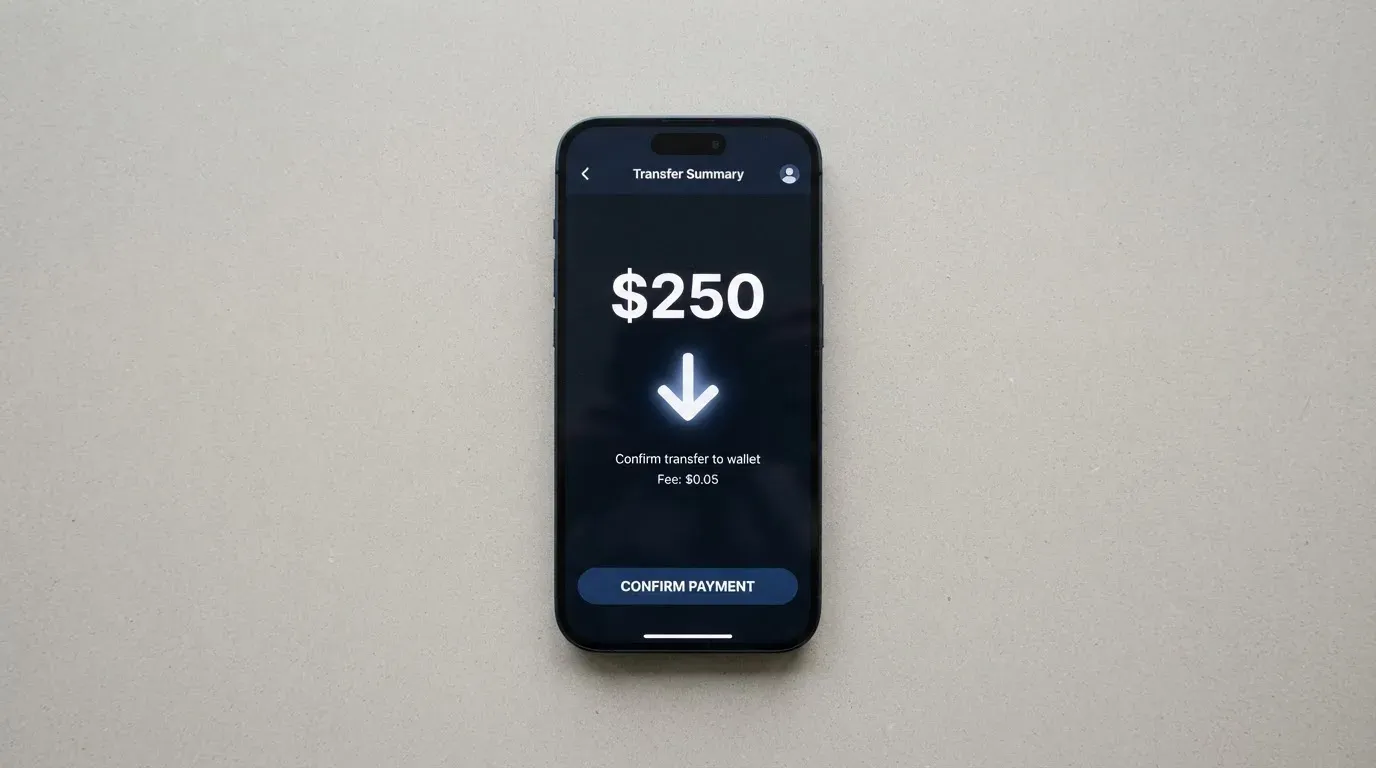
That is the whole funding model from the card’s point of view, and it is also where most of the practical questions live, because the work happens inside Bitpanda rather than on the card.
Funding the account follows Bitpanda’s normal deposit flow — bank transfer, the supported payment methods, and the buy/sell steps within the Bitpanda app. Card-specific top-up fees are not stated, so anything you pay to move money into Bitpanda is a Bitpanda deposit fee, not a card fee. To pre-load a stablecoin balance to spend later, you would buy a stablecoin on Bitpanda, hold it, then select it as your main asset; the conversion to EUR only happens at the moment of payment.
A few practical details are missing from the card pages and worth knowing:
- Which networks Bitpanda supports for incoming crypto transfers are stated on the platform pages, not the card page, so confirm in your app before sending.
- If you ever need to “empty” the card, you do not. The funds are not on the card; they are assets or euros in your Bitpanda account, and you sell or withdraw them through the normal Bitpanda payout flow.
- Payouts from the account, including any card-related withdrawal, are disabled while a “Proof of funds” request is open. That is the lever Bitpanda pulls when it needs more information about where money came from, and it affects the card because the card’s funds live in the same account.
Paying with it every day
Day-to-day use is where the Bitpanda card is at its most ordinary, and that is a compliment.
You get a physical Visa debit card you can tap, insert or swipe. Apple Pay is supported on the card page; Google Pay is not mentioned there, but a Bitpanda support article describes adding the card to Google Pay like any other Visa, which is consistent with how tokenised Visa cards work on Android. Blocked merchant categories are not spelled out on the public page — they live in section 5.12 of the Transact Payments Malta Cardholder Agreement, which I have not read in full. The MCCs issuers commonly block include gambling, and you should expect this card to behave like other European Visa debit cards on that front.
The Bitpanda card offers 1% cashback on qualifying crypto transactions. The most recent Product Terms (version 2.0.0, dated 1 April 2025) state that this rate is fixed and no longer linked to a BEST VIP level. Cashback is paid only on qualifying crypto transactions; payments in fiat, stocks, metals, and stablecoins are excluded. Rewards are credited to your EToken wallet in the asset you spent.
Refunds and disputes follow the standard Visa flow, with a Bitpanda-specific detail: under Product Terms 8.1, refunds including chargebacks are credited to the EUR wallet after fees. An older card-account terms page (whose wording references Contis and Solaris, two previous partners Bitpanda used) gives more detail: contact the merchant first, report unauthorised or incorrect payments within 13 months, expect a decision on a refund within 10 business days, and an unauthorised-payment refund no later than the end of the next business day after notification. That older wording is useful as a floor on what to expect, but the current Transact Payments Malta cardholder agreement is the document that governs now.
A few everyday friction points worth being aware of:
- The card is EUR-only. If you hold a dollar-pegged stablecoin as your main asset, the conversion to EUR happens at the moment of payment, and you are exposed to the EUR/USD spread inside the conversion.
- Authorisation holds on a declined payment can leave a hold on funds for several days, which is standard for Visa debit cards but worth keeping in mind if you are spending a small balance.
- Address Verification Service (AVS) is mostly a US/Canada/UK tool and generally unavailable for foreign-issued cards, which can occasionally cause online merchants to decline a euro-area card. This is a category-wide quirk, not a Bitpanda-specific bug.
The Bitpanda app is the control panel. Ratings on the Apple App Store were not read for this review; on Google Play, an unofficial aggregator (AppBrain, undated) reports an average of 3.60 from about 55 thousand ratings, which is a reasonable but not outstanding signal. The card’s app-based controls — block, unblock, spending limits, 3D Secure confirmation, mobile wallet tokenisation — are the typical safeguards expected of a modern European card.
What can go wrong
There are three failure modes that matter, and they are not the same kind of risk.
Platform-level risk. Bitpanda is a custodial platform: the assets and euros that the card draws on sit in your Bitpanda account, not in a self-custody wallet. If Bitpanda is hacked, becomes insolvent, or freezes your account, your ability to spend on the card is directly affected. The category has a long history here — Mt. Gox, Coincheck, Ronin — and the lesson is that holding balances on a custodian always carries counterparty and hack risk that a self-custody wallet does not.
Account-level friction. The single most common complaint theme on Bitpanda’s Trustpilot (4.1 out of 5 from about 15,896 reviews, read on 20 October 2026; 73% five-star, 17% one-star) is blocked withdrawals and account restrictions, especially during compliance reviews. The “Proof of funds” request is the lever: while it is open, payouts including card-related withdrawals are disabled. Other reported themes are slow support during compliance reviews, German-language replies to English messages, a 5% deposit-cashback promotion that some users say was paid only partially, and concerns about spreads. Platform-level complaints are relevant because the card’s funds live in the same account.
Card-programme risk. Visa terminated its global agreements with FTX in November 2022 and the FTX US debit card was wound down. WaveCrest, a previous European Visa issuer for several crypto card brands, was suspended by Visa in 2018. Programme closures typically follow a pattern: a notice period, then new loads stop, then spending stops, then users are asked to withdraw remaining balances. The Bitpanda card sits on a licensed Visa issuer (Transact Payments Malta Limited, regulated by the MFSA under reg. C 91879), and the contract is with Bitpanda GmbH in Vienna; Bitpanda Payments GmbH provides the payment services. That structure is reasonable, but it is not a guarantee. If the issuer or the programme ever closes, the card stops working, and the funds remain in your Bitpanda account.
Security on the card itself. The standard safeguards are in place: app-based 2FA, instant card freeze, spending limits, 3D Secure confirmation, and tokenised mobile wallets. The card can be blocked and unblocked in the app. Loss or theft must be blocked in the account and reported at once; a phone number (+44 (0)333 202 3645) is published on an older terms page for this purpose. The older terms page also says funds are held in a segregated safeguarding account and not covered by Lithuanian deposit insurance, and that liability is capped at EUR 50 in the absence of gross negligence — but that wording is from a previous issuer agreement (Contis/Solaris) and is in tension with the current Transact Payments Malta terms, so treat it as a floor, not the current rule.
Regulatory backdrop. MiCA — the EU’s markets-in-crypto-assets regulation — took legal effect in June 2023, with the asset-referenced and e-money token rules applying from 30 June 2024 and the rest, including the crypto-asset service provider (CASP) regime, applying from 30 December 2024. Providers operating under national law benefit from a transitional period that runs until 1 July 2026 or until authorisation is granted or refused, whichever comes first. ESMA keeps an interim register of authorised CASPs and a list of non-compliant entities, which is the right place to check whether Bitpanda’s relevant entity holds a current authorisation.
What to take instead
Three alternatives are worth weighing against the Bitpanda card. None of them is a perfect substitute, and the choice depends on which of Bitpanda’s limits is the one that pushes you away.
| Card | Score | Best fit | Key trade-off against Bitpanda |
|---|---|---|---|
| International Visa Card | 6.7 / 10 | US-billed spend in USD, stablecoin-funded | A US$5 one-time virtual card fee, plans from free to US$19/month, and a 2% FX margin on non-USD spending; long blocklist of countries. |
| UNi Card | 6.1 / 10 | A multicurrency Mastercard with spend-to-earn rewards | No annual or foreign transaction fee on the card itself, but eligibility and funding details are not stated on the card pages. |
| Morse | 7.5 / 10 | A self-custody, multicurrency Visa with zero FX markup | Currently fully virtual; the card is “available only in certain countries” and a long list of countries is in closed beta needing an invite code. |
The International Visa Card scores slightly higher than Bitpanda on my scale and is built around USDC and USDT deposits into a USD account. The card itself is virtual only (“physical coming soon”), priced at US$5 one-time for the card with a free Classic plan and paid Pro and Max plans. The headline number is the 2% FX margin for non-USD spending, which is more transparent than Bitpanda’s undisclosed Visa mark-up. The country rules are strict: residents or legal registrants of Belarus, mainland China, North Korea, Cuba, India, Iraq, Iran, Israel, Myanmar, Nepal, Nicaragua, Russia, Syria, Turkey, Ukraine, Venezuela and Vietnam cannot use the service, and FATF grey-list countries are reviewed case by case. Purchases are blocked in North Korea, Cuba, Iran, Russia, Syria, Ukraine and Venezuela. The rule is by residence or registration, not citizenship.
The UNi Card is a multicurrency Mastercard that spends from the UNi.Global account balance. The card has no annual fee and no foreign transaction fee; conversions run at “live OTC rates” with “no hidden exchange fees.” On the rewards side, the card advertises “Spend-to-Earn” up to 3%. The detail I would want before committing is eligibility and funding, both of which are not stated on the card pages I have read. If those work for you, it is a clean multicurrency alternative; if they do not, the silence on the card page is itself a risk.
Morse is the alternative that comes closest to a self-custody model. Deposits include USDC, USDG and EURC on Solana for free, plus Bitcoin, USDT, Ethereum and other tokens; the wallet itself is self-custodial, which removes the platform-custody failure mode that affects Bitpanda. The card is fully virtual for now, with no published issuance or monthly fee, and the FX is the real-time Visa rate with zero mark-up. The trade-off is availability: the app works in over 140 countries for P2P, with local add/withdraw in over 70, but the card is “available only in certain countries,” and a long list — including the UK, Switzerland, Singapore, Hong Kong, Japan, Australia and others — is in closed beta requiring an invite code. Sanctions screening excludes anyone subject to US, UK, EU or UN sanctions.
If your reason for leaving Bitpanda is the euro-area-only rule, the Morse card is the most direct replacement on a self-custody basis, provided your country is on the supported list. If your reason is the lack of FX transparency, the International Visa Card is the most direct replacement on a stablecoin-funded basis, provided you can live with the 2% margin and the US billing. The UNi Card is the right pick if multicurrency and a Mastercard network are your priorities and you can confirm the eligibility and funding details directly with the provider.
Who I would recommend it to
The honest answer is a small audience.
If you live in the euro area, have a fully verified Bitpanda account that was not opened through Bankident, and you already hold some crypto or precious metals on Bitpanda that you would like to spend in shops, the Bitpanda card is one of the more straightforward ways to do it. You get a physical Visa, Apple Pay, a sensible ATM limit, and a euro billing model that keeps your statements in the currency you actually live in. Cashback at 1% on crypto spending is a small but real perk, and the published limits (EUR 10,000 a day, EUR 70,000 a week, EUR 280,000 a month) are generous enough that you will not bump into them for normal use.
If you live outside the euro area, want a multicurrency card, hold your own keys in a self-custody wallet, or care about a published conversion spread, this is not your card. The residency rule is a hard wall, the card is EUR-only, the funds sit in a custodial platform, and the most material cost — the conversion spread on the crypto-to-EUR leg — is not published on the card page. The official “EUR 0 FX” line is a partial truth because the Visa mark-up that follows is not quantified, and the trading fee on each payment is not published either.
A short pre-order checklist:
- Confirm your country of residence is in the euro area and is not Cyprus or Liechtenstein.
- Make sure your Bitpanda account is verified through a method other than Bankident.
- Read the current Transact Payments Malta Cardholder Agreement, especially section 5.12 on blocked merchant categories.
- Test the conversion spread yourself with a small payment, and compare the euro value of the asset debited to a live mid-market rate at the time.
- Decide whether EUR 0 FX + an undisclosed Visa mark-up is acceptable to you, or whether the disclosed 2% margin on the International Visa Card is a better trade.
- Check the ESMA interim register for the relevant Bitpanda entity’s current authorisation status under MiCA.
Used within those limits, the Bitpanda card does what it says. Outside them, the alternatives above will fit you better.
Frequently asked questions
What is the Bitpanda card?
The Bitpanda card is a physical Visa debit card issued under licence by Transact Payments Malta Limited and tied to a Bitpanda account. It spends in euros and draws on a chosen payment asset held in the account — one of the listed cryptocurrencies, a precious metal or euro itself — converting to EUR at the moment of payment.
How does the Bitpanda card work?
You pick a main asset and an optional fallback, then the card converts that asset to euros at the moment you pay. There is no separate top-up step; the funds sit in your Bitpanda account, and the card is a way to spend them in shops, online and at ATMs. Crypto Indices are not eligible as the payment asset.
Is Bitpanda a bank?
No. Bitpanda is a crypto platform; the card is issued by Transact Payments Malta Limited, an electronic money institution regulated by the MFSA under registration C 91879. Bitpanda Payments GmbH provides the payment services on the Bitpanda side. Card funds are not bank deposits.
Who owns Bitpanda?
Bitpanda’s legal entity for the card contract is Bitpanda GmbH, based in Vienna, with payment services provided by Bitpanda Payments GmbH. The card itself is issued by Transact Payments Malta Limited, not by Bitpanda. Ownership of the wider Bitpanda group is not stated on the card page.
How do I get the Bitpanda card?
You need a verified Bitpanda account and a residence in a euro-area country (Cyprus and Liechtenstein excluded), and you must not have verified through Bankident. You order the card in the Bitpanda app, and it ships within three to seven working days.
Does the Bitpanda card require KYC?
Yes. The card requires a fully verified Bitpanda account, which means the standard platform KYC has to be completed. The exact documents and processing time are not stated on the card pages and depend on what your account is already doing.
How do I top up the Bitpanda card?
You do not top up the card directly. You fund your Bitpanda account through the platform’s normal deposit methods, choose a main payment asset (a listed crypto, a precious metal or EUR), and the card spends that asset by converting it to EUR at payment. Card-specific top-up fees are not stated.
How do I add the Bitpanda card to Apple Wallet or Google Pay?
Apple Pay is listed as supported on the card page. A Bitpanda support article describes adding the card to Google Pay like any other Visa card. In both cases the card number is replaced by a device-specific token, and the physical card continues to work independently.
Is the Bitpanda card safe?
The card has the standard European safeguards — app-based 2FA, instant freeze, spending limits, 3D Secure and tokenised mobile wallets — and the issuer is regulated in the EU. The risk that does not go away is platform-level: the funds live in a custodial Bitpanda account, and the card cannot be used while a “Proof of funds” request is open on that account. Treat the card as a way to spend a Bitpanda balance, not as an independent e-money account.
Is the Bitpanda card worth it?
It is worth it for a narrow audience: euro-area residents who hold crypto or metals on Bitpanda and want a clean way to spend those balances. It is not worth it for anyone outside the euro area, anyone who wants a multicurrency card, or anyone who needs a published conversion spread. The headline “EUR 0 FX” is qualified by a Visa mark-up that is not published, and that is the line to test before you commit.
App and neobank cards on the shortlist – cryptocardshortlist
Content created by the «cryptocardshortlist» team